

Videos 2026 Rank: #2917
LazyKiwi AI Video Generator ✓
Create Viral Video & Images with Ready-Made Templates effortlessly
Verdict
A quick read before you dig into the full page.
- Best if
- Create Viral Video & Images with Ready-Made Templates effortlessly
- Skip if
- Limited design capabilities
- Pick this when
- Creation and modification feature
Considering freebeat AI instead? Compare side by side
Overview





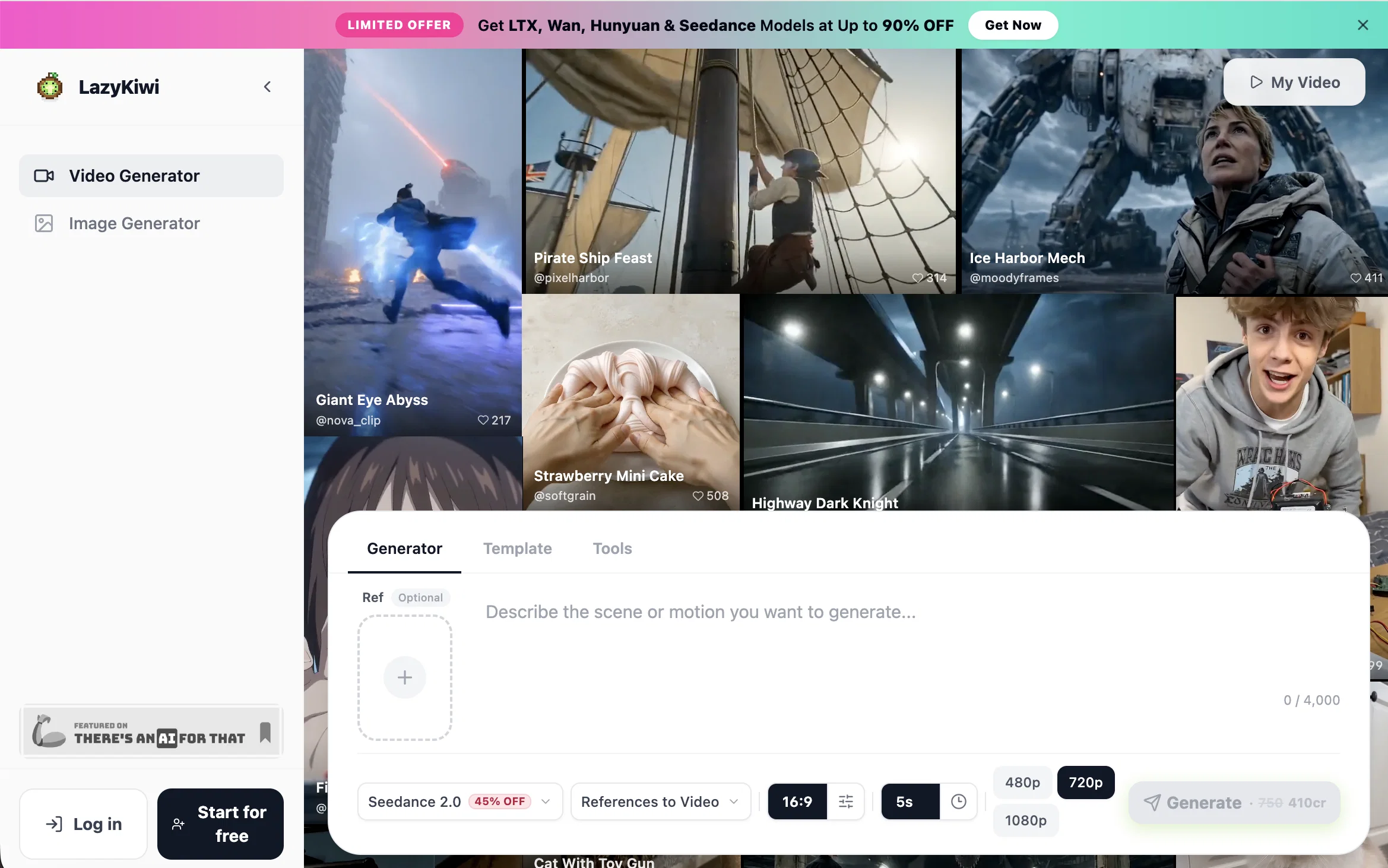
LazyKiwi is an AI-powered tool for ready-Made viral video templates, designed to facilitate the creation and modification of images and videos. The environment it provides is referred to as a 'workspace', indicating an organized structure that allows users to perform multiple functions seamlessly.
This tool leverages AI algorithms to automate complex tasks involved in multimedia productions. It makes the image and video creation process more accessible and less demanding, thus suitable for both amateurs and professionals.
LazyKiwi is not limited to simple design, but it is also capable of delivering advanced image and video editing features. While details about the breadth of its AI functionality have not been provided, the implication is that a user would ideally be able to work with multimedia tools driven by AI for a more efficient and intuitive crafting process.
Overall, LazyKiwi seeks to streamline the work process involved in image and video creation by integrating AI technologies.
- Ai Video Generator
- Text To Video Generation
- Script To Video
- Video Frame Interpolation
- Image To Video
- Video Upscaling
- Video To Video
- Video Face Swap
- Explainer Videos
Access & connections
Where you can use LazyKiwi AI Video Generator.
Platforms
Capabilities
What this tool accepts, produces, and is strongest at.
Input
- Code
- Tabular
- Image
- Text
- Video
- Audio
Output
- Video
- Image
Highlights
- SOTA
- Use code TAAFT
- 20% OFF
Supported features
- Video Avatars
- Video Edit
- Video Generation
- Visual Creation
Models
Text
Image
Audio
Video
Pros & cons
Pros
- Creation and modification feature
- Intuitive 'workspace' environment
- Seamless multi-functionality
- Automates complex tasks
- Accessible creation process
- Suitable for all skill levels
- Advanced editing features
- Efficient crafting process
Show 10 more
- Streamlines work process
- Image and video automation
- Friendly user interface
- Enables creative workflow
- Functional for content creation
- Efficient for amateurs
- Flexibly adjusts for professionals
- Automated multimedia production
- Routine workflow streamlined
- Simplifies complex design tasks
Cons
- Limited design capabilities
- Might not support advanced editing
- Only suitable for multimedia tasks
- Automated process lacks customization
- No API for integration
- Unknown compatibility with operating systems
- Not clarified if it's free
- May lack professional-grade tools
Compare alternatives
Similar tools in the catalog — with a clear reason to open each one.

freebeat AI ✓
FreemiumTurn Music & Ideas into Viral Videos In One Click
Why look Freemium alternative
Full comparison
MagicLight ✓
FreemiumTransform text into captivating videos instantly.
Why look Freemium alternative
Full comparison

HeyGen ✓
FreemiumCreate AI spokesperson videos from text
Why look Freemium alternative
Full comparison

Seedance ✓
FreemiumMulti-shot video generation from text and image.
Why look Stronger for image work
Full comparisonReleases 1
FAQ 6
What is LazyKiwi AI?
🛠️ 1
tool
wrote:
LazyKiwi is an all-in-one AI video generator and creative studio built around ready-made templates. LazyKiwi covers short and long video creation, image generation and enhancement, photo effects and a meme maker in a single browser workspace. Users start from a text prompt, a photo, a pair of start and end frames, or one of 300+ templates.
Can I use generated videos commercially?
🛠️ 1
tool
wrote:
Yes. Pro members get full commercial usage rights on every output.
Which AI models are supported?
🛠️ 1
tool
wrote:
LazyKiwi supports Kling, Veo 3, Sora 2, Runway, Seedream, FLUX, Midjourney, Stable Diffusion and more, with new models added regularly. Every model on LazyKiwi draws on the same credit balance.
What can I create with Lazykiwi?
🛠️ 1
tool
wrote:
LazyKiwi creates short-form video, viral effect clips, generated and edited images, and start-to-end frame transitions. Common uses include TikTok, Instagram Reels and YouTube Shorts posts, ad creative, and product video for ecommerce.
Can I use templates without writing prompts?
🛠️ 1
tool
wrote:
Yes. A LazyKiwi template bundles the model, the prompt and the motion settings into one click. The user uploads an image or a clip and the effect is applied without writing anything.
How is LazyKiwi different from CapCut templates?
🛠️ 1
tool
wrote:
CapCut templates are editing presets applied inside the CapCut mobile app, where the user supplies their own footage and the template arranges the cuts and timing. LazyKiwi templates are AI generation presets that run online in a web browser and create new footage from a single still image, so no source video is needed. LazyKiwi is an independent product and is not affiliated with or endorsed by CapCut or ByteDance.
Related tools
Recommended

MagicSlides.app AI PPT Maker ✓
FreemiumCreate Stunning PPTs in Seconds with the AI PPT Maker

GetLogit ✓
FreemiumArtificial intelligence, available for everyone.

ChatGPT ✓
FreemiumAsk anything, create anything, and move from idea to action.

Automateed ✓
Free TrialCreate eBooks effortlessly with Automateed, the AI-powered writing tool.

Kin - Personal AI Advisors ✓
FreePrivacy-first & designed your for mind, and life at work

Aiter.io | Paste a URL. Ship a Campaign That Sounds L... ✓
FreemiumAI marketing that sounds like you, not everyone else.