Video generation

Kling 2.6 AI Video Generator

Advanced AI video generator for cinematic 1080p videos.

Source rating 5.0 (73) 264 views 264/mo traffic 0 saves Paid
More categories (9)

Verdict

A quick read before you dig into the full page.

Best if
Advanced AI video generator for cinematic 1080p videos
Skip if
You need a free plan with no credit card
Pick this when
Paid · From $35

Overview

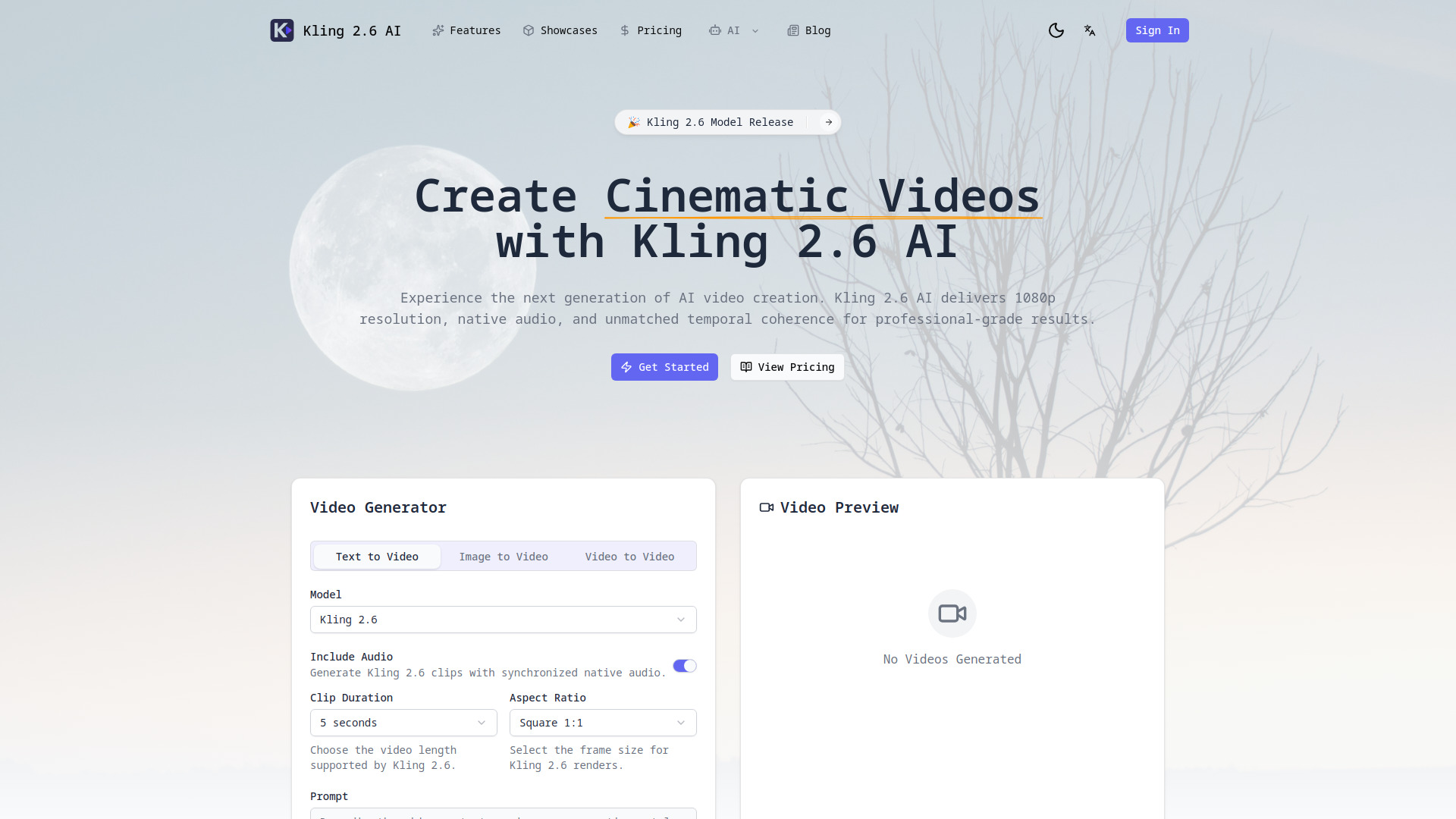
Kling 2.6 AI is an advanced AI video generator capable of producing cinematic 1080p videos with native audio, enhanced motion logic, and multimodal inputs. It pairs the Kling 2.6 video model with intuitive controls, allowing users to move from storyboard to finished footage within one workspace. It transforms natural language prompts into 1080p footage with film-style composition and motion control, and supports uploading stills, sketches, or keyframes to establish art direction. The AI models depth, parallax, and object dynamics for physically grounded shots and generates synchronized dialogue, Foley, or score stems. Kling 2.6 AI offers a complete workflow from prompt to polished export, delivering native 1080p renders with complex lighting, camera moves, and motion blur, ready for editing.

Kling 2.6 AI Video Generator screenshot

Access & connections

Where you can use Kling 2.6 AI Video Generator.

Platforms

Web

Capabilities

What this tool accepts, produces, and is strongest at.

Highlights

  • Text + Image + Audio Prompts (Multimodal Inputs)
  • 1080p Native Resolution with cinematic depth, lighting, and motion blur
  • Temporal Coherence (consistent characters, props, lighting)
  • Physics Awareness (understands depth, occlusion, object interactions)
  • Native Audio Pipeline (synthesizes synchronized dialogue, Foley, score)
  • Collaboration Tools (share scenes, manage render credits)

FAQ 8

What is Kling 2.6 AI Video Generator?
Kling 2.6 AI is an advanced AI video generator capable of producing cinematic 1080p videos with native audio, enhanced motion logic, and multimodal inputs. It pairs the Kling 2.6 video model with intuitive controls, allowing users to move from storyboard to finished footage within one workspace. It transforms natural language prompts into 1080p footage with film-style composition and motion control, and supports uploading stills, sketches, or keyframes to establish art direction. The AI models depth, parallax, and object dynamics for physically grounded shots and generates synchronized dialogue, Foley, or score stems. Kling 2.6 AI offers a complete workflow from prompt to polished export, delivering native 1080p renders with complex lighting, camera moves, and motion blur, ready for editing.
How to use Kling 2.6 AI Video Generator?
To create cinematic video with Kling 2.6 AI, follow four simple steps:
1. Describe Your Scene: Write a detailed prompt covering subject, motion, camera lenses, and mood.
2. Add References: Optionally upload still images, sketches, or audio cues to anchor the look and pacing.
3. Generate & Refine: Run Kling 2.6 AI drafts, tweak motion paths or keyframes, and re-render within seconds.
4. Export & Share: Download 1080p footage with native audio or send takes directly into your editing apps.

What is Kling 2.6 AI and how does it work?
Kling 2.6 AI is an advanced AI video generator that pairs the Kling 2.6 video model with intuitive controls. It allows users to transform natural language prompts, images, and audio cues into cinematic 1080p footage with native audio, enhanced motion logic, and multimodal inputs.
Which inputs can I use to guide a render?
You can use text prompts, still images, sketches, keyframes, and audio cues (narration, reference art, soundtrack cues) to guide your renders.
Can I control the camera and movement?
Yes, Kling 2.6 AI allows for motion control and models depth, parallax, and object dynamics, enabling physically grounded shots and complex camera moves. You can tweak motion paths or keyframes.
Does Kling 2.6 AI generate audio?
Yes, Kling 2.6 AI includes a native audio pipeline capable of synthesizing dialogue, Foley, or score stems that stay synchronized to the frames you produce.
What export options are available?
You can download 1080p footage with native audio. The Studio Monthly plan also offers 4K/HDR export. You can also send takes directly into your editing apps.

Is Kling 2.6 AI ready for teams?
Yes, Kling 2.6 AI offers collaboration tools to share scenes, gather feedback, and manage render credits with your team. There are also team-oriented pricing plans like 'Studio Monthly'.
Kling 2.6 AI Video Generator From $35

