

Bulk images 2026 Rank: #2933
ImgBulk ✓
Generate 100+ AI images in one batch.
Trial; then from $5
Verdict
A quick read before you dig into the full page.
- Best if
- Generate 100+ AI images in one batch
- Skip if
- Limited to 200 tasks
- Pick this when
- High-volume image work
Considering Bulk Image Generator instead? Compare side by side
Overview
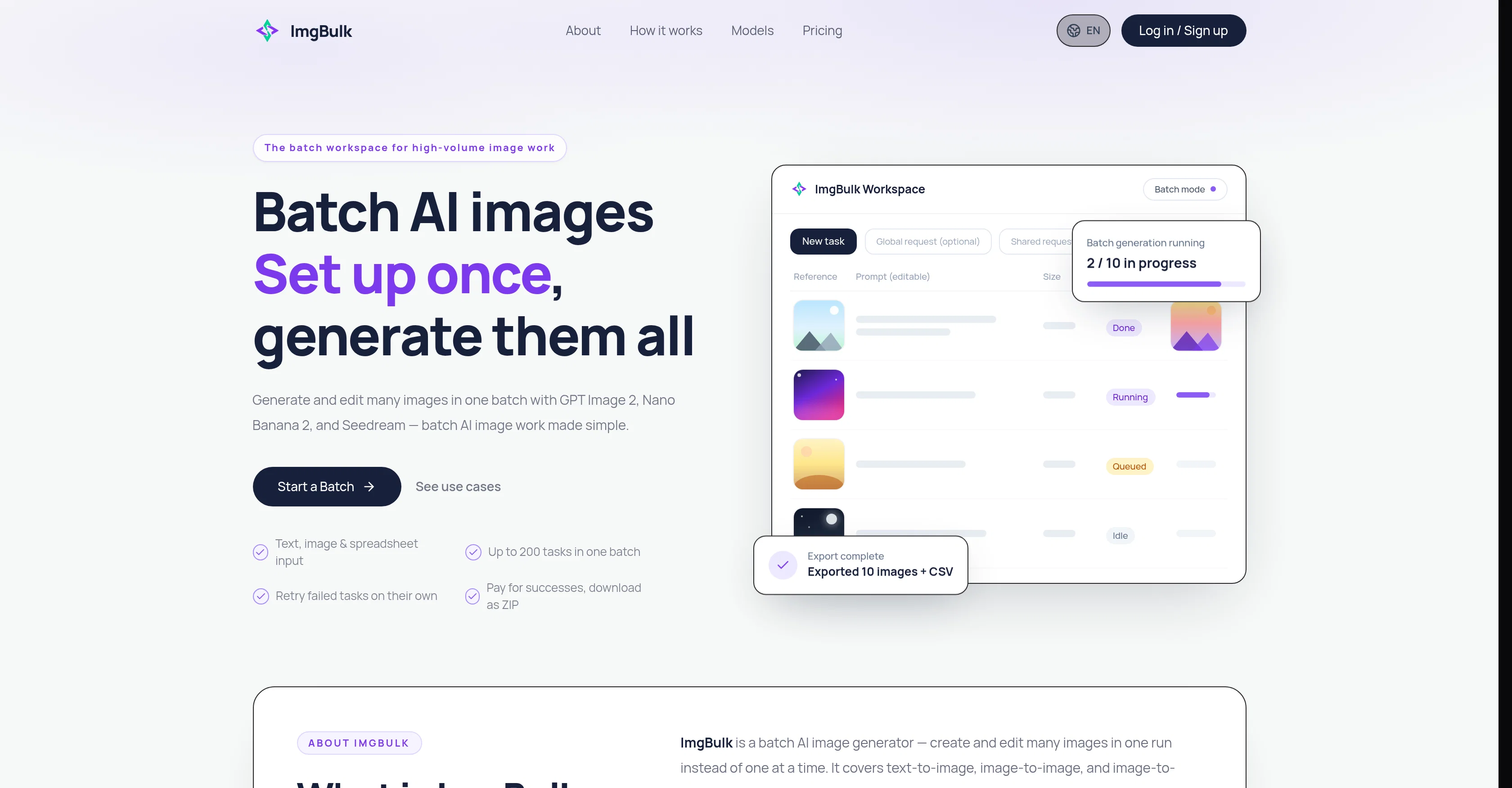
ImgBulk is a batch workspace tool designed for high-volume image work. It allows users to generate and edit AI images in bulk, streamlining the process for numerous images at once.
The tool utilizes GPT Image 2, Nano Banana 2, and Seedream models, demonstrating versatility and adaptability to different tasks. Users can set up the image generation or editing tasks just once and the tool then processes all tasks in the same batch.
An important feature of ImgBulk is its ability to account for failures. If any task fails during the process, it keeps its status and users can retry these tasks individually, removing the need to rerun completed tasks.
ImgBulk also offers options for bulk result download, supporting efficient data management. Users can import tasks via CSV or Excel and the tool supports prompt generation, potentially simplifying the task setup process.
Most notably, each task can have its own image prompt and reference images, providing a considerable level of customization and flexibility for users.
The tool is designed keeping in mind the balance between performance and cost-efficiency as users only pay for successful tasks.
Access & connections
Where you can use ImgBulk, and what it plugs into.
Platforms
Integrations
Capabilities
What this tool accepts, produces, and is strongest at.
Input
- Text
- Image
- Tabular
Output
- Image
Pros & cons
Pros
- High-volume image work
- Bulk image generation and editing
- Supports GPT Image 2
- Supports Nano Banana 2
- Supports Seedream models
- Single setup for all tasks
- Accounts for task failures
- Retries individual failed tasks
Show 14 more
- Offers bulk result download
- Supports CSV and Excel imports
- Enables prompt generation
- Permits task customization
- Pays only for successful tasks
- Up to 200 tasks per batch
- Individual image prompts and references
- Balance between performance and cost
- Multiple model workflow
- Efficient data management
- Built-in error handling
- Task status tracking
- Retains settings for running tasks
- Flexible model and resolution settings
Cons
- Limited to 200 tasks
- Depends on file size
- Depends on model capabilities
- Depends on account credits
- Depends on concurrency settings
- Not all models supported
- Model limitations applicable
- No task settings individuality
Show 2 more
- Tasks failure still probable
- Only supports CSV, Excel
Compare alternatives
Similar tools in the catalog — with a clear reason to open each one.

Bulk Image Generator ✓
PaidGenerate 100+ professional AI images in seconds
from $15/mo
Full comparison
ImagePipeline ✓
PaidGenerate AI images at scale with simple APIs
Why look Offers a public API
Full comparison
BulkGen ✓
Free TrialCreate hundreds of AI images from one prompt.
Free + from $9.50/mo
Full comparison
BulkImagen ✓
FreemiumType once, get a stack of images back.
Why look Higher community rating
Full comparisonReleases 1
FAQ 12
What is ImgBulk?
What AI models does ImgBulk utilise?
How does ImgBulk process tasks in one batch?
How does ImgBulk handle task failures?
What options does ImgBulk offer for bulk result download?
How can users set up tasks in ImgBulk?
Can each task in ImgBulk have its own image prompt and reference images?
Does ImgBulk allow task customization?
What is the cost model for using ImgBulk?
Can I import tasks via CSV or Excel in ImgBulk?
What task setup process does ImgBulk support?
What is prompt generation in ImgBulk?
Related tools
Recommended

MagicSlides.app AI PPT Maker ✓
FreemiumCreate Stunning PPTs in Seconds with the AI PPT Maker

GetLogit ✓
FreemiumArtificial intelligence, available for everyone.

ChatGPT ✓
FreemiumAsk anything, create anything, and move from idea to action.

Automateed ✓
Free TrialCreate eBooks effortlessly with Automateed, the AI-powered writing tool.

Kin - Personal AI Advisors ✓
FreePrivacy-first & designed your for mind, and life at work

Aiter.io | Paste a URL. Ship a Campaign That Sounds L... ✓
FreemiumAI marketing that sounds like you, not everyone else.