BulkGen ✓
Create hundreds of AI images from one prompt.
Trial; then from $9.50/mo
Verdict
A quick read before you dig into the full page.
- Best if
- Create hundreds of AI images from one prompt
- Skip if
- Limited to PNG/JPEG output
- Pick this when
- High-volume image production
Considering Bulk Image Generator instead? Compare side by side
Overview
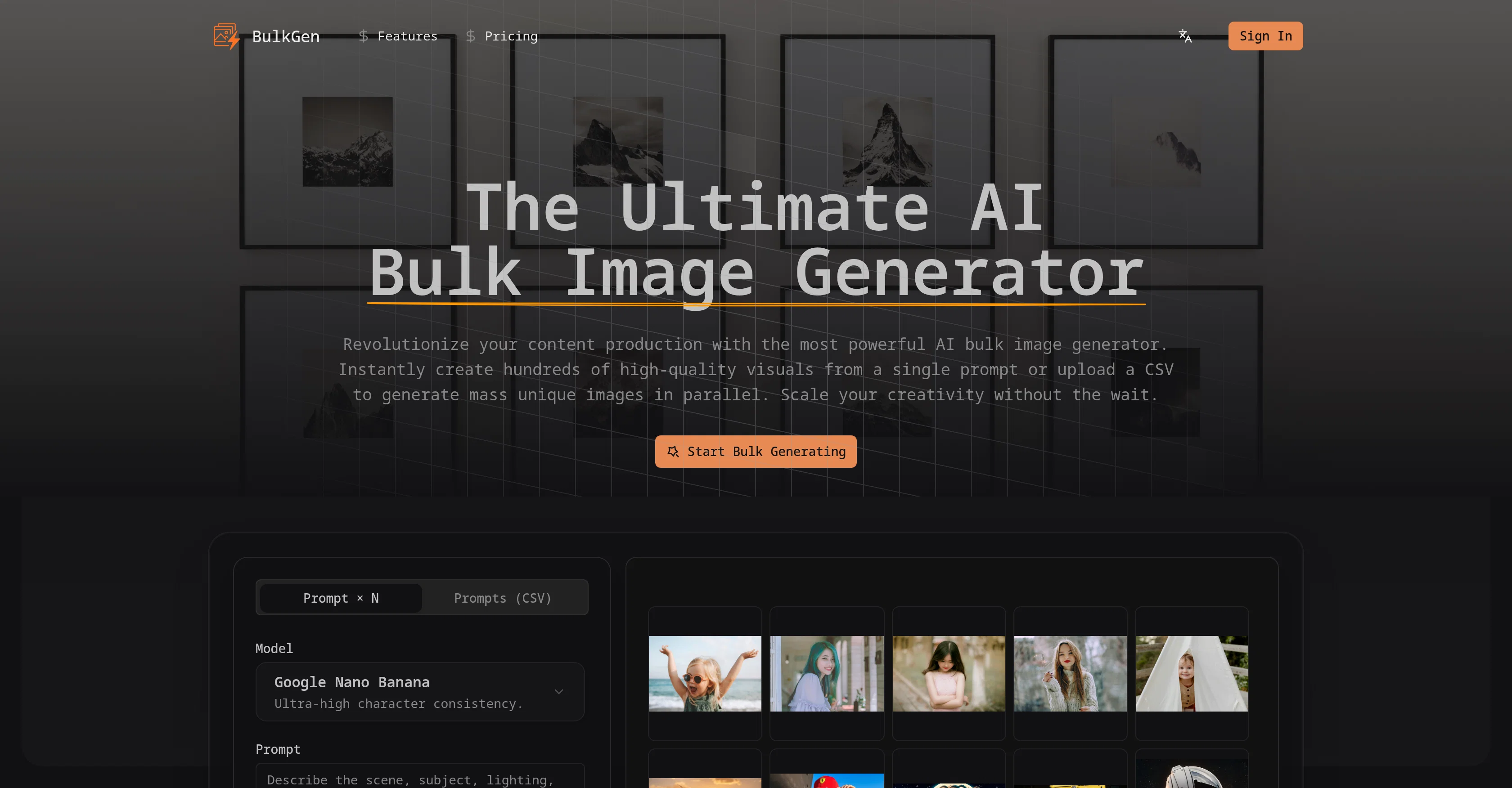
BulkGen is a comprehensive AI tool offering an innovative solution to mass scale image generation. It is designed to drastically enhance content production by creating high-quality visuals from a single prompt or through a CSV for parallel generation of unique images.
The tool embraces two modes: 'Prompt N', used for generating several variations of a single concept, and 'Prompts (CSV)', applicable for processing large datasets of disparate descriptions concurrently.
This tool can produce consistent character art, e-commerce assets, and versatile social media content. It streamlines the entire content creation process, featuring custom aspect ratios, swift rendering and easy export options.
BulkGen also presents flexible aspect ratios and formats, and supports all standard ratios for different platforms, exporting in either PNG or JPEG formats.
Furthermore, its high-speed parallel processing features leverage advanced GPU clustering to deliver results efficiently and with high consistency, regardless of the quantity of images generated.
Ultimately, BulkGen combines the power of generative AI and the scalability of automation tools, transforming how you create art and offering efficiencies ideal for agencies and businesses requiring large volume visual assets.
Access & connections
Where you can use BulkGen.
Platforms
Capabilities
What this tool accepts, produces, and is strongest at.
Input
- Tabular
- Image
- Text
Output
- Image
Highlights
- SOTA
Supported features
- Automation
- Image Generation
- Styling
Pros & cons
Pros
- High-volume image production
- Supports textual prompts
- Accepts CSV files
- Two distinct modes
- Accommodates extensive datasets
- Ideal for e-commerce
- Generates social media content
- Supports custom aspect ratios
Show 42 more
- High-speed rendering
- Offers swift export options
- High-speed parallel processing
- Employs GPU clustering
- Delivers superior scalability
- Ensures consistency in images
- Can create character art
- Supports all standard ratios
- Exports in PNG or JPEG
- Outputs large quantities
- Streamlines content creation process
- Offers CSV for parallel generation
- Produces consistent e-commerce assets
- Offers automation in scalability
- Supports 1:1 aspect ratio
- Supports 9:16 aspect ratio
- Supports 16:9 aspect ratio
- Empowers users with mass visuals
- Offers several lighting variations
- Creates dynamic ad campaigns
- Ideal for SEO blog posts
- Utilizes high-speed parallel processing
- Automatic CSV upload for mass production
- Offers scalable content creation
- Data-driven visual automation
- Automatic parallel request processing
- Delivers ultra-high consistency models
- Uses Google Nano models
- Specific per prompt image configuration
- One-click bulk export feature
- Provides commercial rights on images
- Streamlines thousands of file management
- Supports 3:2 aspect ratio
- Supports 4:3 aspect ratio
- Supports 2:3 aspect ratio
- Supports 3:4 aspect ratio
- Supports 5:4 aspect ratio
- Supports 4:5 aspect ratio
- Configurable image generation settings
- Fashionable, intuitive interface
- Provides CSV processing engine
- 1 to 50+ prompts per batch
Cons
- Limited to PNG/JPEG output
- Requires CSV files for bulk
- No real-time preview feature
- No specified error-handling mechanism
- Lacks advanced editing options
- Output may not be predictable
- No support for vector formats
- Not designed for single-image generation
Show 2 more
- No multi-language support
- Inability to save templates
Compare alternatives
Similar tools in the catalog — with a clear reason to open each one.

Bulk Image Generator ✓
PaidGenerate 100+ professional AI images in seconds
from $15/mo
Full comparison
ImagePipeline ✓
PaidGenerate AI images at scale with simple APIs
Why look Offers a public API
Full comparison
BulkImagen ✓
FreemiumType once, get a stack of images back.
Why look Typically cheaper
Full comparison
ImgBulk ✓
Free TrialGenerate 100+ AI images in one batch.
Why look Typically cheaper
Full comparisonReleases 1
FAQ 12
What is BulkGen?
How does BulkGen's 'Prompt × N' and 'Prompts (CSV)' modes work?
What types of content can BulkGen create?
Can I define the aspect ratio of images generated by BulkGen?
What formats can BulkGen export images in?
How does the high-speed parallel processing work in BulkGen?
Can I use BulkGen for commercial purposes?
How is the scalability of BulkGen beneficial for businesses and agencies?
How does CSV input work for bulk image generation?
What is the quality of visuals generated by BulkGen?
Can BulkGen be used for creating social media content?
What are the different applications for BulkGen in e-commerce?
Related tools
Recommended

remio: Your Personal ChatGPT ✓
FreemiumGet Tailored Answer with Your Personal ChatGPT

Kin - Personal AI Advisors ✓
FreePrivacy-first & designed your for mind, and life at work

ColorMagic ✓
FreeGenerate AI color palettes from keywords or images.

iColoring AI ✓
FreeTurn photos and ideas into printable coloring pages.

ChatGPT ✓
FreemiumAsk anything, create anything, and move from idea to action.

PrometAI ✓
FreemiumTurn ideas into viable reality with AI business plan generator.