
Videos 2026 Rank: #1104
ImageToVideo AI.org ✓
Turn text or images into video with any AI model.
Verdict
A quick read before you dig into the full page.
- Best if
- Turn text or images into video with any AI model
- Skip if
- Potentially steep learning curve
- Pick this when
- Flexible model selection
Considering freebeat AI instead? Compare side by side
Overview
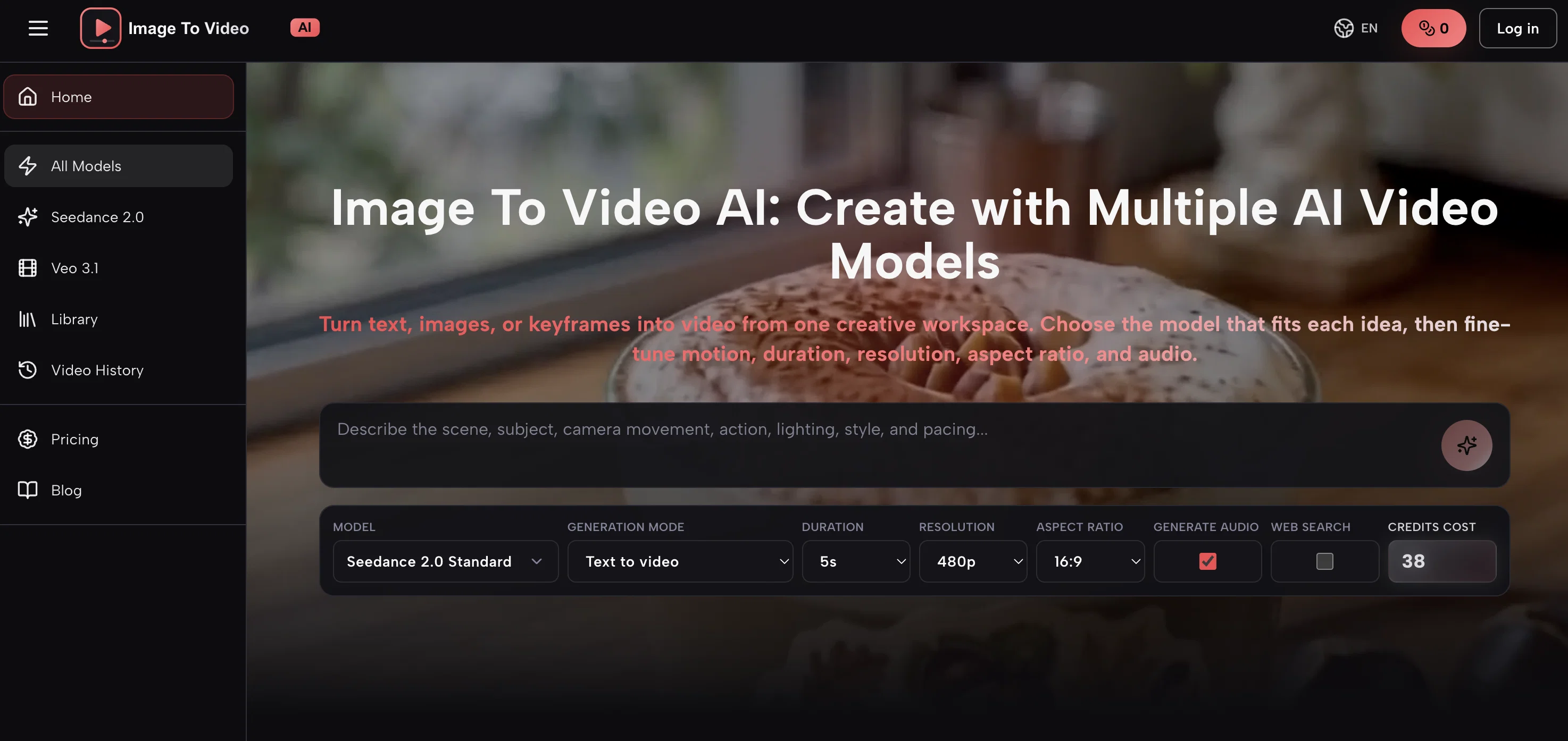
Image To Video AI is a multi-model AI video creation platform that can transform text, images, or keyframes into videos. The versatile tool encompasses various AI models, each featuring unique strengths, generation modes, and controls.
The platform offers the flexibility to select the model best suited to each specific project. Key features of the tool include the ability to fine-tune aspects of the generated video such as motion, duration, resolution, aspect ratio, and audio.
Specific application examples include turning product images into ad videos or animating diagrams for educational purposes. The AI models can generate videos using a text prompt or an optional reference image, while the creative professional specifies details such as the subject, action, camera movement, lighting, atmosphere, style, and pacing for more controlled results.
Upon completion, the generated videos are saved to the user's library for playback, review, download, and future creative work. The tool caters for a wide range of creative professionals including marketers, content creators, educators, e-commerce sellers, graphic designers, and entrepreneurs.
Access & connections
Where you can use ImageToVideo AI.org.
Platforms
Capabilities
What this tool accepts, produces, and is strongest at.
Input
- Image
- Text
- Video
Output
- Video
- Image
Pros & cons
Pros
- Flexible model selection
- Fine-tuning video attributes
- Suitable for multiple professions
- Text prompts feature
- Reference image option
- Controlled video generation
- Video saving and playback
- E-commerce video creation
Show 37 more
- Education video creation
- Supports video editing
- Variety of generation modes
- Supports multiple video resolutions
- Supports multiple aspect ratios
- Integrated audio controls
- Preserves video history
- Cost effective video creation
- Quick turnaround time
- High-quality video output
- Works with keyframes
- Publish-ready video creation
- Custom scene descriptions
- Camera motion controls
- Lighting effect controls
- Easy-to-use interface
- Atmosphere selection
- Supports various video styles
- Highly adaptable tool
- Targeted video pacing
- Animated diagrams feature
- Cloud-based library
- Creative workspace
- Customisable video duration
- Supports multiple languages
- Wide-ranging video applications
- Automates creative process
- Multi-format video output
- Preview feature available
- Professional video results
- Active workflow
- Rich documentation and guides
- Useful for entrepreneurs
- Helpful for advertisers
- Built-in pricing module
- Promotes rapid content testing
- Transforms static to motion
Cons
- Potentially steep learning curve
- No real-time editing
- Camera controls may be restrictive
- Limited motion controls
- No multi-user collaboration
- Mandatory download after completion
- No specifics about storage limit
- Limited aspect ratios available
Show 1 more
- Ambiguous pricing structure
Compare alternatives
Similar tools in the catalog — with a clear reason to open each one.

freebeat AI ✓
FreemiumTurn Music & Ideas into Viral Videos In One Click
Why look Freemium alternative
Full comparison
MagicLight ✓
FreemiumTransform text into captivating videos instantly.
Why look Freemium alternative
Full comparison

HeyGen ✓
FreemiumCreate AI spokesperson videos from text
Why look Freemium alternative
Full comparison

Seedance ✓
FreemiumMulti-shot video generation from text and image.
Why look Typically cheaper
Full comparison