

Text humanization 2026 Rank: #392
Humanize Max ✓
Turn AI text into natural, human writing instantly.
Verdict
A quick read before you dig into the full page.
- Best if
- Turn AI text into natural, human writing instantly
- Skip if
- Limited length control
- Pick this when
- Four writing styles
Considering WriteHuman instead? Compare side by side
Overview
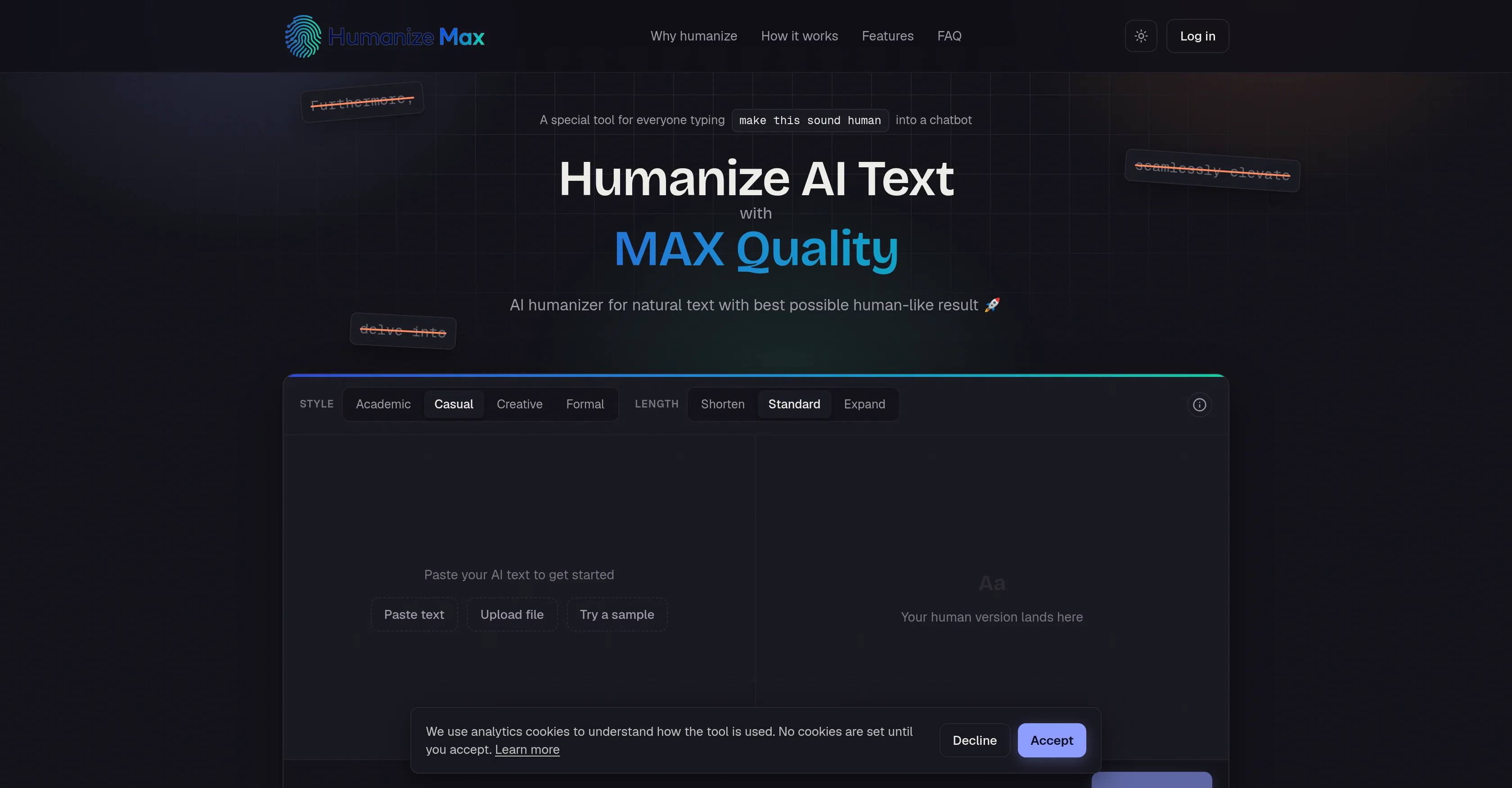
Humanize Max is an AI tool designed for text humanization. It transforms AI-generated text into a more natural and engaging version that reads like human-written text.
It offers four writing styles: Academic, Casual, Creative, and Formal. The tool assists professionals in various fields, including writers, marketers, SEO experts, students, researchers, and non-native English writers by refining their AI-generated drafts into natural and appealing human text.
It can also aid in maintaining a consistent tone across various pieces of text, making it ideal for multi-author teams. Users can tweak the style and length of their input text and the tool comes with a feature to lock specific terms to be left unchanged.
Users can repeatedly run the AI-to-human conversion process at no cost. This tool guarantees to retain the original meaning of the text while enhancing its readability.
No account creation or sign-up is required to use Humanize Max, making it a quick and accessible tool for anyone needing to humanize AI text.
Access & connections
Where you can use Humanize Max.
Platforms
Capabilities
What this tool accepts, produces, and is strongest at.
Input
- Text
Output
- Text
Pros & cons
Pros
- Four writing styles
- Adaptable to multiple professionals
- Consistency in tone
- Style and length customization
- Retains original text meaning
- Enhances text readability
- No sign-up required
- Free text humanization
Show 21 more
- Term locking feature
- SEO Optimization
- No account creation
- Supports non-native English writers
- Suitable for multi-author teams
- Lock specific terms
- Support for academic writing
- Support for casual writing
- Support for creative writing
- Support for formal writing
- Professional Writing Assistance
- Language Style Adaptation
- Ideal for marketers and SEO experts
- Assists non-native English writers
- Good for text readability
- Fast and efficient conversion
- Does not require sign-up
- Customizable text style
- Enables text consistency
- Designed for various professionals
- Good for students and researchers
Cons
- Limited to four styles
- No offline mode
- No multi-language support
- Doesn't offer grading metric
- No collaborative feature
- No mobile app
- No translation services
- No version control
Show 1 more
- Limited length control
Compare alternatives
Similar tools in the catalog — with a clear reason to open each one.
WriteHuman ✓
Free TrialUndetectable and private content generation.
Why look More privacy-focused
Full comparison
Humanize ✓
FreemiumTransform AI text into undetectable human writing.
Why look Better for writing
Full comparison
Clever AI Humanizer ✓
FreeMake AI text undetectable and human-like.
Why look Higher community rating
Full comparison
AI Humanizer Text ✓
Free TrialTransform robotic AI text into natural writing.
Why look Better for writing
Full comparison
AI-Text-Humanizer.com ✓
FreemiumHumanize AI text into undetectable and convincing human content.
Why look Offers a public API
Full comparison
Oneclickhuman ✓
Free TrialEnhanced and humanized content through technology.
Why look Better for writing
Full comparisonReleases 1
FAQ 12
What is Humanize Max?
What does Humanize Max do exactly?
Who can use Humanize Max?
What are the four writing styles offered by Humanize Max?
Can Humanize Max maintain a consistent tone?
Is it possible to adjust the style and length of the input text with Humanize Max?
What does the term locking feature in Humanize Max do?
How many times can I run the AI-to-human conversion process with Humanize Max?
Does Humanize Max ensure to retain the original meaning of the text?
Do I need to create an account to use Humanize Max?
Can non-native English writers use Humanize Max?
Is there a cost associated with running AI text through Humanize Max?
Related tools
Recommended

remio: Your Personal ChatGPT ✓
FreemiumGet Tailored Answer with Your Personal ChatGPT

PhotoGPT's AI Product Photography ✓
Free TrialStudio-quality product photos, instantly.

ThumbnailCreator.com ✓
Free TrialCreate eye-catching YouTube thumbnails in seconds.
Reelyze ✓
Free TrialKnow why your reels flop before you post.

Playground AI - AI Video Generation ✓
FreemiumGenerate cinematic AI videos from text or images.

MelodAI ✓
FreemiumMake music, get the tabs instantly.