

Hubflo ✓
Streamline client work with an all-in-one hub
Trial; then from $35/mo
Verdict
A quick read before you dig into the full page.
- Best if
- Streamline client work with an all-in-one hub
- Skip if
- Limited invoice functionality
- Pick this when
- Comprehensive work hub
Considering Lightfield instead? Compare side by side
Overview
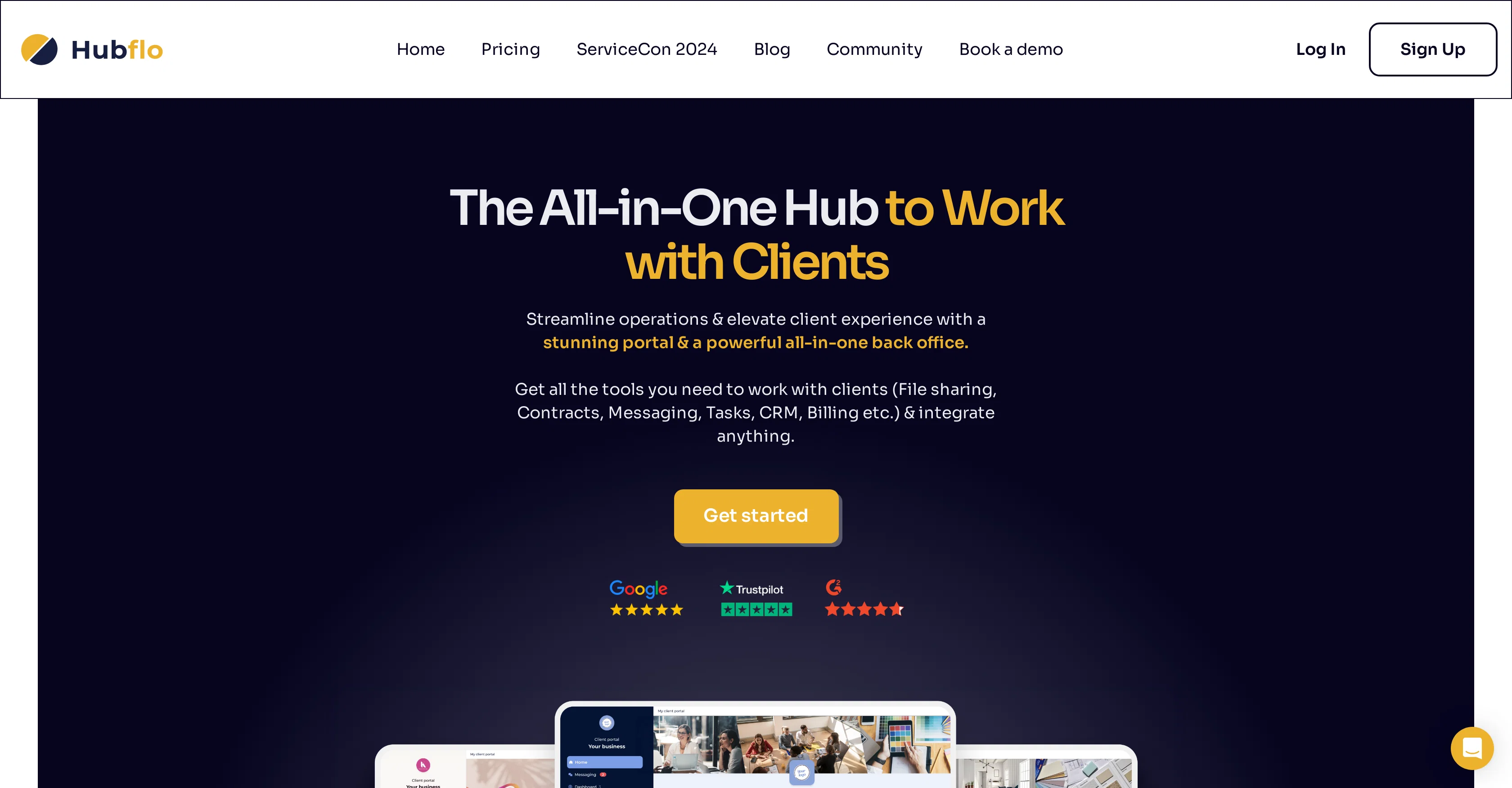
Hubflo is a comprehensive work hub designed to enhance the way service firms work with their customers. Its main function is to streamline operations and elevate the client experience through its stunning portal and multifaceted back office.
With Hubflo, firms have access to various tools that cover key areas of their operations, such as file sharing, contracts, messaging, tasks, CRM, and billing.
It even allows users to connect their own tools, making it a flexible solution for diverse needs. With an integrated operating system, Hubflo serves as a complete solution for businesses to manage their internal operations and client-facing activities.
The platform is particularly aimed at reducing client emails, calls, and meetings, hence speeding up onboarding and project delivery. It acts as a single, centralized place for businesses, clients, and contractors to collaborate.
Among its key features are a client portal, secure messaging, contract and form handling with e-signature capabilities, project and task management, file sharing, and billing functions.
Additionally, Hubflo integrates with other popular apps and platforms for seamless workflow, and it offers automation features for tasks like client onboarding.
One interesting aspect about Hubflo is its ability to accommodate customization, thereby allowing firms to make the platform truly theirs with white-label capabilities.
Access & connections
Where you can use Hubflo, and what it plugs into.
Platforms
Integrations
Capabilities
What this tool accepts, produces, and is strongest at.
Input
- API
- Tabular
- Text
Output
- Tabular
- API
- Text
Pros & cons
Pros
- Comprehensive work hub
- Enhances client interaction
- Streamlines operations
- Multifaceted back office
- Covers variety of operational areas
- Allows connection of external tools
- Integrated operating system
- Speeds up onboarding
Show 23 more
- Accelerates project delivery
- Centralized collaboration platform
- Secure messaging
- E-Signature for contracts
- CRM function
- Automate client onboarding
- Customizable with white-label capabilities
- Integrated with popular apps
- Billing functions
- Digital file sharing
- Task management capability
- Platform for reduced client communication
- High client satisfaction and retention
- Host portal on own domain
- On-brand portal creation
- Hourly auto-backups
- Cloud-based storage
- Comprehensive security audit
- Onboarding assistance
- Live in-product support
- CSV importer for data transfer
- Integration with email account
- Business-oriented functions
Cons
- Limited to service firms
- Customization requires professional help
- Limited native app integrations
- Potential over-reliance on email
- No mention of multi-language support
- White-labeling requires technical skills
- Limited invoice functionality
- No explicit data export feature
Show 2 more
- Focused more on client management
- No option to downgrade plans
Compare alternatives
Similar tools in the catalog — with a clear reason to open each one.

Lightfield ✓
Free TrialAI CRM that remembers everything and does the work for you.
Why look Offers a public API
Full comparison
Delegate ✓
Free TrialAI Agents driving Net Revenue Retention increases in B2B Companies
Free + from $699/mo
Full comparison

ClienTask ✓
Free TrialProfessional client management made simple.
Why look Typically cheaper
Full comparison

Leadchee ✓
Free TrialThe agentic CRM that maintains itself.
Why look Typically cheaper
Full comparisonReleases 1
FAQ 12
What is Hubflo?
How does Hubflo assist in streamlining operations?
Can I connect my own tools to Hubflo?
What are the key areas of operations that Hubflo covers?
How does Hubflo reduce emails, calls, and meetings for clients?
Is Hubflo only for service firms or can other businesses use it as well?
What is the role of the client portal on Hubflo?
Can I customize Hubflo to suit my business needs?
What automation features does Hubflo offer?
How does Hubflo integrate with other apps and platforms?
Does Hubflo have e-signature capabilities for contract and form handling?
What are the billing functions available on Hubflo?
Related tools
Recommended
Data Parrot ✓
FreemiumAI-powered CRM analytics for smarter business growth.

Telegram CRM - TGDesk ✓
FreemiumThe ultimate AI-powered Telegram CRM.

Recruit CRM ✓
PaidStreamline recruitment with one powerful ATS + CRM solution.

Mujo AI Photoshoot ✓
FreemiumTurn one photo into a full photoshoot

AI Cam Lens ✓
FreemiumInstantly identify anything with your camera.

Invent | AI Customer Support Agents for any channel ✓
Free TrialYour AI business agent platform, on any channel