

Heptabase ✓
Master anything you learn with visual AI knowledge.
Trial; then from $11.99/mo
Verdict
A quick read before you dig into the full page.
- Best if
- Master anything you learn with visual AI knowledge
- Skip if
- Limited citation generation
- Pick this when
- Visually-driven knowledge management
Considering Open Knowledge Maps instead? Compare side by side
Overview
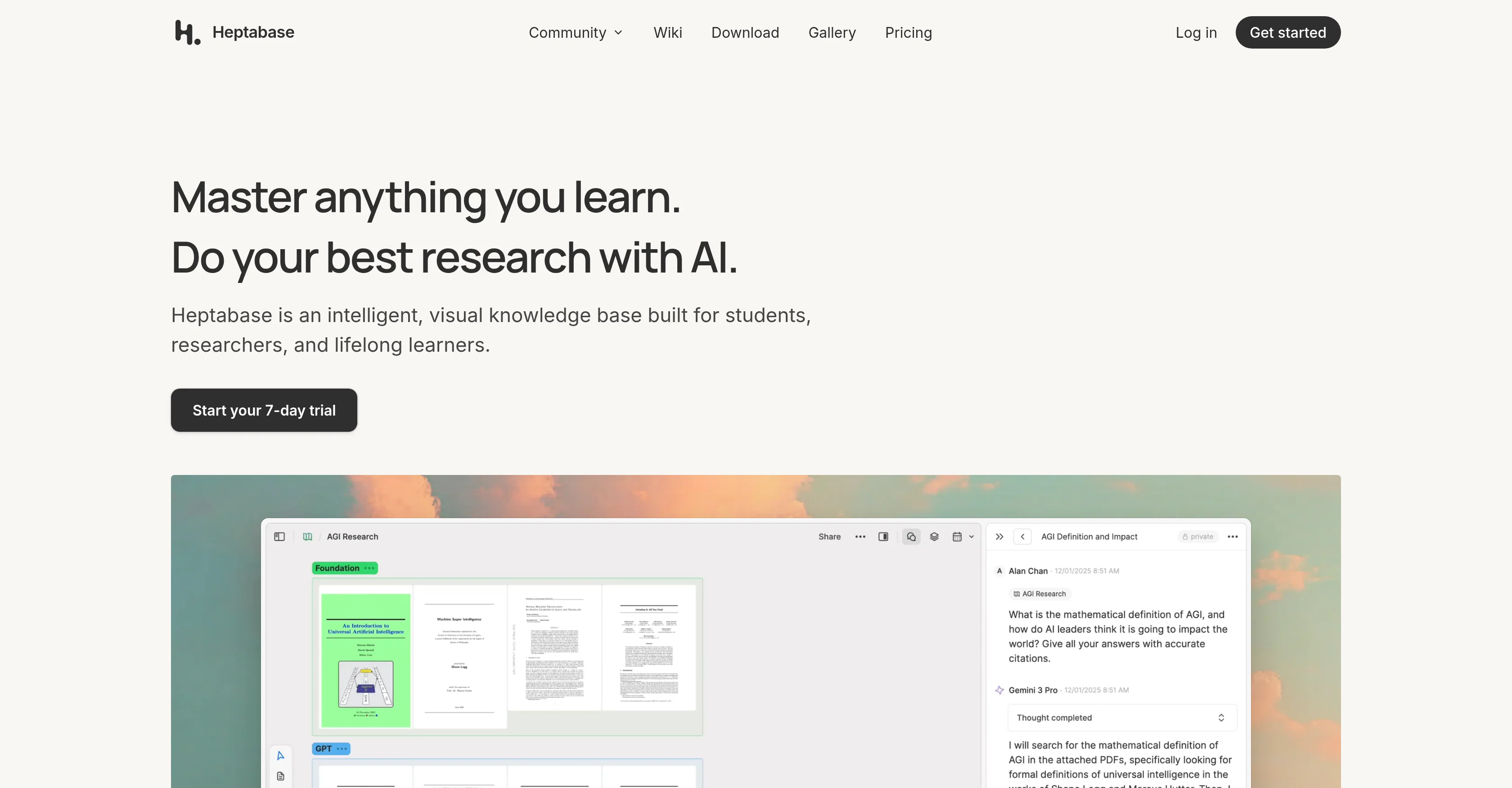
Heptabase is a visually-driven knowledge management tool designed for learners of all types, including students, researchers, and independent learners.
Its advanced AI capabilities help users conduct in-depth research, generate reliable citations, and analyse various sources such as PDF, YouTube, journals, and notes.
Heptabase's main strength lies in the way it facilitates organization and synthesis of information. It features a whiteboarding function that supports conceptual clarity and enhances the learning process.
The tool allows users to create a comprehensive knowledge base integrating all their sources, notes, highlights, and discussions. It employs a block-based editor to help users build their information repository and offers bi-directional links for connecting ideas.
Moreover, Heptabase features integrations with Readwise for syncing book notes and highlights, a PDF annotation interface for marking and reviewing essential sections and seamless integration with Zotero, a reference management software.
It's blazing-fast search functionality, offline access, real-time collaboration, and mobile readiness enhance the overall user experience. Aimed at promoting effective learning, the tool uses AI for processing challenging knowledge areas, aiding users in acquiring deep insights from their readings.
Heptabase's flexibility, functionality, and adaptability make it a valuable tool for people interested in mastering various subjects and accomplishing research objectives.
Access & connections
Where you can use Heptabase, and what it plugs into.
Platforms
Integrations
Capabilities
What this tool accepts, produces, and is strongest at.
Input
- Tabular
- Text
- Video
Output
- Video
- Tabular
- Text
Supported features
- Instant file search
Pros & cons
Pros
- Visually-driven knowledge management
- Assists in-depth research
- Generates reliable citations
- Analyses various sources
- Features whiteboarding function
- Organises and synthesises information
- Creates comprehensive knowledge base
- Block-based editor
Show 38 more
- Offers bi-directional links
- Seamless Readwise integration
- PDF annotation interface
- Easy Zotero integration
- Blazing-fast search functionality
- Offline access
- Real-time collaboration
- Mobile ready
- Tackles challenging knowledge areas
- Enhances deep insights acquisition
- Highly flexible and adaptable
- Research Support
- Supports independent learning
- Aids researchers and students
- Note and highlight integrations
- Acts as research paper assistant
- Multi-platform compatible
- Integration with reference management
- Education Technology oriented
- Citation Generator
- Embeds YouTube Analysis
- Speedy search over 10,000 notes
- Voice note supported
- Master any topic
- Web Clipper features
- Block-based editor with slash commands
- Highly user-friendly
- Streamlines experts and novices learning
- Facilitates information sharing
- Promotes effective learning
- PDF Analysis
- Supports real-time editing
- High-performance information organization
- Investor-backed reliability
- Free collaboration invitations
- Adapts to various study subjects
- Enhances knowledge base connectivity
- Multiple knowledge source integration
Cons
- Limited integrations
- Block-based editor only
- No explicit data security features
- No available API
- Reliant on third-party integrations
- Limited platform support
- No version control
- Free collaboration might effect privacy
Show 1 more
- Limited citation generation
Compare alternatives
Similar tools in the catalog — with a clear reason to open each one.

Open Knowledge Maps ✓
FreeVisualize research topics and discover scientific knowledge.
Why look Fully free option
Full comparison

Knogra ✓
FreeChart the whole subject. One scene at a time.
Why look Fully free option
Full comparison
PageVero ✓
FreemiumTurn webpages into a structured, source-linked knowledge base.
Free + from $20.00/mo
Full comparison
VizText ✓
FreeAI Diagram Generator — from Prompt or Chat
Why look Fully free option
Full comparison
MindMapAny ✓
Free TrialTurn any content into a traceable mind map.
Why look Typically cheaper
Full comparisonReleases 1
FAQ 12
What is Heptabase?
How does Heptabase use AI capabilities for research?
What kind of sources can Heptabase analyse?
What is the whiteboarding function in Heptabase?
Can I organise all my research in Heptabase?
How does the block-based editor in Heptabase work?
What does Heptabase mean by bi-directional links?
How can I use Readwise with Heptabase?
Can I annotate PDFs in Heptabase?
Does Heptabase integrate with Zotero?
How fast is the search functionality in Heptabase?
Can I use Heptabase without an internet connection?
Related tools
Recommended

VenturusAI ✓
FreemiumBusiness idea analysis and reporting.

Stunning ✓
PaidBuild AI-powered websites in seconds

Hyperis ✓
FreemiumOrganized task prioritization.

D-ID ✓
FreemiumCreate AI-generated videos with ease

GetLogit ✓
FreemiumArtificial intelligence, available for everyone.

Free Text-To-Speech ✓
FreeText transformed into customizable spoken output.