
HarmonySnippetsAI ✓
AI finds engaging song segments for social media promotion
Free + from $5/mo
Verdict
A quick read before you dig into the full page.
- Best if
- AI finds engaging song segments for social media promotion
- Skip if
- Limited usage per 35mins
- Pick this when
- Identifies engaging audio segments
Considering TwoShot instead? Compare side by side
Overview
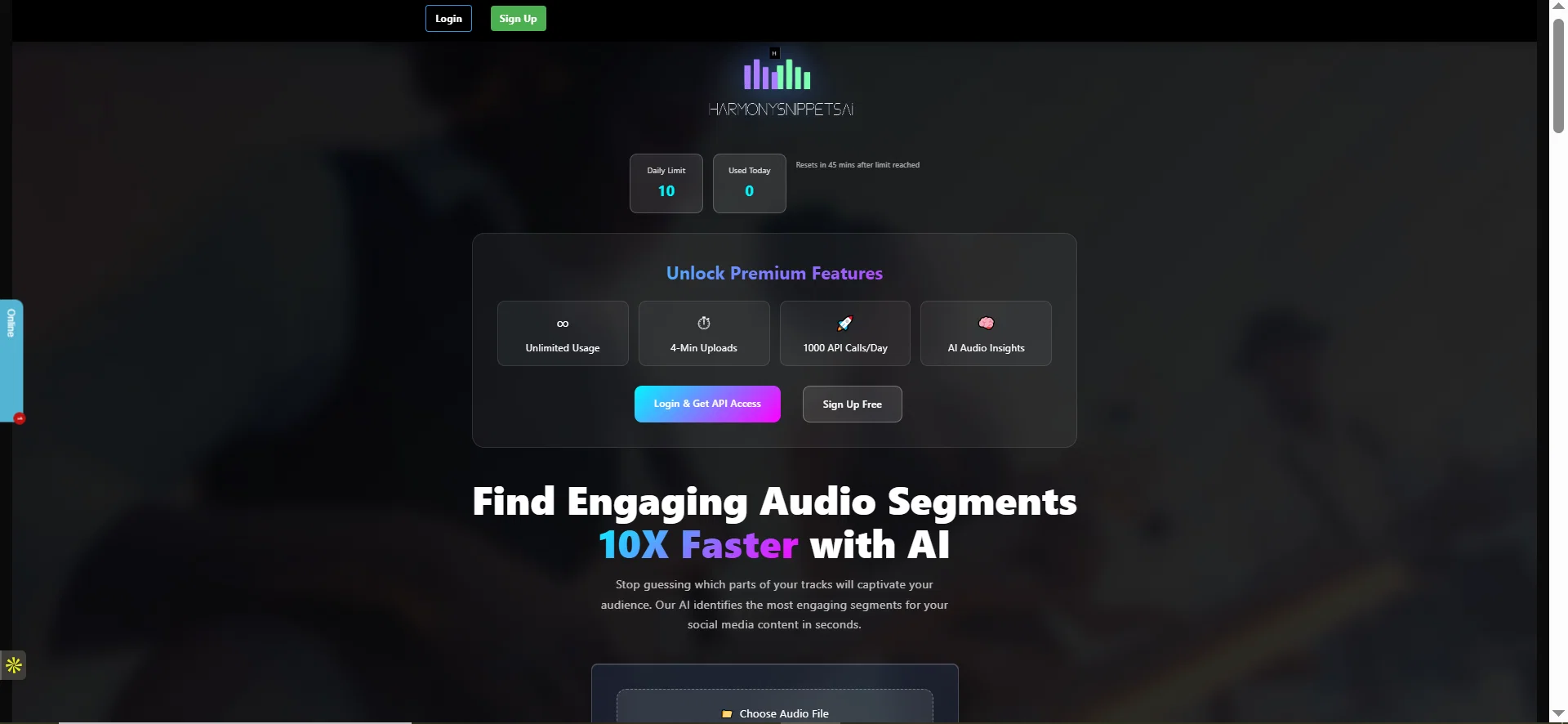
HarmonySnippetsAI is an AI tool designed to assist users in identifying the most engaging segments of their audio tracks. Users can upload their audio files in .mp3 or .wav format, with a suggested track duration of at least 30 seconds and a maximum upload duration of 2 minutes and 30 seconds.
Good audio quality is recommended for optimal results. After the track is uploaded, the tool's AI algorithms process the audio file to identify the segment with the greatest potential to engage listeners.
This tool streamlines the process of finding the right snippet to promote across social media platforms like Instagram, Facebook, or TikTok. If the initially selected segment doesn't meet the user's satisfaction or doesn't yield an engaging snippet, the user is advised to upload a different part of the track with more melodies or rhythm patterns.
Additionally, HarmonySnippetsAI has a community hashtag, #HarmonySnippetsAI, that users can use when sharing their selected music segments, encouraging users to engage with a community of people exploiting technology to enhance their music promotion and production.
Best for
Short scenarios where HarmonySnippetsAI tends to shine.
-
AI finds engaging song segments for social media promotion
Example outputs 1
Sample generations and before/after results for HarmonySnippetsAI.
Access & connections
Where you can use HarmonySnippetsAI, and what it plugs into.
Platforms
Integrations
Capabilities
What this tool accepts, produces, and is strongest at.
Input
- Audio
Output
- Audio
Highlights
- No Signup
Supported features
- No Signup
Pros & cons
Pros
- Identifies engaging audio segments
- Supports .mp3 and .wav
- Suggests optimal track duration
- Processes audio quickly
- Promotes on multiple platforms
- Community hashtag feature
- Facilitates repeated uploads
- Integrated with social media
Show 33 more
- Optimization for good audio
- Audio analysis capabilities
- Music promotion focused
- Sound editing function
- Algorithm identifies rhythms, melodies
- Community engagement emphasis
- Music technology-focused
- Content optimization tool
- Generates more engaging content
- Useful for music producers
- Tracks up to 2.5 min
- Encourages user experimentation
- Streamlines snippet identification
- Boosts audience engagement
- Expands your audience reach
- Solution for captivating snippets
- Chance for track recognition
- Tag to join community
- Promotion on TikTok, Instagram, Facebook
- Encourages sharing on socials
- Potential for user satisfaction
- Designed for catchy parts promotion
- Upload process straightforward
- Effective for audio tracks
- Locates best track segments
- Advises for more effective uploads
- Leverages technology in music
- Enables faster music promo
- Can process different track parts
- Increases music marketing effectiveness
- Helps artists, content creators
- Speeds up engaging content finding
- Reloads after usage limit reached
Cons
- No multi-track analysis
- Limited to .mp3 and .wav
- Short maximum upload duration
- Depends on audio quality
- No offline usage
- Limited usage per 35mins
- Requires track with melodies/rhythms
- No automatic snippet adjustment
Show 2 more
- Possible errors on Android
- Optimized for social media only
Compare alternatives
Similar tools in the catalog — with a clear reason to open each one.

TwoShot ✓
FreeReimagine music sampling with AI-generated sounds.
Why look Fully free option
Full comparisonPeople also view
Tools that often show up alongside HarmonySnippetsAI in collections and comparisons.

Sample Vault ✓
FreemiumFind the sound you already own.
TwoShot ✓
FreeReimagine music sampling with AI-generated sounds.
Muuic ✓
FreemiumBrowser-based piano roll music maker.

Musicfy ✓
PaidCreate AI covers of your favorite songs instantly.
Free Music Demixer ✓
FreemiumMusic separation for audio remixing.

CreateDraft ✓
Free TrialImprove legal document drafting and boost productivity.

BypassGPT.co ✓
PaidHumanize AI text to bypass detection tools.

BoltAI ✓
PaidmacOS assistant for automated tasks.
Releases 1
FAQ 12
What is HarmonySnippetsAI?
How does HarmonySnippetsAI identify the most engaging parts of my audio track?
What file formats does HarmonySnippetsAI support?
What's the recommended duration for the audio files to be uploaded on HarmonySnippetsAI?
Which social media platforms can I promote my snippets on?
What should I do if I'm not satisfied with the snippet HarmonySnippetsAI selected?
What is the #HarmonySnippetsAI hashtag used for?
Why is good audio quality recommended for HarmonySnippetsAI?
Does HarmonySnippetsAI guarantee an engaging snippet every time?
Is there any usage limit for HarmonySnippetsAI?
What should I do if my audio file exceeds the maximum upload duration for HarmonySnippetsAI?
Why does it matter to have more melodies or rhythm patterns in my track for HarmonySnippetsAI?
Related tools
Recommended
BypassGPT.co ✓
PaidHumanize AI text to bypass detection tools.

Udio ✓
FreemiumCreate and share music with the world.

Suno ✓
FreemiumMake music at the speed of your ideas.
Free Music Demixer ✓
FreemiumMusic separation for audio remixing.

Video Studio AI ✓
FreemiumGenerate AI videos from text or images instantly

SongR ✓
Free TrialAI-powered song creation from prompts