

Advertising creatives 2026 Rank: #2824
Grafikarta ✓
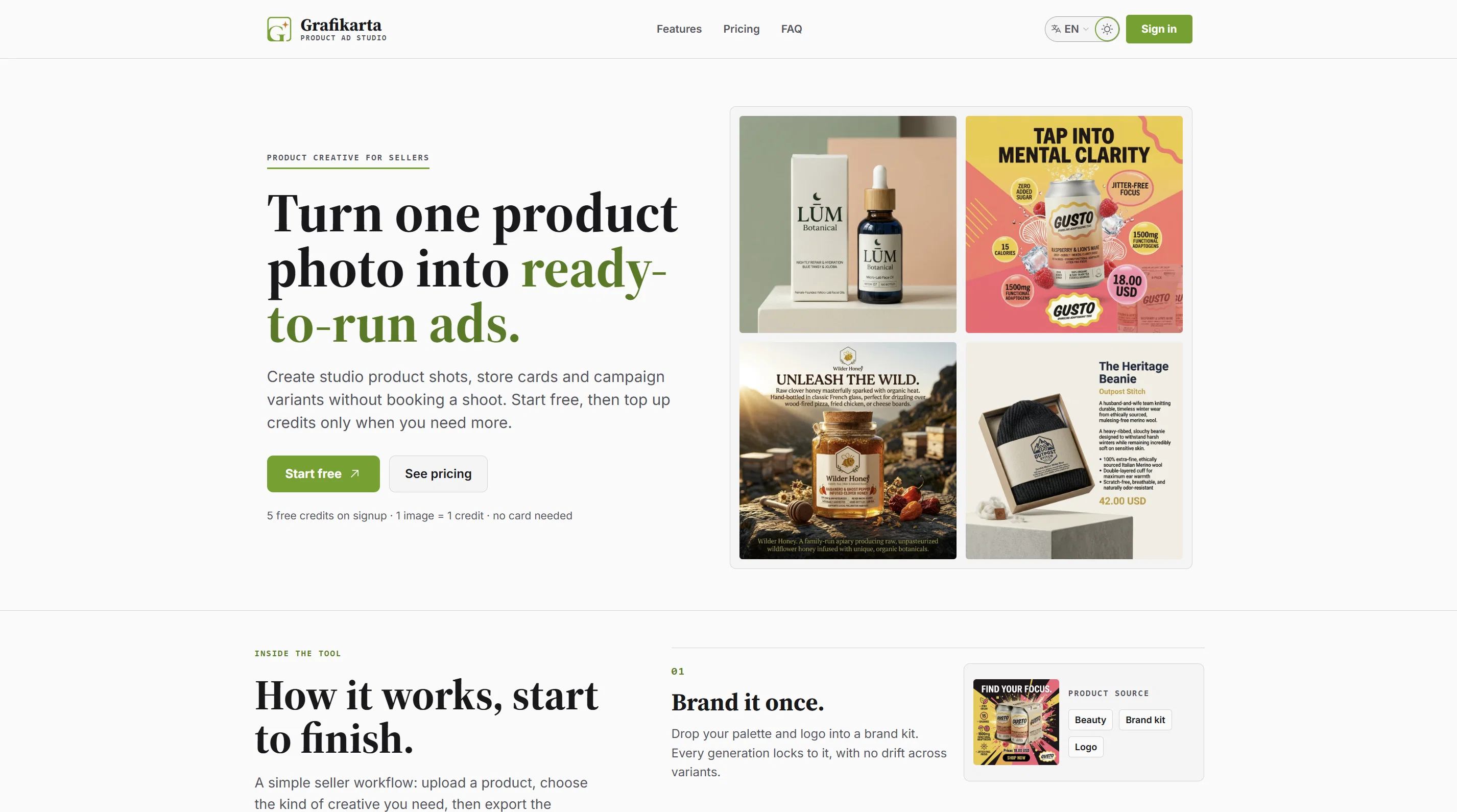
Turn one product photo into ready-to-run ads.
Verdict
A quick read before you dig into the full page.
- Best if
- Turn one product photo into ready-to-run ads
- Skip if
- Limited language options
- Pick this when
- Generates unique brand creatives
Considering Silo instead? Compare side by side
Overview
Grafikarta generates ready-to-run ad creatives from your actual brand — not generic templates. Set up your brand kit once (logo, colors, products), then generate studio shots, social ads, and store cards that stay locked to your branding across every variant and format: square, story, landscape, banner.
Built for creative testing — generate ten different hooks in minutes and find your winner before spending on traffic. Pricing is pay-as-you-go: 1 image = 1 credit, no monthly subscription, and new accounts get 5 free credits with no card required.
- Brand Kit — Lock Your Logo And Colors Once; Every Generation Stays On-brand
- Linked Products — Attach Products To Your Brand And Generate Ads Using Their Info
- Ad Variant Generation — Create Ten Different Hooks From One Product In Minutes
- Two Output Modes — Studio Product Shots Or Ready-to-run Image Ads
- Multi-format Export — Square, Story, Landscape, And Banner From One Generation
- Style Presets — Studio, Lifestyle, Editorial, E-commerce, Social, And Campaign Looks
- Generation Library — Every Render Saved, Searchable, And Re-exportable
- In-image Ad Text — Render Headlines And Copy In Multiple Languages
- Pay-as-you-go Credits — 1 Image = 1 Credit, No Monthly Subscription
- 5 Free Credits On Signup — No Card Required
Access & connections
Where you can use Grafikarta.
Platforms
Capabilities
What this tool accepts, produces, and is strongest at.
Input
- Image
- Text
Output
- Image
Supported features
- Image Generation
- Image Edit
- Visual Creation
- Brand Strategy
- Ads
- Thumbnails
Pros & cons
Pros
- Generates unique brand creatives
- Adapts to brand kit
- Different formats support
- Creative testing facility
- Pay-as-you-go pricing
- Free credits for new users
- Easy ad customization
- E-commerce focused
Show 22 more
- Multipurpose Image Rendering
- Works with single product photo
- Supports multiple ad types
- Efficient seller workflow
- Guaranteed brand consistency
- Option to customize outputs
- Applicable for various placements
- Offers Generation Library
- Supports multiple languages
- Suits various e-commerce tasks
- Flexible pricing model
- Built for varied marketplaces
- No subscription required
- Materials for ad variants
- Differs creative styles
- Materials for catalogue refresh
- Promotes product launch
- No professional shoot needed
- Stored, searchable past renders
- Re-export, iterate, or reuse
- In-image text rendering
- Free credits on sign-up
Cons
- Limited design customization
- No video ad generation
- No integration with e-commerce platforms
- Generates one advert per product photo
- Image searchability can be improved
- No direct publishing to social platforms
- No user collaboration features
- Limited language options
Show 2 more
- Lacks bulk upload capability
- No advanced image editing tools
Compare alternatives
Similar tools in the catalog — with a clear reason to open each one.



Adkit ✓
Free TrialLet your AI agent run your Meta, Google and TikTok ads
Why look Offers a public API
Full comparison
AdsCreator.com ✓
Free TrialTurn any website into scroll-stopping ads.
Free + from $24/mo
Full comparison

AmazVid ✓
Free TrialAI Product Videos, Model Try-Ons & Ad Images — From one Link
Why look Typically cheaper
Full comparisonReleases 1
FAQ 12
What is Grafikarta and what is it used for?
How does Grafikarta transform a product photo into an ad?
What are the creative format options available in Grafikarta?
How can I maintain brand consistency with Grafikarta?
How does the brand kit feature work in Grafikarta?
How can I use the multilingual feature in Grafikarta?
How do I store and search the content generated by Grafikarta?
How is Grafikarta helpful in product launching and catalogue refreshing?
What are the specific use cases Grafikarta can accommodate?
How does the credit-based payment system in Grafikarta work?
What is the purpose of a generation library in Grafikarta?
Is Grafikarta subscription-based or pay-as-you-go service?
Related tools
Recommended

B12 AI Website Builder ✓
FreemiumAI-powered website builder

Thea ✓
FreemiumAI study tools to master material, not just memorize it.

Automateed ✓
Free TrialCreate eBooks effortlessly with Automateed, the AI-powered writing tool.

Recall ✓
FreemiumSummarize Anything, Forget Nothing!

Suno ✓
FreemiumMake music at the speed of your ideas.

freebeat AI ✓
FreemiumTurn Music & Ideas into Viral Videos In One Click