

GPT Prompt Engineer ✓
AI-powered prompt engineering for GitHub
Verdict
A quick read before you dig into the full page.
- Best if
- AI-powered prompt engineering for GitHub
- Skip if
- Limited to Jupyter notebooks
- Pick this when
- Public GitHub repository
Considering PrompTessor instead? Compare side by side
Overview
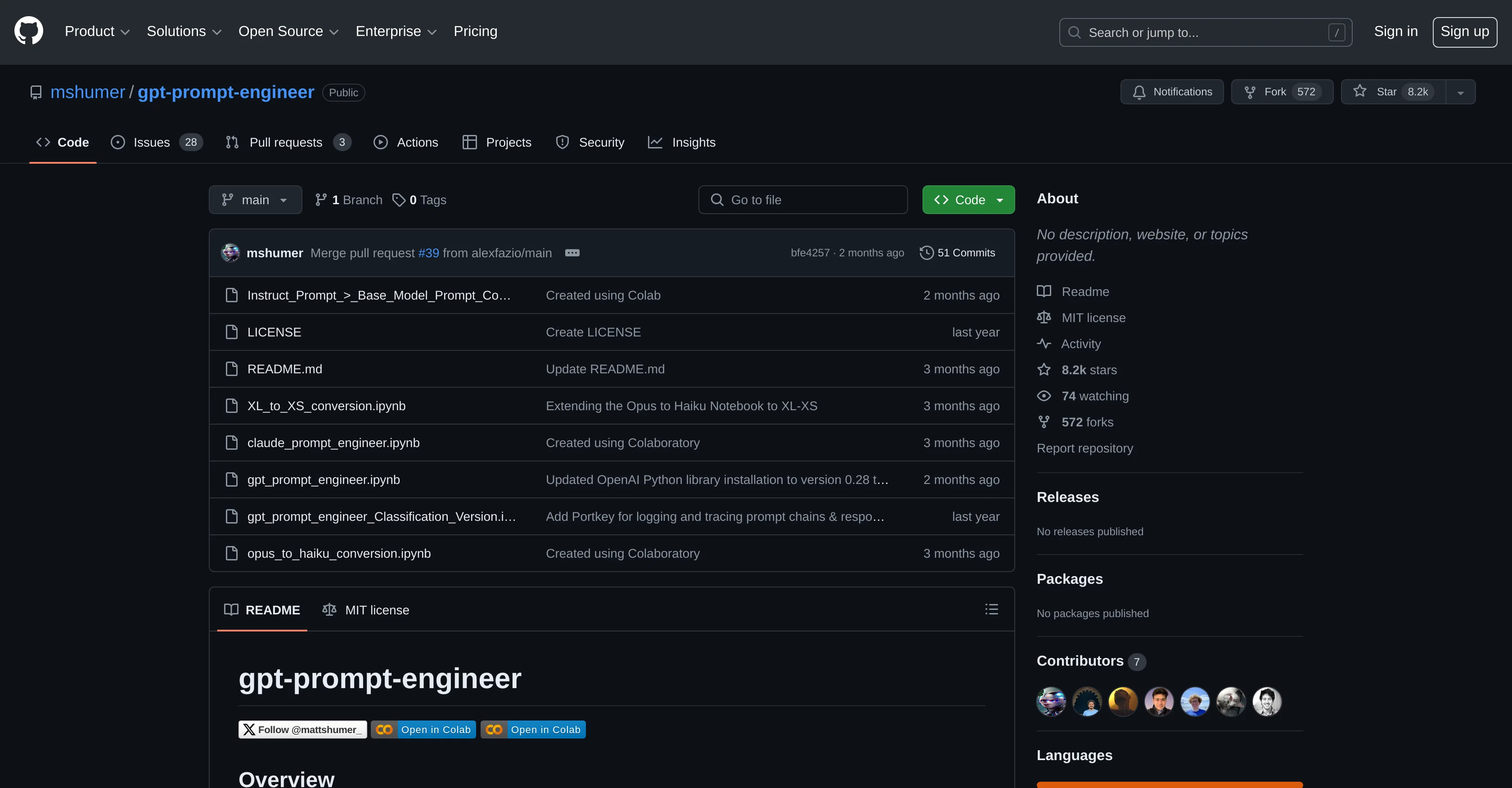
The 'gpt-prompt-engineer' is an AI tool available on GitHub, created by 'mshumer'. The tool aims to enhance the workload of data engineers working with Generative Pretrained Transformer models (GPT-models).
Its purpose is to automate and streamline the process of generating prompts that work well with GPT models. This is beneficial as it eliminates the manual task of trial-and-error in creating effective prompts, saving valuable time and resources.
The tool contains a number of files and notebooks like 'Instruct_Prompt > Base_Model_Prompt_Converter.ipynb', 'XL_to_XS_conversion.ipynb', 'claude_prompt_engineer.ipynb' and 'gpt_prompt_engineer.ipynb', which facilitate the prompt generation process.
The tool operates under MIT License providing users with the liberty to use, modify, and distribute the software. Through its public repository, it encourages wide community contribution towards its development.
Access & connections
Where you can use GPT Prompt Engineer, and what it plugs into.
Platforms
Integrations
Capabilities
What this tool accepts, produces, and is strongest at.
Input
- API
- Tabular
- Text
Output
- Tabular
- API
- Text
Pros & cons
Pros
- Public GitHub repository
- Actively maintained
- Automates prompt generation
- Eliminates manual task
- Saves time and resources
- Multiple files and notebooks
- Freedom to modify software
- Supports community contribution
Show 19 more
- Prompt Generation
- Resource Optimization
- Jupyter Notebook support
- Contains 'XL to XS conversion'
- Automates Claude Prompt Engineering
- Released under MIT License
- ELO rating system
- Handles classification tasks
- Working with Anthropic's Claude 3 Opus
- Optimizes Opus and Haiku models
- Optional logging to Weights & Biases
- Optional logging to Portkey
- Possible to define multiple input variables
- Optional use of Google Colab
- Ability to add Anthropic API key
- Built-in system for prompt testing and ranking
- Generates, tests, and ranks prompts
- Supports real-time information input
- Handles Claude 3 Opus & Haiku conversion
Cons
- Requires API key setup
- Manual test case configuration
- Limited to Jupyter notebooks
- High running costs possible
- Optional logging to third-party platforms
- Potential latency for large datasets
Compare alternatives
Similar tools in the catalog — with a clear reason to open each one.


OctiAI Prompts ✓
PaidOne-Click Expert Prompts for ChatGPT & Midjourney — No Skills Needed
Why look Stronger for image work
Full comparison



Releases 1
FAQ 12
What is GPT-Prompt-Engineer?
How does GPT-Prompt-Engineer work?
What are the key features of GPT-Prompt-Engineer?
Who created the 'GPT-Prompt-Engineer' tool?
What are the benefits of using GPT-Prompt-Engineer?
Does GPT-Prompt-Engineer automate the process of generating prompts?
What is the 'Instruct_Prompt > Base_Model_Prompt_Converter.ipynb' file?
What is Claude Prompt Engineer in GPT-Prompt-Engineer's repository?
What is the 'XL_to_XS_conversion.ipynb' file?
What is Jupyter Notebook as mentioned in the description of GPT-Prompt-Engineer?
What type of license does GPT-Prompt-Engineer operate under?
What is the MIT License mentioned in GPT-Prompt-Engineer's description?
Related tools
Recommended

Stunning ✓
PaidBuild AI-powered websites in seconds

Mindsmith ✓
FreemiumPlatform for building and sharing eLearning content

Parea ✓
FreemiumCreate AI-powered products that amaze customers

Agentgpt ✓
FreemiumDeploy autonomous AI Agents effortlessly in your browser.

Prompt Storm ✓
FreeSupercharge ChatGPT with expert prompts at your fingertips.

TutorAI ✓
FreemiumInstant knowledge on any topic