

Glass ✓
AI copilot for React and Next.js developers
Verdict
A quick read before you dig into the full page.
- Best if
- AI copilot for React and Next.js developers
- Skip if
- Only for React, Next.js
- Pick this when
- Designed for React, Next.js
Considering Lesson Reach instead? Compare side by side
Overview
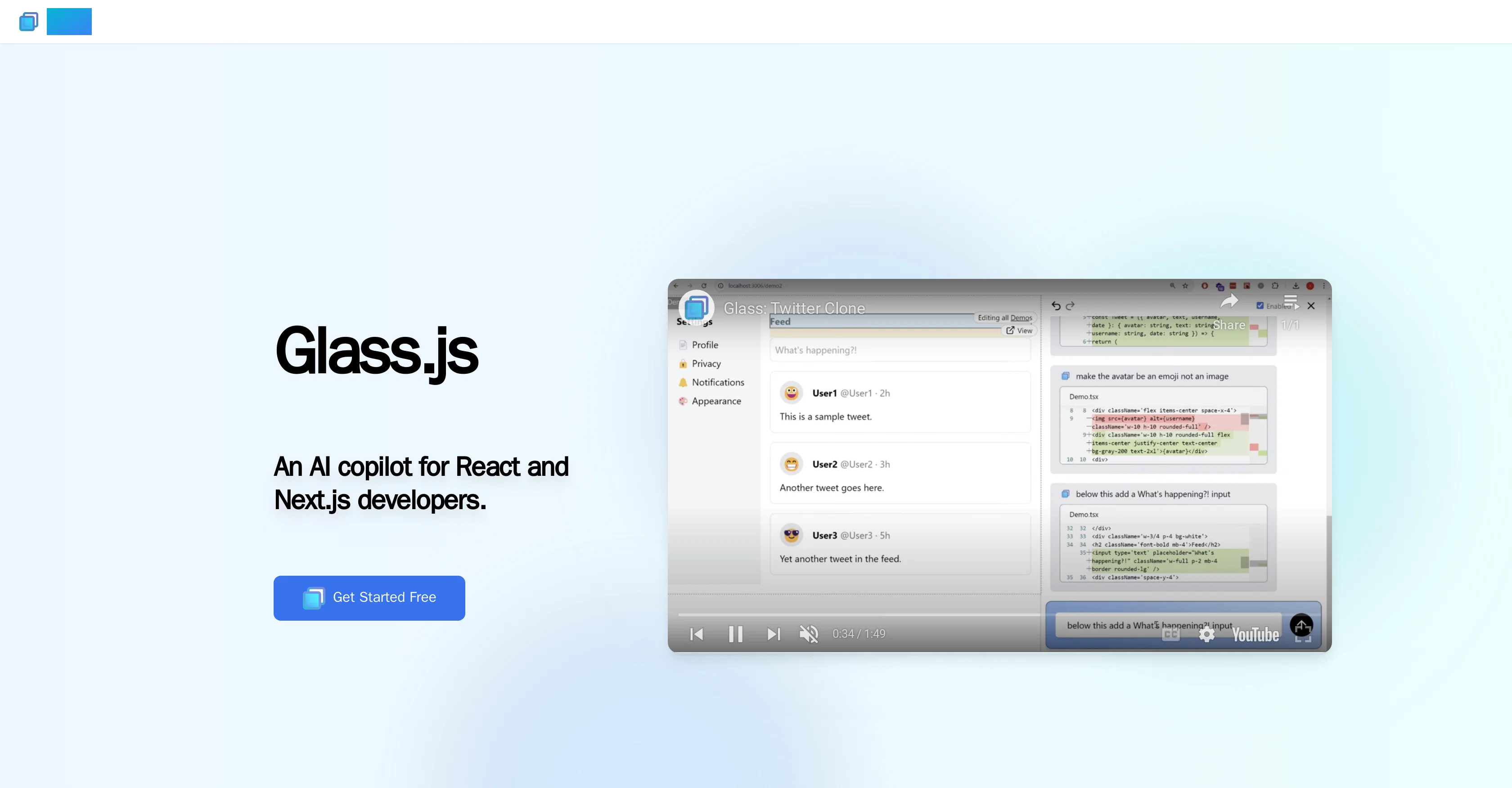
Glass is an AI copilot designed specifically for React and Next.js developers. Its primary function is to facilitate direct modifications from the browser using AI, enabling developers to create components, alter properties, and write Tailwind CSS without the need to delve deeply into the codebase.
Glass also enhances user interaction by providing a visual representation of the component structure, allowing developers to identify the source components of each element easily.
Another feature of Glass includes the ability to instantly navigate to the source code of the clicked element, enhancing comfort and precision compared to other click-to-code tools.
As Glass only operates in development environments, there is no impact on production, and while Glass allows for editing of components and all their descendant components, it does not install packages.
Glass also supports both applications and page routing. It is currently in its open beta stage for startups, with ongoing improvements being made to the AI.
Access & connections
Where you can use Glass.
Platforms
Capabilities
What this tool accepts, produces, and is strongest at.
Input
- Code
Output
- Code
Pros & cons
Pros
- Designed for React, Next.js
- Browser-based modifications
- Generates Tailwind CSS
- Visual component structure
- Easy source component identification
- Instant source code navigation
- No impact on production
- Edits components and descendants
Show 8 more
- No package installation
- Supports applications routing
- Supports page routing
- Open beta stage
- More precise click-to-code
- No hand-written Tailwind
- Free to get started
- Backed by Y Combinator
Cons
- Only for React, Next.js
- No package installation
- Only operates in development
- Restricted file editing
- No production implementation
- Still in beta stage
- Doesn't support all routers
- No offline mode
Show 1 more
- Browser-based only
Compare alternatives
Similar tools in the catalog — with a clear reason to open each one.

Lesson Reach ✓
FreemiumTurn YouTube videos into interactive AI lessons.
Free + from $9.99/mo
Full comparison


Fleck AI ✓
FreemiumTurn ideas into validated, build-ready products, from research to portfolio.
Why look Stronger for image work
Full comparison

Releases 1
FAQ 12
What is Glass designed specifically for?
How does Glass facilitate modifications from the browser?
In what ways does Glass assist in creating components?
How does Glass alter properties?
Does Glass support writing of Tailwind CSS?
How does Glass provide a visual representation of the component structure?
How can Glass help in identifying the source components of each element?
How does Glass enhance comfort and precision in navigating to the source code?
In what environments does Glass operate?
Does Glass have any impact on production?
Which components can be edited using Glass?
Does Glass provide the ability to install packages?
Related tools
Recommended

SEOJuice ✓
FreemiumSEO Made Simple — AI-driven Optimizations

TurboScribe ✓
Freemium🎯 3 free transcripts every day. 🔥 Unlimited transcription starting at $10/mo.

Flowpoint ✓
FreemiumWebsite Analytics Reports with AI Agents

COACH ✓
FreeAI-powered career development platform built by career experts.

Emplibot ✓
Free TrialAutomatically publishes SEO-friendly articles to your WordPress site.
Code2Docs ✓
FreeTransform your codebase into comprehensive, beautiful documentation automatically.