

Videos 2026 Rank: #655
GenMix AI ✓
Turn text into video with 15+ AI models.
Trial; then from $29.9/mo
Verdict
A quick read before you dig into the full page.
- Best if
- Turn text into video with 15+ AI models
- Skip if
- Limited to MP4 download
- Pick this when
- Text to video generation
Considering freebeat AI instead? Compare side by side
Overview
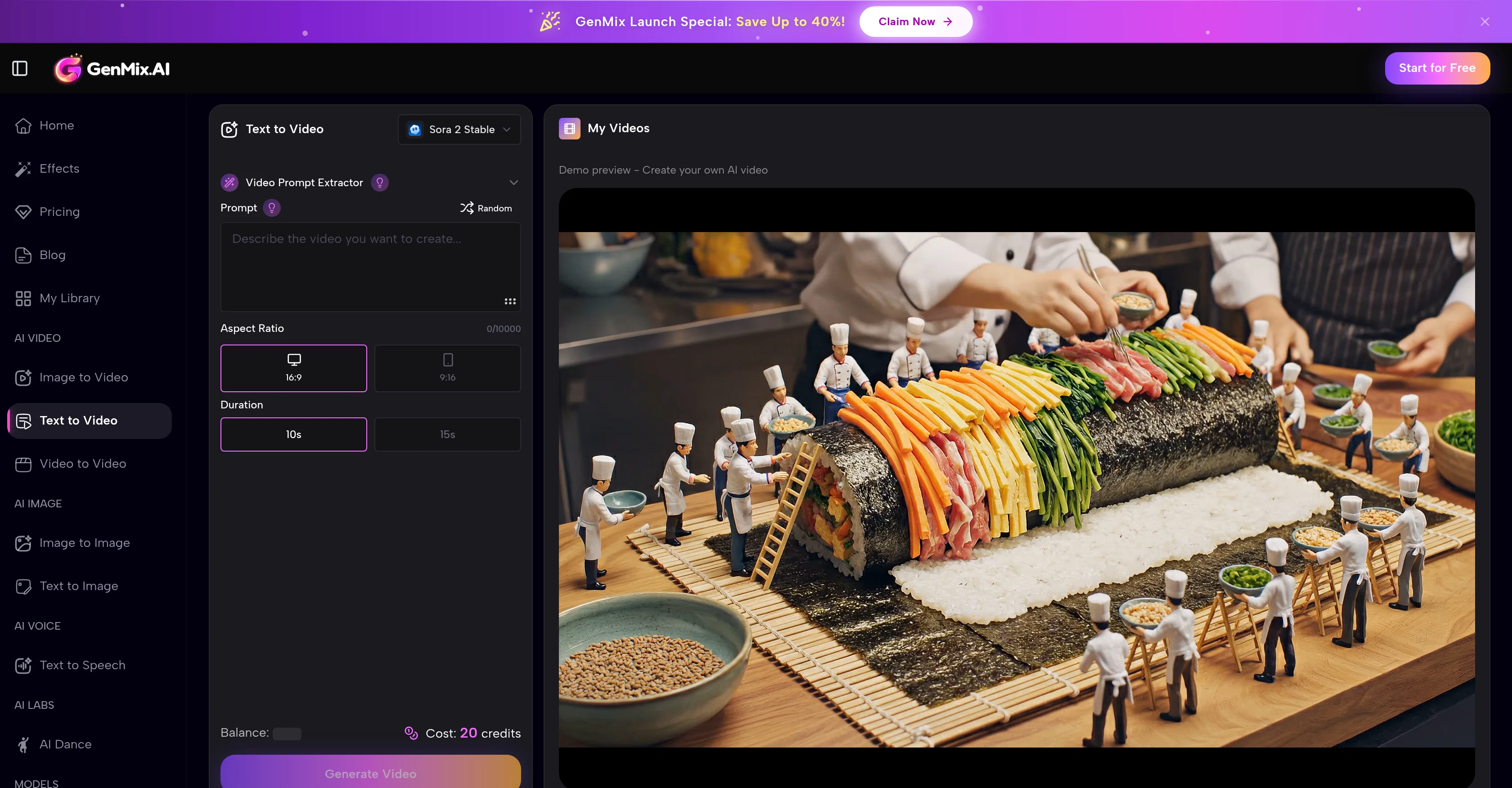
GenMix's AI Text to Video Generator is a tool that creates videos from textual descriptions. Leveraging deep learning models, the tool comprehends natural language prompts to generate vivid and dynamic video sequences.
The tool supports a robust array of AI models, including Sora 2, Veo 3.1, and Kling 2.6, each customized for various creative styles and needs. The tool is user-friendly, requiring no prior editing experience.
The user describes their video scene in textual prompts, detailing subjects, lighting, actions, and mood. Then, they select an AI model and configure settings such as aspect ratio, video duration, and resolution.
After generating the video, users preview the results directly on the platform, make necessary adjustments, and download the video as an MP4 file. Generated videos can vary from quick previews to full HD for ultimate output, which are then ready for sharing on platforms like YouTube, TikTok, and Instagram.
The tool also offers an option to output videos with synchronized sound using specific models like Veo 3.1. An added feature is that generation history is automatically saved, allowing for easy revision of previous creations.
Access & connections
Where you can use GenMix AI, and what it plugs into.
Platforms
Capabilities
What this tool accepts, produces, and is strongest at.
Input
- Tabular
- Text
Output
- Audio
- Video
Highlights
- SOTA
Supported features
- Video Generation
- Sound Creation
- Styling
- Social Media
- Integrations
Models
Text
Image
Audio
Video
Pros & cons
Pros
- Text to video generation
- Supports Sora 2, Veo 3.1, Kling 2.6
- Customizable video settings
- Preview results on platform
- MP4 video download
- Wide resolution range
- Ready for YouTube, TikTok, Instagram
- Automatic generation history
Show 26 more
- Synchronized sound option
- No editing experience needed
- Free credits to start
- Multi-model access
- Quick video generation
- HD output
- High credit capacity
- Smart model selection
- Prompt history
- Sound effects generation
- Customizable video length
- Multiple aspect ratios
- Watermark-free MP4
- Professional distribution support
- Built-in audiovisual content production
- Affordable credit-based system
- Advanced deep learning models
- Natural language understanding
- Visual style switch
- Realistic motion and physics
- Visual effects assignment
- 16:9, 9:16, 1:1 options
- Detailed scene descriptions
- 4 to 25 seconds videos
- Budget-friendly models
- Multiple providers unified into one
Cons
- Requires text prompts
- Limited video duration
- Varying generation times
- Cost per video generation
- Limited to MP4 download
- No physical editing tools
- Requires model switching for audio
- No multi-scene generation
Show 1 more
- No live recording support
Compare alternatives
Similar tools in the catalog — with a clear reason to open each one.

freebeat AI ✓
FreemiumTurn Music & Ideas into Viral Videos In One Click
Why look Typically cheaper
Full comparison
MagicLight ✓
FreemiumTransform text into captivating videos instantly.
Why look Typically cheaper
Full comparison

HeyGen ✓
FreemiumCreate AI spokesperson videos from text
Why look Typically cheaper
Full comparison

Seedance ✓
FreemiumMulti-shot video generation from text and image.
Why look Typically cheaper
Full comparisonReleases 1
FAQ 12
What is GenMix AI Text to Video Generator?
How does GenMix's tool create videos?
Which AI models does GenMix support?
How user-friendly is GenMix's tool?
What is the process of creating a video on GenMix's platform?
In what format can I download the generated video?
How variable is the resolution of GenMix's generated videos?
Can GenMix's tool output videos with synchronized sound?
Is there a way to revise previous videos on GenMix's platform?
What is the maximum character limit for describing a video scene on GenMix?
How can I select the aspect ratio and video duration on GenMix?
Can I preview the generated videos on GenMix platform?
Related tools
Recommended

DeepSeek ✓
FreeUnravel the mystery of AGI with curiosity

Tendem ✓
PaidAI + Human Agent to get tasks done

Z.ai ✓
FreeFree AI that builds, creates, and writes professionally.

Runner AI ✓
Free TrialBuild your entire e-commerce store with AI prompts.

Unify AI ✓
FreemiumOne AI platform for all your creative needs.

Viyou AI Video Extender ✓
PaidExtend short videos naturally with AI.