
Gemini Pdf
AI-powered online PDF tool for merging, splitting, converting, and compressing PDFs.
Source rating 5.0
(85)
0 views
0 saves
Unknown
Verdict
A quick read before you dig into the full page.
- Best if
- AI-powered online PDF tool for merging, splitting, converting, and compressing PDFs
- Pick this when
- AI-powered online PDF tool for merging, splitting, converting, and compressing PDFs
Overview
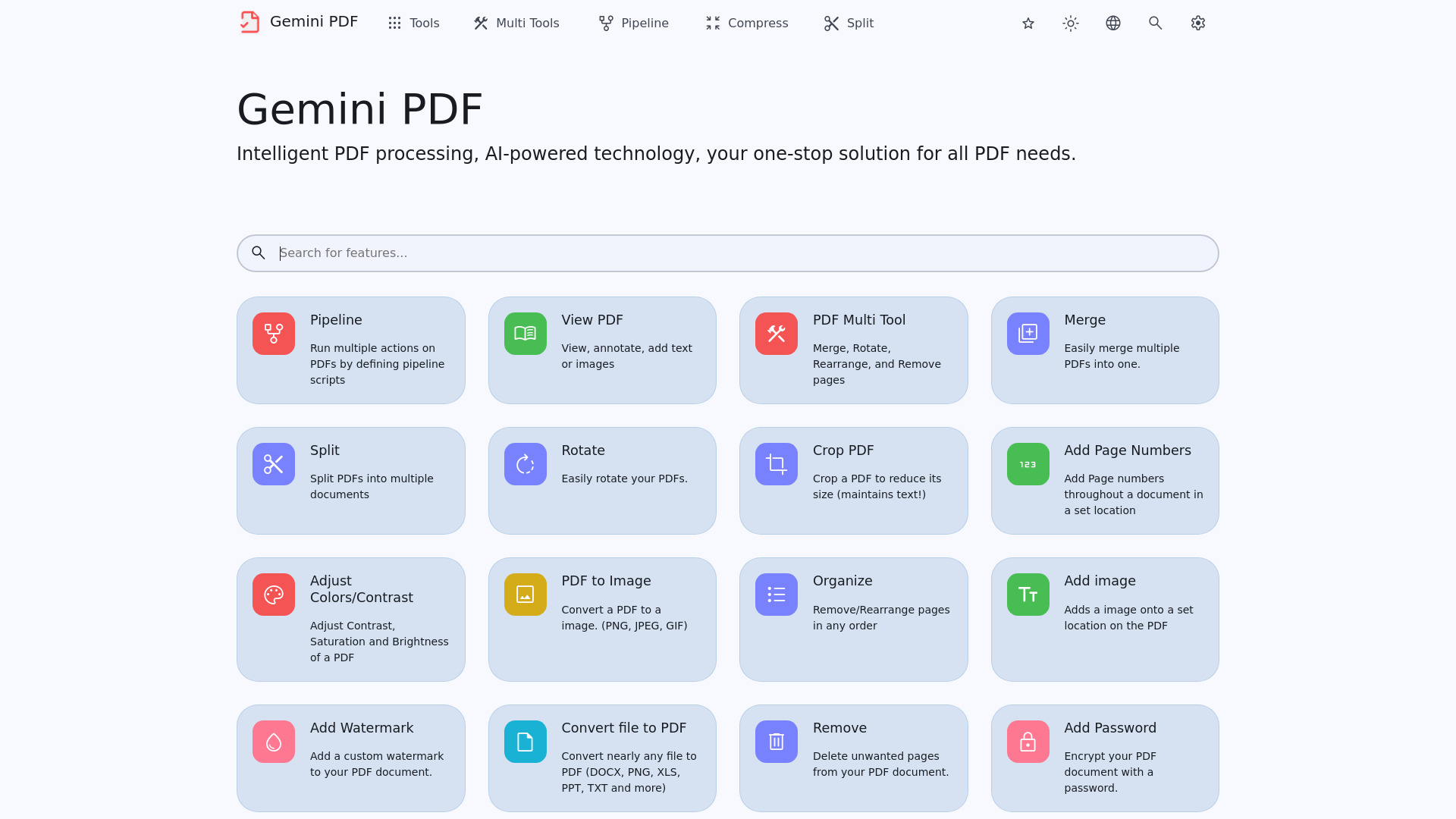
Gemini PDF is an AI-driven online PDF processing platform offering free, one-stop solutions. It allows users to merge, split, compress PDFs, convert Office files to PDFs, convert PDFs to JPGs, and more. The platform is designed to be easy to use with high-quality output.
Access & connections
Where you can use Gemini Pdf.
Platforms
Capabilities
What this tool accepts, produces, and is strongest at.
Highlights
- PDF Conversion (to/from various formats)
- PDF Editing (merge, split, rotate, crop)
- PDF Optimization (compress, remove pages)
- PDF Security (password protection, watermarks)
- AI-powered OCR and cleanup
FAQ 6
What is Gemini PDF?
Gemini PDF is an AI-driven online PDF processing platform offering free, one-stop solutions. It allows users to merge, split, compress PDFs, convert Office files to PDFs, convert PDFs to JPGs, and more. The platform is designed to be easy to use with high-quality output.
How to use Gemini PDF?
Simply upload your PDF file to the Gemini PDF website and select the desired tool. Follow the on-screen instructions to complete the process. No registration is required for basic functions.
What file formats can Gemini PDF convert to PDF?
Gemini PDF can convert nearly any file to PDF, including DOCX, PNG, XLS, PPT, TXT, HTML, and Markdown.
What security features does Gemini PDF offer?
Gemini PDF offers features such as adding password protection, removing password protection, changing permissions, and adding watermarks to PDF documents.
What editing features are available in Gemini PDF?
Gemini PDF allows you to merge, split, rotate, rearrange, and remove pages from PDF documents. You can also add page numbers, images, and watermarks.
How can I get help if I encounter an issue?
You can submit a ticket on the Gemini PDF GitHub page or contact them through Discord.
Related tools
Recommended



Gemini Pdf