
Flux 2
Open-weight rectified flow Transformer for image generation and editing.
Source rating 5.0
(58)
0 views
0 saves
Unknown
Verdict
A quick read before you dig into the full page.
- Best if
- Open-weight rectified flow Transformer for image generation and editing
- Pick this when
- Open-weight rectified flow Transformer for image generation and editing
Overview
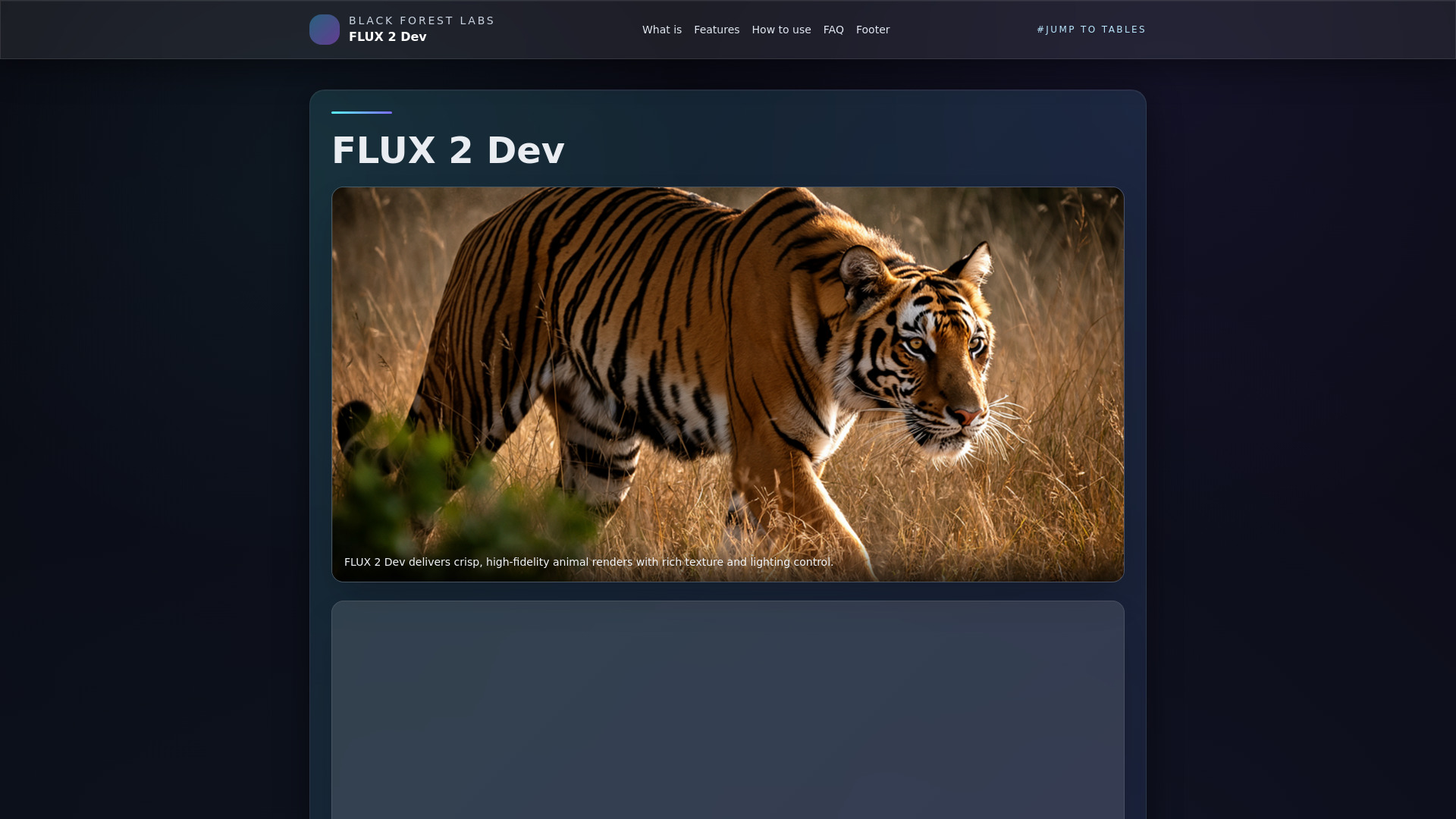
FLUX 2 Dev (FLUX.2-dev) is a frontier-level, open-weight rectified flow Transformer for image generation and editing, developed by Black Forest Labs. It integrates a 32B rectified flow core, a long-context vision–language model (VLM), and multi-reference editing capabilities to produce production-grade visuals. It is designed for various applications including high-fidelity animal renders, ad creatives, hero banners, 3D concept art, product renders, interactive filters, and avatars.
Access & connections
Where you can use Flux 2.
Platforms
Capabilities
What this tool accepts, produces, and is strongest at.
Highlights
- Multi-reference editing to maintain character, style, and branding consistency across images.
- High-resolution output, generating up to 4MP / 4K-class images with improved text rendering, lighting, hands, and faces.
- Efficient inference achieved through rectified flow sampling and guidance distillation, reducing steps and guidance scale for faster iterations.
- Long-context Vision–Language Model (VLM) with approximately 32K tokens to process detailed prompts, layouts, and hex color instructions.
- Flexible deployment options supporting Hugging Face Diffusers, Cloudflare Workers AI, NVIDIA RTX FP8/FP4 pipelines, and ComfyUI templates.
- Ecosystem readiness with Diffusers integration, quantized variants, control hints, and extension APIs.
FAQ 12
What is Flux 2?
FLUX 2 Dev (FLUX.2-dev) is a frontier-level, open-weight rectified flow Transformer for image generation and editing, developed by Black Forest Labs. It integrates a 32B rectified flow core, a long-context vision–language model (VLM), and multi-reference editing capabilities to produce production-grade visuals. It is designed for various applications including high-fidelity animal renders, ad creatives, hero banners, 3D concept art, product renders, interactive filters, and avatars.
How to use Flux 2?
FLUX 2 Dev can be utilized through several platforms: Hugging Face Diffusers (Python), Cloudflare Workers AI, and ComfyUI. For Hugging Face, users can import `Flux2Pipeline` to perform text-to-image generation, specifying prompts, inference steps (12-20 for drafts, 28-40 for production), and guidance scale (3-5). For Cloudflare Workers AI, deployment involves using the `env.AI.run` API with the `@cf/black-forest-labs/flux-2-dev` model for edge inference. ComfyUI integration requires updating the software, downloading `.safetensors` checkpoints, and loading pre-made templates, which can be extended with control nodes or LoRA adapters.
What is FLUX 2 Dev?
FLUX 2 Dev (FLUX.2-dev) is an open-weight rectified flow Transformer (32B params) for image generation and editing, built by Black Forest Labs.
How is FLUX 2 different from FLUX.1?
FLUX 2 uses a rectified flow Transformer with a long-context VLM, higher resolution (up to ~4MP), stronger text rendering, and multi-reference editing baked into the checkpoint.
How many steps should I use?
Use 12–20 steps for previews and 28–40 for production. Guidance scale 3–5 is often sufficient.
Does FLUX 2 Dev support multi-reference?
Yes. You can combine multiple reference images (2–10) for character, style, or brand consistency in a single run.
Can I run FLUX 2 Dev on a single GPU?
With 4-bit/FP8 pipelines and weight streaming, FLUX 2 Dev can run on high-end RTX cards (e.g., 4090) within ~14–18 GB VRAM.
How to deploy FLUX 2 Dev at the edge?
Use Cloudflare Workers AI model @cf/black-forest-labs/flux-2-dev and the env.AI.run() API for global, low-latency responses.
What resolutions does FLUX 2 Dev support?
FLUX 2 Dev decodes up to ~4MP (4K-class). Start at 1024×1024 or 1536×1024 and upscale if needed.
How good is FLUX 2 Dev at text rendering?
It significantly improves text fidelity over FLUX.1 and many diffusion peers, making it strong for UI mockups and posters.
What are best practices for prompting FLUX 2 Dev?
Use natural, long prompts; include layout hints and hex colors. Keep guidance moderate (3–5) and set seeds for reproducibility.
Where can I find FLUX 2 Dev resources?
Search for the official FLUX 2 blog, Hugging Face model card “black-forest-labs/FLUX.2-dev”, Diffusers docs for Flux2Pipeline, and Cloudflare Workers AI model docs.
Related tools
Recommended




Flux 2