

Flowjin ✓
AI-powered video clipping: Long to short in minutes.
from $10/mo
Verdict
A quick read before you dig into the full page.
- Best if
- You are content marketers and need: Turning webinars into viral clips for lead generation
- Skip if
- Video resize formats limited
- Pick this when
- Creates short clips
Considering Typpo instead? Compare side by side
Overview
Flowjin is an AI tool dedicated to transforming long videos or audio content into engaging short video clips. This tool is of great utility for content creators, marketers, and podcasters who aim to amplify their content's reach across various social media platforms.
It uses AI algorithms to closely analyze your content, grasping in-depth topics, speaker nuances, genres, and styles to curate a distinct story in each clip.
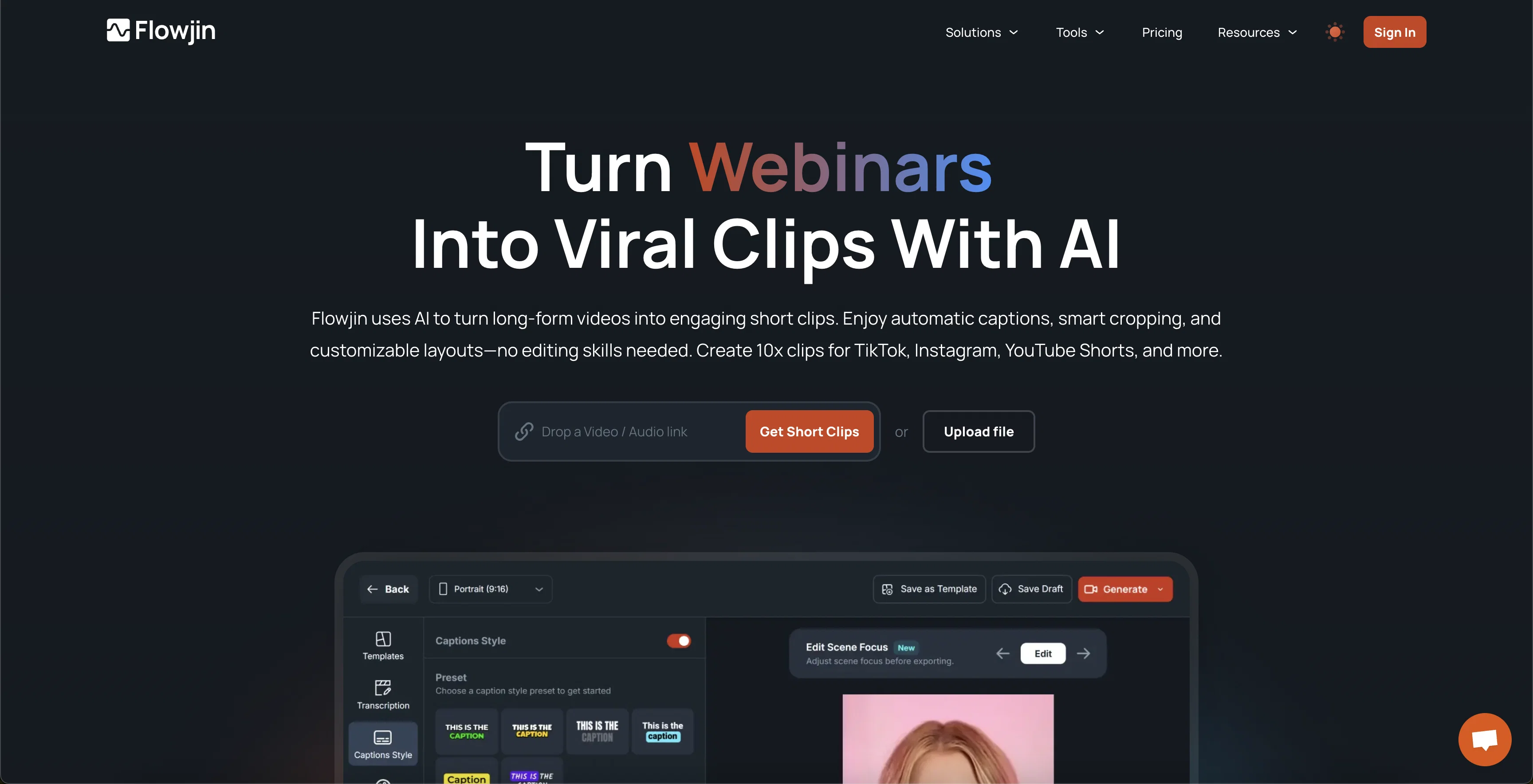
The tool automatically applies precise cuts, converts landscape videos into portrait or square formats, and adds stylish fonts for auto captions. Furthermore, Flowjin enhances your clips with auto-generated titles, descriptions, and keyword tags that can also serve as hashtags, custom branding with your logo, allowing for a seamless publishing process.
Beyond clipping, it introduces advanced features such as speaker-spot video resizer for precision resizing and framing, AI speaker detection, AI audiogram generator, custom branded templates, and a snippets and shorts engine to generate compelling short clips from 15 to 60 seconds.
Meanwhile, the feature for guest-specific clips highlights your special guests and collaborators. Flowjin can also convert your audio-only podcast episodes or online course contents into visually engaging video snippets.
Essentially, it aims to increase your visibility, expand your audience, and save your time by simplifying and enhancing the content creation process.
Best for
Short scenarios where Flowjin tends to shine.
-
Turning webinars into viral clips for lead generation
Best for Content marketers
-
Transforming podcasts into audiogram clips
Best for Social media marketers
-
Creating engaging content for Instagram Reels, YouTube Shorts, and TikTok from long-form videos
Best for Community managers
-
Clipping customer calls and interviews for marketing purposes
Best for Content creators
Example outputs 1
Sample generations and before/after results for Flowjin.
Access & connections
Where you can use Flowjin, and what it plugs into.
Platforms
Integrations
Capabilities
What this tool accepts, produces, and is strongest at.
Input
- Tabular
- Video
- Audio
Output
- Video
- Text
Supported features
- Clipping
- Podcast
Pros & cons
Pros
- Creates short clips
- Works with YouTube videos
- Compatible with Zoom meetings
- Handles audio content
- Customizable video configuration
- Boosts content discoverability
- Shares to social media
- 10 free clips offered
Show 33 more
- No credit card required
- Automatically cuts video
- Transforms video dimensions
- Auto adds stylish captions
- Adds logos for customization
- Includes speaker-spot video resizer
- Detects different speakers
- Audiogram generator included
- Generates auto-titles and descriptions
- Helps with content branding
- Creates clips from podcasts
- Converts long form into short
- Analyzes content in-depth
- Recognizes speaker nuances
- Frames videos precisely
- Easy publishing process
- Content is SEO friendly
- Integrated with Google Cloud
- Integrated with AWS
- Increases content visibility
- Multiple social platform tailoring
- Makes podcasts visible on YouTube
- Platforms including TikTok, Instagram, YouTube
- Produces guest-specific clips
- Repurposes online courses into clips
- Saves 90% of user's time
- 5X increase in reach
- Automatic caption generation
- Allows for content schedule consistency
- Option for portrait or landscape
- Creates 1-minute video clips
- Access to Twitter Space Archiver
- Can generate up to 6 clips
Cons
- Limited free clips
- No Android app
- No real-time editing
- Limited customization options
- No multi-language support
- Video resize formats limited
- No in-built community
- No co-edit function
Compare alternatives
Similar tools in the catalog — with a clear reason to open each one.

Music 2 Tube ✓
PaidTurn audio into YouTube videos instantly
Why look Typically cheaper
Full comparison
Seedeo Video Generator ✓
FreemiumTurn text and images into cinematic AI videos.
Why look Freemium alternative
Full comparison
Vocova ✓
Free TrialTranscribe audio, video, or links into text. 1,000+ platforms, 100+ languages.
Why look Typically cheaper
Full comparison
Muapi ✓
PaidAI-powered image and video generation API platform.
Why look Stronger for image work
Full comparison
Voice Cloner ✓
FreemiumClone any voice instantly, no sign-up needed.
Why look Freemium alternative
Full comparisonPeople also view
Tools that often show up alongside Flowjin in collections and comparisons.

Typpo ✓
FreemiumCreate videos as you speak using AI.
Music 2 Tube ✓
PaidTurn audio into YouTube videos instantly
Voice Cloner ✓
FreemiumClone any voice instantly, no sign-up needed.
Vocova ✓
Free TrialTranscribe audio, video, or links into text. 1,000+ platforms, 100+ languages.
Seedeo Video Generator ✓
FreemiumTurn text and images into cinematic AI videos.

ScriptGecko ✓
FreemiumTurn any Instagram Reel into text instantly.
Muapi ✓
PaidAI-powered image and video generation API platform.

Kuvu AI | Video Generator ✓
Free TrialOne platform for all your AI image and video creation.
Releases 1
FAQ 12
What is Flowjin?
How does Flowjin create short clips from podcasts or long videos?
How can Flowjin help in expanding my content's reach across various social media platforms?
What types of configurations does Flowjin's video editor allow?
How does Flowjin's AI algorithm enhance my audio content?
Can Flowjin convert my landscape videos into portrait or square formats?
Does Flowjin automatically generate keywords and tags for my videos?
What are the features of Flowjin's snippets and shorts engine?
Can Flowjin generate guest-specific clips from my content?
What is speaker-spot video resizer of Flowjin?
How does auto titling and description generation by Flowjin work?
Can Flowjin help me turn my audio podcasts into engaging video snippets?
Related tools
Recommended

D-ID ✓
FreemiumCreate AI-generated videos with ease

VenturusAI ✓
FreemiumBusiness idea analysis and reporting.

Genmo ✓
FreemiumCreate videos from text with AI.

Photo AI ✓
PaidCreate beautiful AI photos and videos of real people

Eightify
UnknownAI-powered YouTube video summarizer extracting key ideas for quick content assessment.

Stockimg AI ✓
PaidGenerated images and text for design ease.