

Task automation 2026 Rank: #1379
Floatboat ✓
Your calendar that actually does the work.
Free + from $33.98/mo
Verdict
A quick read before you dig into the full page.
- Best if
- Your calendar that actually does the work
- Skip if
- Limited customization options
- Pick this when
- Transforms calendars into workflows
Considering SureThing.io - "OpenClaw" for Beginners instead? Compare side by side
Overview
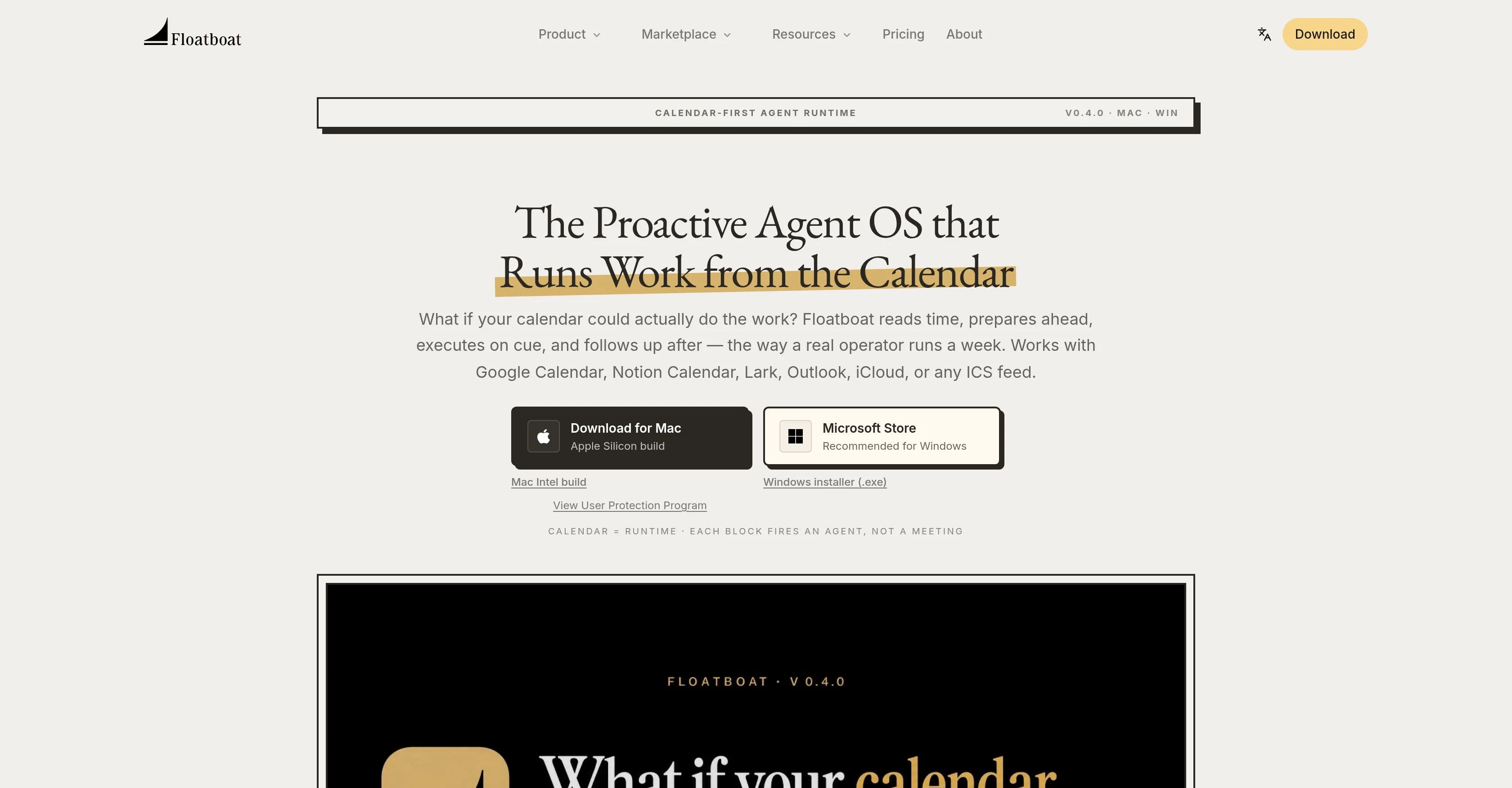
Floatboat is an AI-powered platform that transforms calendars into proactive agent workflows. Essentially functioning as an artificial intelligence operator, Floatboat reads the schedule, preps, executes, and follows up tasks based on calendar entries.
It supports calendar platforms such as Google Calendar, Notion Calendar, Lark, Outlook, and iCloud. This tool operates on the user's schedule, preparing for meetings, drafting before deadlines and following up afterwards.
Floatboat's additional feature, FloatIM, allows for group chats where AI agents can hand off work to each other. It also comes with a feature that provides reusable agent skills, or Combos, which can convert voice notes into decks, among other tasks.
Moreover, it offers Workflow Store that offers ready-to-run automations for different operational tasks. Floatboat is compatible with numerous tools and APIs including Notion, Slack, Github, Google Drive, and more, offering seamless integration without the need for re-uploading or copy-pasting.
Notably, it supports both Mac and Windows operating systems and runs locally on your device, with user-set sync parameters.
Access & connections
Where you can use Floatboat, and what it plugs into.
Platforms
Integrations
Capabilities
What this tool accepts, produces, and is strongest at.
Input
- Geo
Output
- Text
Pros & cons
Pros
- Transforms calendars into workflows
- Preps, executes, follows tasks
- Supports various calendar platforms
- Prepares for meetings
- Drafts ahead of deadlines
- Follow-ups after events
- Integrated group chat feature
- Offers reusable agent skills
Show 34 more
- Voice note to deck conversion
- Ready-to-run operational automations
- Supports Notion, Slack, Github
- Seamless integration without re-uploading
- Functionality across multiple APIs
- Works on Mac, Windows
- Runs locally on device
- User-set sync parameters
- Automated task management
- Time management efficiency
- Cross-platform compatibility
- Notion, Outlook, and Google Calendar support
- Integrates with existing tools
- Cloud-based operation
- Digital workforce functionality
- Allows for automated scheduling
- Personal productivity enhancements
- Allows for persistent Agent Workspace
- Coordinates across devices
- Can run tasks without trigger
- 3500+ integrations
- Features every frontier model
- Zero setup for models
- Offers Combo Store
- Automate several tasks
- Integrated, editable workflows
- Local-first chat channel
- Flexible syncing options
- Optimal for solo or small teams
- Clean workspace handoff
- Routine and deadline classification
- Automated briefing before calls
- Detailed run history, files
- Allows prompt tweaking
Cons
- Lacks mobile app support
- Cannot work offline
- Doesn't support custom API integration
- No tiered access levels
- Lacks multilingual support
- No extensive audit logs
- Lacks predictive analysis capability
- Limited customization options
Show 2 more
- No dedicated customer support
- Doesn't support all calendar platforms
Compare alternatives
Similar tools in the catalog — with a clear reason to open each one.

SureThing.io - "OpenClaw" for Beginners ✓
FreemiumFirst General AI Agency. Designed for long-horizon tasks.
Why look Offers a public API
Full comparison


Raccoon AI ✓
FreemiumThe AI Coworker for Apps, Research, Docs & Everything Else
Why look Typically cheaper
Full comparison
Autopilots by Athena AI ✓
Free TrialAutonomous AI agents that execute tasks for you.
Why look Typically cheaper
Full comparison
Releases 1
FAQ 12
What is Floatboat?
How does Floatboat work?
How is Floatboat different from other task management tools?
Which calendar platforms does Floatboat support?
What is Floatboat's additional feature, FloatIM?
How does Floatboat help in drafting before deadlines?
How does Floatboat's Combos feature work?
What is the Workflow Store in Floatboat?
Which tools and APIs is Floatboat compatible with?
Does Floatboat support both Mac and Windows operating systems?
Does Floatboat run locally or it requires Internet connection?
How user-set sync parameters in Floatboat work?
Related tools
Recommended

SnaptaleAI ✓
FreemiumOne prompt. A whole tale.
Promer AI: AI Ads Generator & Maker - Create Ads With... ✓
FreemiumTurn any product URL into winning ads.
RankControl ✓
Free TrialThe AI-first SEO suite: content, visibility, links, and leads.

ChatGPT ✓
FreemiumAsk anything, create anything, and move from idea to action.

DeepSeek ✓
FreeUnravel the mystery of AGI with curiosity

Kick ✓
FreemiumAccounting software that does the work for you