

Architectural design 2026 Rank: #880
Eler ✓
Blazingly fast multi-view consistent rendering of 3D models with SketchUp support
Verdict
A quick read before you dig into the full page.
- Best if
- Blazingly fast multi-view consistent rendering of 3D models with SketchUp support
- Skip if
- Limited customization options
- Pick this when
- Processes SketchUp files
Considering ARCHITEChTURES instead? Compare side by side
Overview

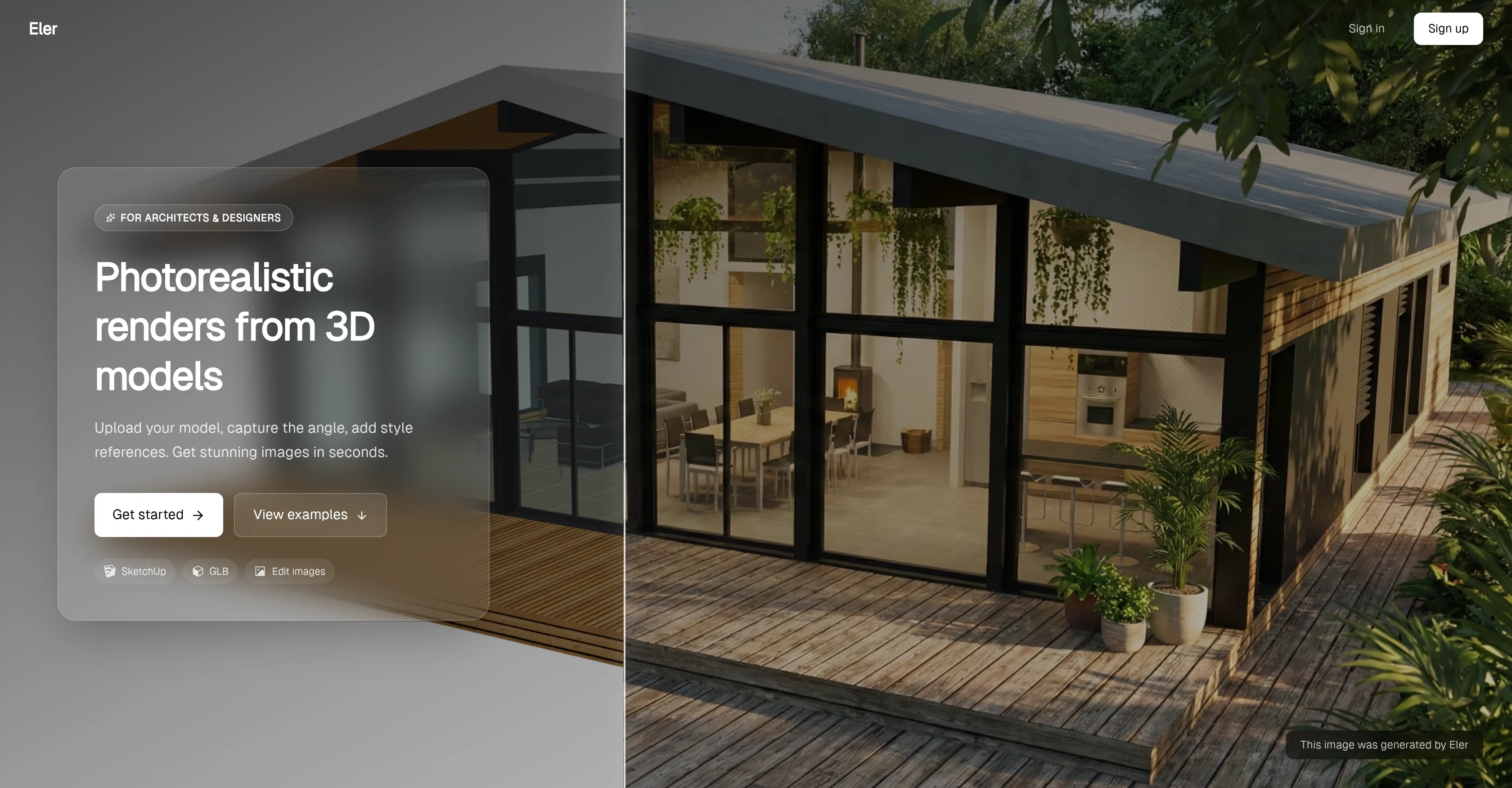
Eler is an AI tool that provides users with the ability to transform 3D architectural models into photorealistic images swiftly. The tool has the functionality to process uploads of SketchUp or GLB files, common file formats in 3D modeling.
Users can also specify the angle from which they would like the rendering to be viewed, adding an extra level of customization to the process. Eler further presents an option to indicate style references that the AI uses to guide the rendering process and align with the desired aesthetic.
The resultant output is a visually striking image that captures the detail and realism inherent in the original model. The tool leverages AI algorithms to understand, interpret, and translate the 3D models into 2D photorealistic views intuitively, accurately reproducing the characteristics of the model in a visually digestible format.
Eler can prove to be a highly beneficial tool for architects, designers and visualizers, providing them with an efficient solution to generate stunning images from their 3D models, proving useful presentations, demonstrations or approvals.
Access & connections
Where you can use Eler.
Platforms
Capabilities
What this tool accepts, produces, and is strongest at.
Input
- 3D
- Image
- Text
Output
- Image
Supported features
- Image Generation
- Realism
- Styling
- 3D Generation
- Arhitecture & Interior design
Pros & cons
Pros
- Processes SketchUp files
- Processes GLB files
- Quick rendering
- Custom viewing angles
- Style reference integration
- High-quality images
- Detailed imaging
- Can handle complexity
Show 28 more
- Captures original detail
- Realistic output
- 3D to 2D conversion
- Aesthetic customization
- Automated rendering
- Flexibility in perspectives
- Presentation utility
- Useful in design approvals
- Aligns with user preferences
- Architectural visualization
- User-friendly
- Comprehensive 3D model translations
- Time-saving tool for architects
- Efficient for designers
- Handy for visualizers
- Probable benefit in real estate
- Utility in interior design
- Tool for construction planning
- Optimal for industrial design
- Interprets 3D models intuitively
- Accurate model reproduction
- Facilitates visually digestible format
- Increases productivity
- Multi-purpose design tool
- Ideal for demonstrations
- Seamless modeling translation
- Unlocks creative expression
- Aids in design communication
Cons
- Limited to SketchUp, GLB files
- Lack of manual editing
- No apparent offline usage
- Requires file upload
- Limited customization options
- No clear multi-rendering process
- Unspecified image output formats
- Majorly geared to architecture
Show 1 more
- No real-time rendering
Compare alternatives
Similar tools in the catalog — with a clear reason to open each one.

ARCHITEChTURES ✓
FreemiumAI-powered design: Months to minutes for buildings.
Free + from $43/mo
Full comparison
ReRender AI ✓
Free TrialInstant photorealistic renders for architectural designs.
Why look Offers a public API
Full comparison
Architect AI ✓
FreemiumArchitectural renderings for design and communication.
Free + from $1.99
Full comparison

Releases 1
FAQ 12
What is Eler and what does it do?
How does Eler work with SketchUp or GLB files?
How swiftly can Eler convert 3D models into photorealistic renders?
What types of images does Eler specialize in rendering?
Can users customize their renderings with Eler?
How are style references used in Eler's AI rendering process?
In what ways can users adjust the angle or perspective of their 3D models in Eler?
What kind of artistic or aesthetic preferences can be applied with Eler?
How does Eler ensure the high quality of its rendered images?
What makes Eler an efficient platform for rendering images?
Is Eler used exclusively for architectural visualization?
How does the AI in Eler improve the rendering process?
Related tools
Recommended

Thea ✓
FreemiumAI study tools to master material, not just memorize it.

Luma AI ✓
FreeGenerated 3D graphics.

Veeso AI ✓
FreemiumTurn content into deliverable designs.

Scisummary ✓
Free TrialCutting-edge scientific articles summarization.

D-ID ✓
FreemiumCreate AI-generated videos with ease

Scholarcy ✓
FreemiumConvert long articles into summary flashcards.