

Browser automation 2026 Rank: #1957
ego (lite) ✓
The browser your AI agents use while you don't.
Verdict
A quick read before you dig into the full page.
- Best if
- The browser your AI agents use while you don't
- Skip if
- Only available for Mac
- Pick this when
- Facilitates web automation tasks
Considering AIPex AI Browser Automation Assistant instead? Compare side by side
Overview
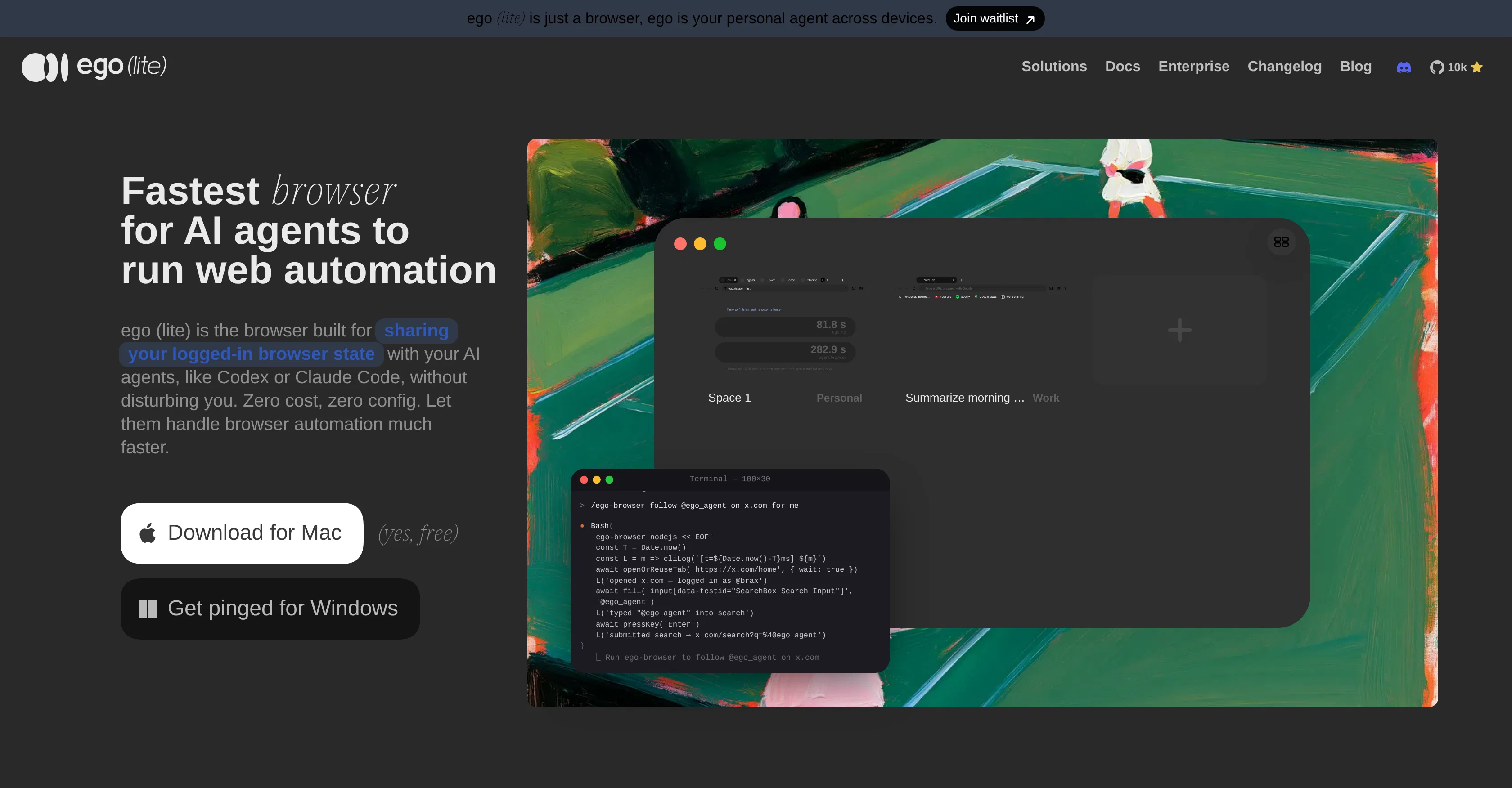
ego (lite) is an innovative browser designed specifically to facilitate web automation tasks through AI agents. This tool aids AI agents like Codex or Claude Code by sharing users' logged-in browser states, thereby enabling these agents to undertake browser automation tasks efficiently without causing any disturbance.
The browsers noteworthy feature is the ease of multitasking, permitting agents to execute multiple in-page actions with simple JavaScript lines, and drastically reducing the completion time of complex browser tasks.
Further, ego (lite) enhances its performance with a custom Chromium engine, ensuring quicker and reliable snapshots, and reaching into cross-origin iframes, shadow DOM, and third-party SDK widgets.
What it offers is a unique concept of 'Spaces,' providing separate workspaces for users and their agent within the same browser environment, thereby circumventing task collisions.
This browser has the added advantage of importing users' existing Chrome setup in one click, maintaining their browsing habits. With ego (lite), AI agents can competently handle web automation tasks, reducing both time and token cost.
The browser is built on Chromium, and its functionalities mirror that of Chrome, providing a seamless transition for the user from their usual browser interface.
The usability of this tool extends beyond the realm of Chrome to platforms like LinkedIn, Reddit, Instagram, Facebook, etc., thereby filling operational gaps through web automation.
Access & connections
Where you can use ego (lite), and what it plugs into.
Platforms
Capabilities
What this tool accepts, produces, and is strongest at.
Input
- Code
Output
- Code
Pros & cons
Pros
- Facilitates web automation tasks
- Shares logged-in browser states
- Enables efficient browser automation
- Drastically reduces task completion time
- Custom Chromium engine for performance
- Quick and reliable snapshots
- Accesses cross-origin iframes
- Accesses shadow DOM, third-party widgets
Show 26 more
- Unique concept of 'Spaces'
- Prevents task collisions
- Imports Chrome setup in one click
- Handles web automation competently
- Built on Chromium
- Similar functionalities to Chrome
- Usable on multiple platforms
- Effective on social media platforms
- Extends beyond Chrome realm
- Maintains user's browsing habits
- Reduces time and token cost
- Allows 100+ browser tasks simultaneously
- 3.45x faster than agent-browser
- Supports social media automation
- No additional setup required
- Enables in-page JavaScript tools
- Real window and tabs for agent
- Finish complex tasks up to 3.45x faster
- No login friction
- Data stored locally
- Can replace daily Chrome browser
- Isolates agent's work from user's
- Free, no subscription required
- Migrate tabs, bookmarks, password from Chrome
- Offers user's logged-in state to agent
- Parallel multitasking with same browser
Cons
- Only available for Mac
- Lacks native browser features
- Usage could increase tokens cost
- Limitations in cross-origin iframes
- No support for headless browsing
- May interfere on user's tabs
- Lacks extensive developer tools
- Possible limitations in parallel multitasking
Show 1 more
- Conflicts while importing Chrome setup
Compare alternatives
Similar tools in the catalog.





Releases 1
FAQ 12
What is ego (lite)?
How does ego (lite) aid AI agents?
How does ego (lite) handle multitasking?
What is unique about ego (lite)'s custom Chromium engine?
Can you explain the 'Spaces' feature in ego (lite)?
How does ego (lite) help in maintaining users' browsing habits?
How does ego (lite) assist with web automation on platforms like LinkedIn or Instagram?
What measures does ego (lite) have for task efficiency?
Can ego (lite) import existing Chrome setups?
How does ego (lite) enable JavaScript tasks?
What can ego (lite) do with third-party SDK widgets?
How does ego (lite) reduce time and token cost?
Related tools
Recommended

ChatGPT ✓
FreemiumAsk anything, create anything, and move from idea to action.

DeepSeek ✓
FreeUnravel the mystery of AGI with curiosity

Gemini ✓
FreemiumGemini: Google's most capable AI model yet

Grok ✓
FreemiumConversational AI for understanding the universe.

Kilo | Code Reviewer ✓
FreemiumAI-powered code reviews that catch bugs before merge.

Engain ✓
FreemiumGet your brand mentioned on Reddit organically.