

SafetyCulture ✓
AI-Powered Microlearning Made for the Modern Workforce
Free + from $5/mo
Verdict
A quick read before you dig into the full page.
- Best if
- AI-Powered Microlearning Made for the Modern Workforce
- Skip if
- Limited customization options for voice narration
- Pick this when
- AI-powered course creation and editing
Considering QuikAuthor instead? Compare side by side
Overview
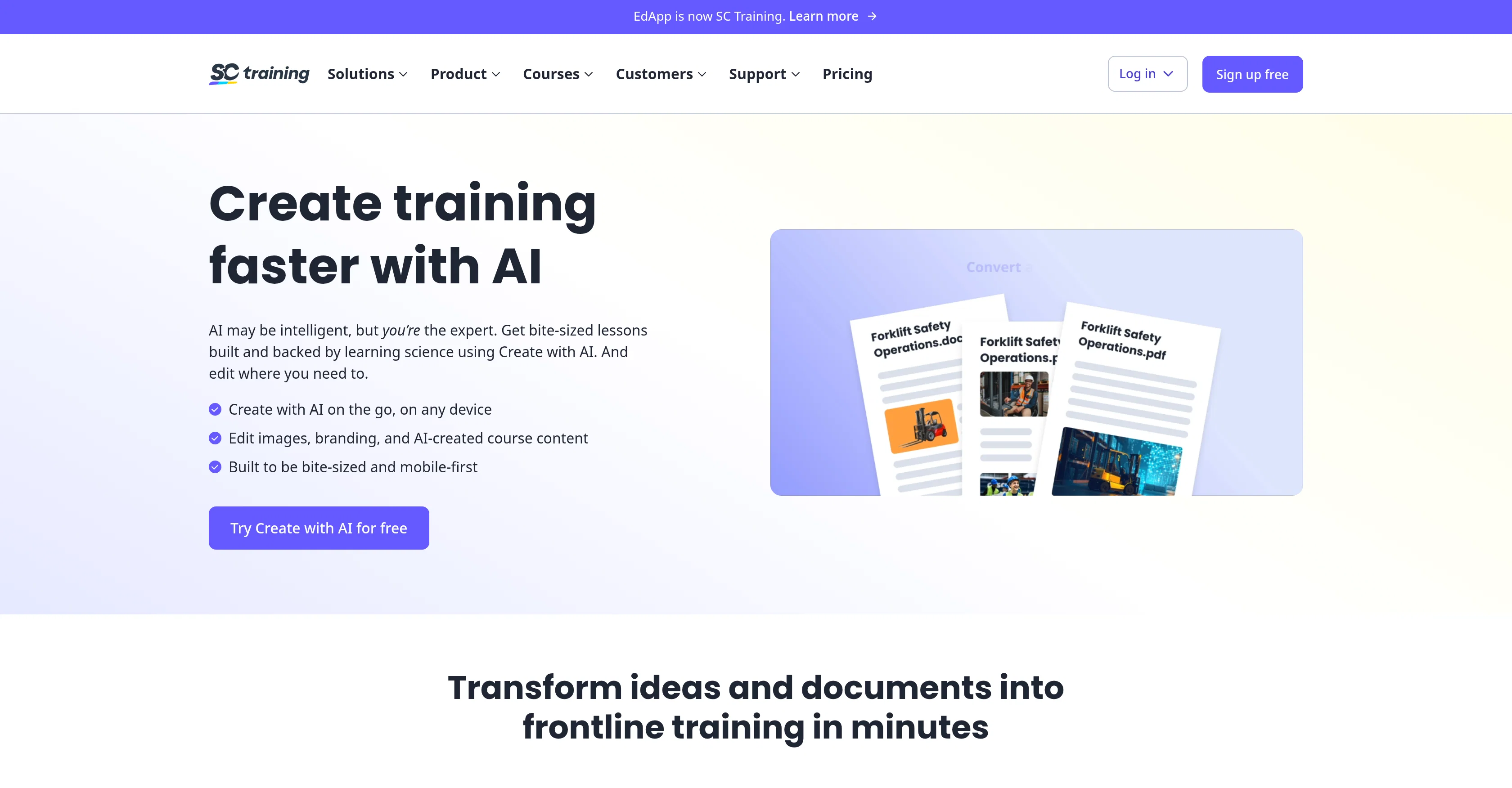
The platform’s Create with AI feature revolutionizes how training content is built, transforming documents, text prompts, and even images into complete, interactive lessons in minutes. Users can convert PDFs, PPTs, and DOCX files directly into structured courses, or generate new training from scratch using simple prompts. AI also assists with editing, narration, and image generation to keep content fresh and effective.
SC Training offers AI Speech Narration in 20+ languages with customizable voices, perfect for inclusivity and engagement. Its integrated compliance and analytics suite ensures every learner meets industry standards while maintaining enterprise-level data security with ISO 27001, SOC 2 Type II, and AES-256 encryption. Whether for SOPs, onboarding, or safety modules, SC Training allows teams to create, adapt, and distribute lessons anytime, anywhere.
Access & connections
Where you can use SafetyCulture.
Platforms
Capabilities
What this tool accepts, produces, and is strongest at.
Input
- Image
- Text
Output
- Audio
- Video
- Tabular
- Text
Pros & cons
Pros
- AI-powered course creation and editing
- Converts PDFs, PPTs, and DOCX files into structured training
- Mobile-first microlearning experience
- Text-to-speech narration in 20 languages
- Enterprise-grade security and compliance (ISO 27001, SOC 2 Type II)
- Easy-to-use interface for admins and learners
- On-the-go course creation from any device
- Built-in analytics and reporting suite
Show 7 more
- Automated SOP detection and lesson structuring
- Gamified learning to boost engagement
- Custom branding and image editing support
- Rapid Refresh tool for knowledge checks
- Seamless integration with enterprise systems
- Single sign-on (SSO) and user permissions control
- Excellent for compliance training and onboarding
Cons
- Some advanced AI features require a premium plan
- Limited customization options for voice narration
- Conversion accuracy may vary for heavily formatted documents
- No built-in video conferencing integration
- Mobile creation interface can feel constrained on small screens
- Occasional delays during large file conversions
Compare alternatives
Similar tools in the catalog — with a clear reason to open each one.
QuikAuthor ✓
FreemiumBuild impactful e-learning 10x faster with AI.
Why look Higher community rating
Full comparison

CraftedCourses.io ✓
PaidCreate and Share High-Quality Online Courses in Minutes
from $13.34/mo
Full comparison
VideoLearningAI ✓
Free TrialTurn knowledge into AI-generated training videos instantly.
Free + from $29/mo
Full comparison
Coursera ✓
Free TrialLearn in-demand skills with online courses from leading companies.
Free + from $39/mo
Full comparison
Dewey ✓
UnknownYour expert-grade answer engine grounded in expertise.
Evidence-based answers
Full comparisonReleases 1
FAQ 7
What is SC Training?
How does Create with AI work?
Can I convert existing files into training courses?
Does SC Training support text-to-speech narration?
Is SC Training secure?
What industries use SC Training?
Can I use SC Training offline?
Related tools
Recommended

LearningStudioAI ✓
Free TrialAI-powered authoring tool for effortless online course creation.

Mindsmith ✓
FreemiumPlatform for building and sharing eLearning content

Coursable ✓
FreemiumCustomizes learning with personalized study guides.

AI Course Creator ✓
FreemiumAI-powered course creation in minutes.

IllumiChat ✓
FreemiumFrom Ticket Backlog to Instant Answers Powered by AI

CreateAiCourse ✓
PaidSimplify course creation with the best AI Course Creator.