

Dot App ✓
Retain the power of language models without sacrificing your data privacy with Dot.
Verdict
A quick read before you dig into the full page.
- Best if
- Retain the power of language models without sacrificing your data privacy with Dot
- Skip if
- Limited document formats
- Pick this when
- Ensures data privacy
Considering FluentDB instead? Compare side by side
Overview
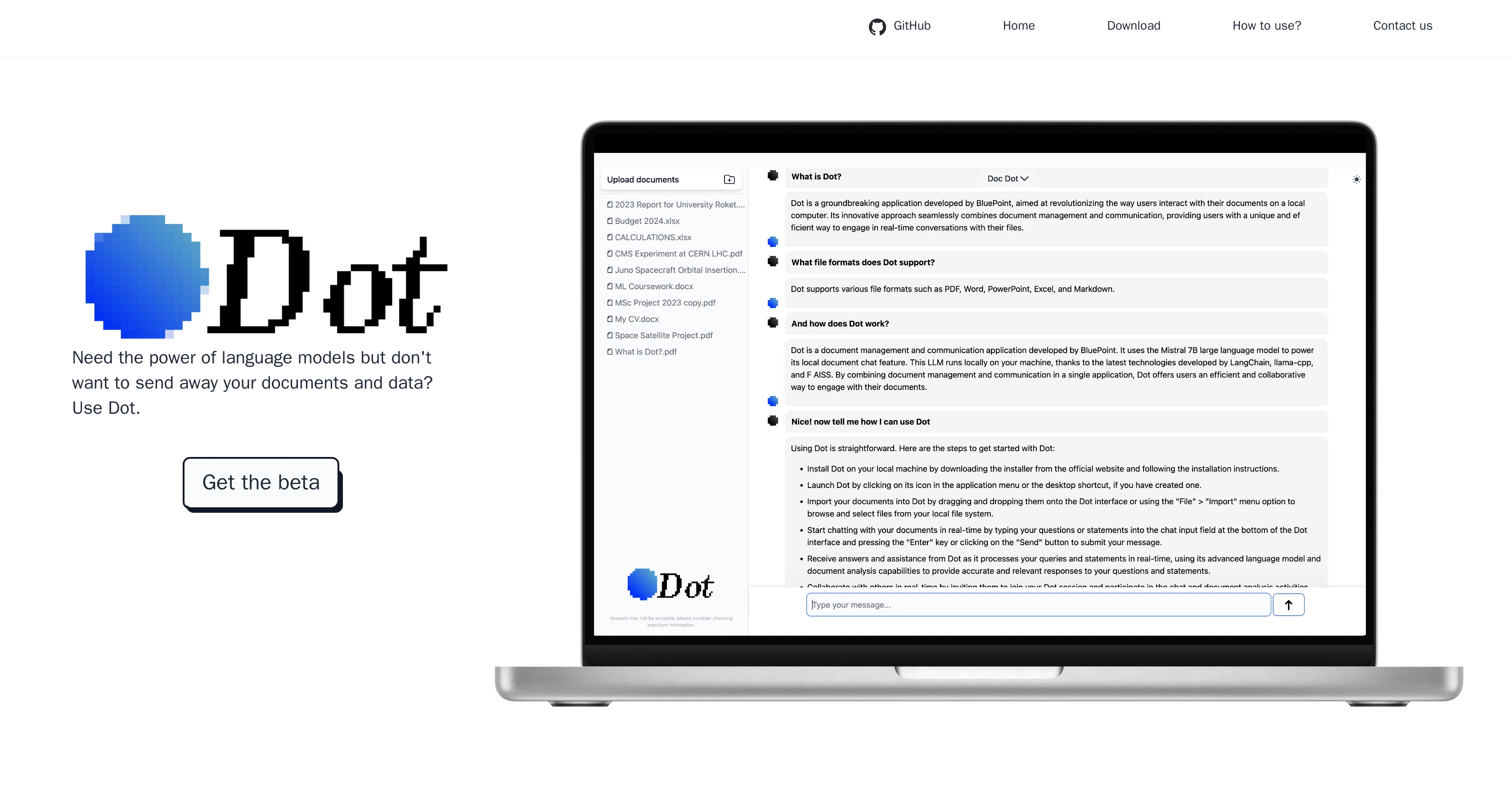
Dot is an AI tool developed for the privacy-conscious users leveraging the power of language models. Engineered to run locally on the user's device, Dot facilitates offline operations ensuring data privacy and security.
Assuming a unique approach that doesn't transmit user data, it is designed to balance the benefits of language model tools with crucial privacy considerations.
Dot's main features include local operation, document interaction, and the use of a chat interface. The tool enables users to interact with their own documents and conduct conversations about these documents.
The service is primarily delivered locally, without the requirement of an internet connection. Alongside text interaction, Dot also offers a chat mode, known as Big Dot, enabling general conversations unrelated to documents.
This mode offers vast possibilities of conversation topics, exploiting the capabilities of the Mistral language model. Whether it is for document processing or casual conversational purposes, Dot brings the power of language models towards a more private, user-oriented experience.
Access & connections
Where you can use Dot App.
Platforms
Pros & cons
Pros
- Ensures data privacy
- Offline operations capability
- No data transmission
- Local operation
- Interacts with documents
- No internet requirement
- Chat interface
- Big Dot chat mode
Show 8 more
- Mistral language model
- Document interaction allowed
- Offline database Q&A
- Local data processing
- User-oriented tool
- Runs on user's device
- GitHub repository access
- Free to use
Cons
- Requires local storage
- Offline-reliant
- Limited by user device
- No cloud backup
- Depends on device performance
- Limited document formats
- Single user only
- Not multi-platform
Show 2 more
- Lacks collaboration features
- No real-time updates
Compare alternatives
Similar tools in the catalog — with a clear reason to open each one.




Releases 1
Imported reviews 2
All great things are simple to use! Safe and useful app.
Hi there! I've been using this app for a while, and I would definitely recommend it to anyone who wants independent/offline/cyber-secure AI software on their laptop or computer.
I'm a student, so I mainly have been using Dot for my research and writing - I cannot express how useful it is to upload a bunch of my own essays/book pdfs/etc., and then use Dot as an advanced search engine basically while feeling confident that it's not going to end up leaked somewhere on the Internet. It's also helpful to be able to switch to "Big Dot” quickly and ask it questions sometimes (or have a funny chit chat lol)
Also, loving the Gallery View mode 🖼️
I'm not super technologically advanced, but I found Dot pretty straightforward and easy to use. Will definitely recommend it to my friends!
Related tools
Recommended

Scisummary ✓
Free TrialCutting-edge scientific articles summarization.

Agentgpt ✓
FreemiumDeploy autonomous AI Agents effortlessly in your browser.

Marblism ✓
FreemiumAI Employees who Work for Your Business

AI-Flow ✓
PaidConnect multiple AI models easily.

IllumiChat ✓
FreemiumFrom Ticket Backlog to Instant Answers Powered by AI

AnythingLLM ✓
FreemiumAn AI Agent that lives at your mouse cursor. Fully local.