

Docuit ✓
Capture your work. Generate any deliverable. Automatically.
Free + from $15/mo
Verdict
A quick read before you dig into the full page.
- Best if
- Capture your work. Generate any deliverable. Automatically
- Skip if
- Limited redaction-capabilities
- Pick this when
- Automatically records desktop tasks
Considering Smart Stack instead? Compare side by side
Overview

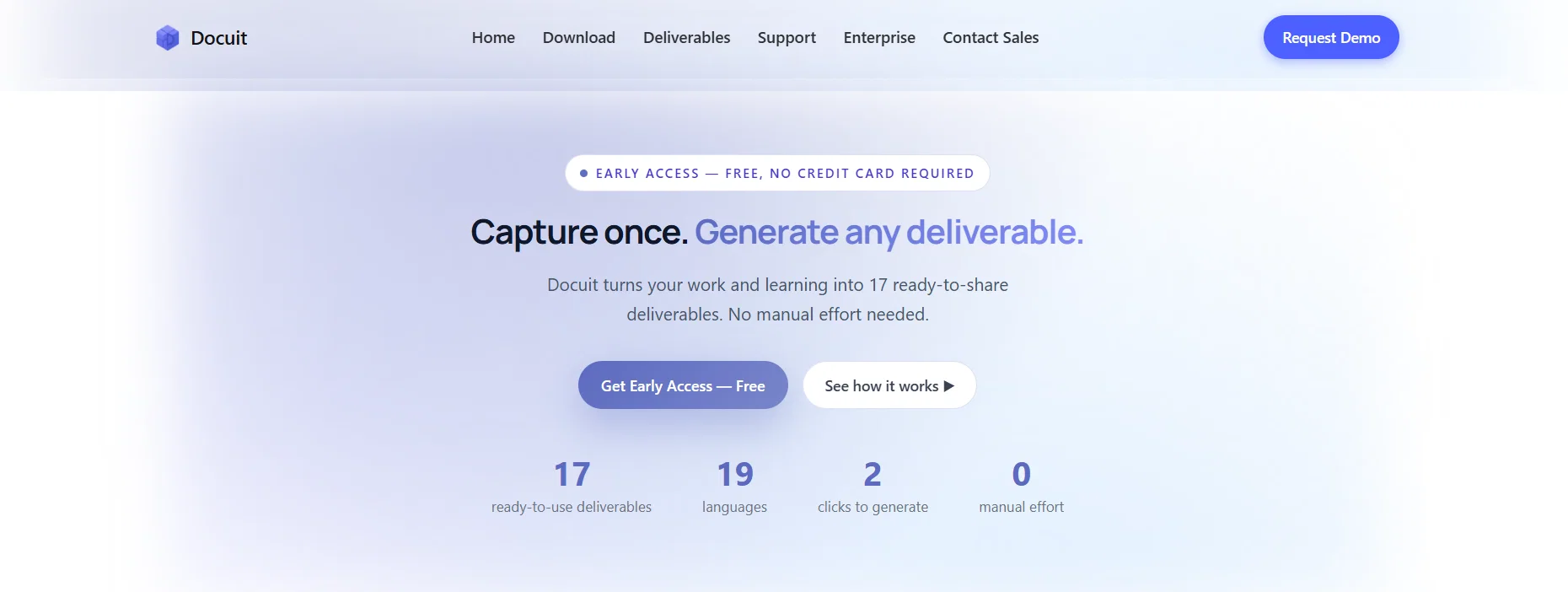
Just work normally. When you're done, transform it into Step-by-Step Guides, Client Reports, Study Cards, SOPs, Work Logs, Lesson Summaries and more. No manual writeups. No reconstructing from memory.
Built for IT consultants, operations teams, security professionals, students and educators. Works across desktop apps and browser tools.
Available on Mac and Windows. Translate your work into 19 languages and in PDF, Word or TXT formats.
Best for
Short scenarios where Docuit tends to shine.
-
Capture your work. Generate any deliverable. Automatically.
Example outputs 1
Sample generations and before/after results for Docuit.
Access & connections
Where you can use Docuit.
Platforms
Capabilities
What this tool accepts, produces, and is strongest at.
Input
- Text
- Video
- Sensor data
Output
- Text
Highlights
- Local
Supported features
- Runs Locally
- Instant file search
Pros & cons
Pros
- Automatically records desktop tasks
- Automatically records browser tasks
- Generates structured notes
- Generates structured guides
- Detects on-screen textual content
- Extracts on-screen textual content
- User can control capture session
- Supports cross-language functionality
Show 32 more
- Creates task documentation guides
- Creates personal work summaries
- Generates troubleshooting guides
- Generates setup guides
- Generates training notes
- Generates demo notes
- Creates step-by-step guides
- Aids in learning review
- Detects video content
- Supports tool exploration
- User session control
- Detects text context
- Multi-language note export
- Supports various note types
- Aids knowledge organization and sharing
- User privacy prioritized
- Aids in replicating work actions
- Flexible control over sessions
- Helps with task duplication
- Instructional for new tool exploration
- Documenting course materials
- Compresses summaries of work
- Detects demo content
- Recognises tutorial material
- Generates class video notes
- Automatic detection and documentation
- Separate note types for tasks
- Automatically log troubleshooting steps
- Automatic generation of setup steps
- Creates training guides
- Creates documentation guides
- Notes and guides in 19 languages
Cons
- No mobile application
- Inadvertent sensitive data capture
- No email and chat capture
- Limited action capturing templates
- Possible language translation limitations
- Reliant on web and desktop activity
- Dependent on user-controlled sessions
- Limited redaction-capabilities
Show 2 more
- Doesn't capture all categories of notes
- No in-tool editing features
Compare alternatives
Similar tools in the catalog — with a clear reason to open each one.

Smart Stack ✓
FreemiumSearch and chat across multiple developer documentation sources in one place.
Why look Typically cheaper
Full comparison
SupportPages.io ✓
Free TrialHelp docs that write themselves from your code.
Why look Better fit for coding
Full comparison
AI4Docs.AI ✓
FreemiumClinical notes that write themselves in 100+ languages
Why look Better for writing
Full comparison
AutoNotes ✓
Free TrialAI writes your clinical notes after each session.
Free + from $24/mo
Full comparison
People also view
Tools that often show up alongside Docuit in collections and comparisons.
SupportPages.io ✓
Free TrialHelp docs that write themselves from your code.
Smart Stack ✓
FreemiumSearch and chat across multiple developer documentation sources in one place.

Rosey ✓
UnknownRosey finds & fixes errors in your most important documents

Ferndesk ✓
Free TrialYour help center on autopilot

Develop Health ✓
UnknownAutomate medication access with AI-powered benefit verification.

ClinFolio ✓
Free TrialTurn scattered doctor work into structured clinical portfolios.
AutoNotes ✓
Free TrialAI writes your clinical notes after each session.
AI4Docs.AI ✓
FreemiumClinical notes that write themselves in 100+ languages
Releases 1
FAQ 12
What is Docuit?
What does Docuit do?
How does Docuit create notes or guides?
Can Docuit capture on-screen textual content?
How can I control my session on Docuit?
How does Docuit ensure user privacy?
What is PII redaction in Docuit?
Can I export documents in different languages with Docuit?
What kinds of notes or guides can be created with Docuit?
Why are email and chat apps not included in Docuit's capture template?
Does Docuit also capture data from video tutorials?
Can Docuit record my desktop and browser activity?
Related tools
Recommended

Automateed ✓
Free TrialCreate eBooks effortlessly with Automateed, the AI-powered writing tool.

Notis ✓
Free TrialThe first WhatsApp assistant that runs on your ChatGPT and Claude subscriptions

remio: Your Personal ChatGPT ✓
FreemiumGet Tailored Answer with Your Personal ChatGPT

VidFlux - Image to Video AI ✓
PaidTransform any image into stunning videos.

Ticketify ✓
FreeAI-powered ticket creation for developers.

Tidio Copilot ✓
FreeLet AI answer for you, automating 30% of support tasks.