
DJ.Studio ✓
Create mashups, DJ mixes, radio shows, video mixes or prepare live sets
Trial; then from $29/mo
Verdict
A quick read before you dig into the full page.
- Best if
- Create mashups, DJ mixes, radio shows, video mixes or prepare live sets
- Skip if
- Limited video capabilities
- Pick this when
- Award-winning DAW
Considering Moozix AI Automix & Mastering For Songs instead? Compare side by side
Overview






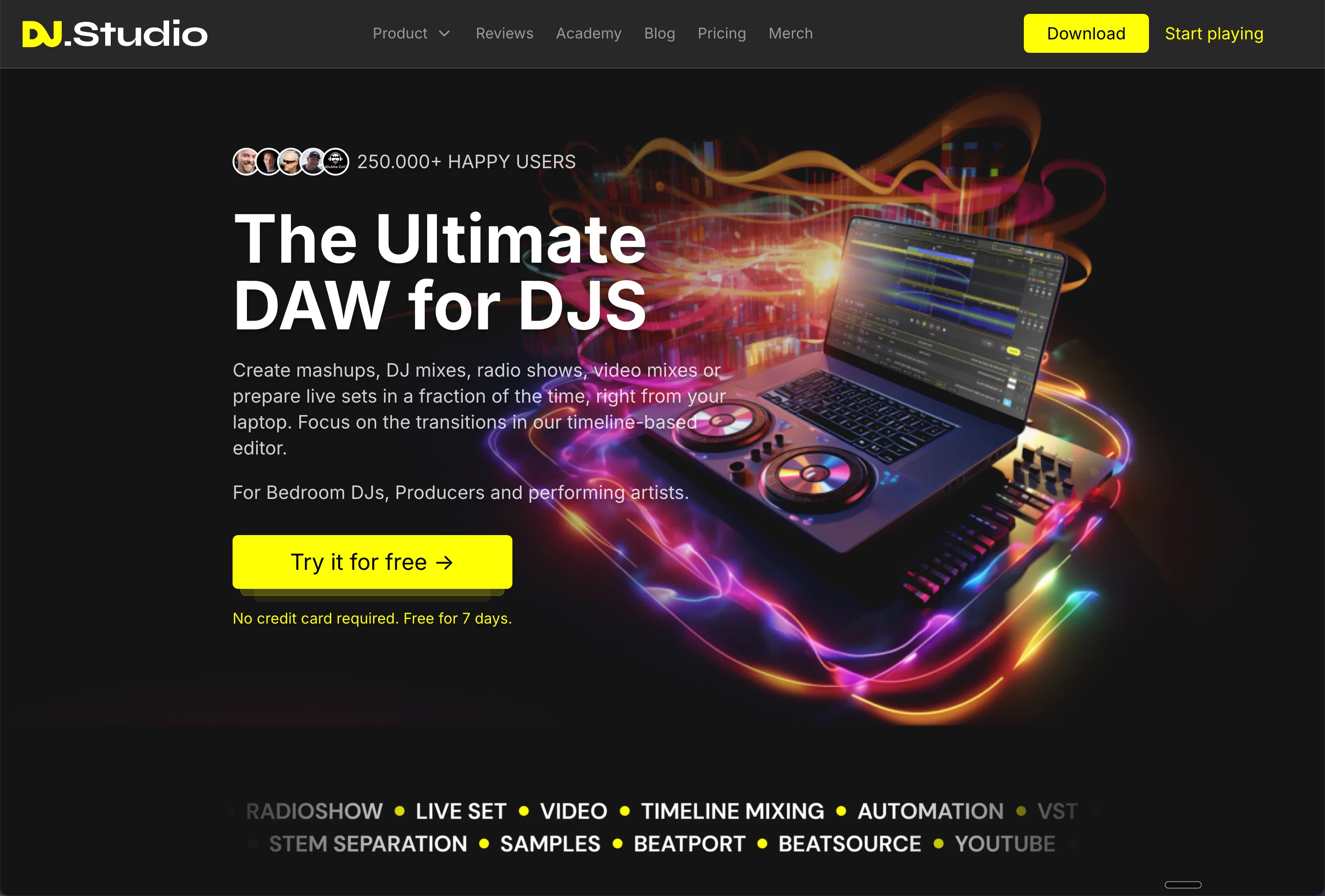
DJ.Studio is an award-winning digital audio workstation (DAW) specifically designed for DJs. Its primary functionality empowers DJs to seamlessly create mashups, DJ mixes, radio shows, video mixes, or orchestrate live sets right from their laptops.
The digital tool offers a timeline-based editor, enabling users to focus on perfecting transitions for a flawless auditory experience.Recognized across the industry, it has been warmly received for bringing production-style workflows to DJs worldwide.
It also offers capabilities for automatic playlist arrangement using advanced harmonics and tempo-based calculations to ensure mix perfection. Furthermore, the tool enables precision transitions and provides an option to include unique effects and automations to create a DJs signature sound.DJ.Studio efficiently integrates with numerous music libraries and platforms like Mixed In Key, rekordbox, Serato, VirtualDJ, Engine DJ, TRAKTOR, iTunes, and also allows for direct exports to Ableton Live.
This interoperability offers infinite possibilities for mixing, production, podcasting, and video creation. It also streamlines the sharing of DJ mixes by enabling direct exports to Mixcloud with an auto-generated tracklist.One of the standout features of DJ.Studio is its Harmonize function.
Using BPM, key, and individual user preferences, it provides a perfect mix each time. Users can solve mixing issues like tempo and key matching at the click of a button and produce seamless and professional mixes with DJ.Studio.
Whether a novice or an experienced DJ, the tool promises an intuitive yet powerful interface that keeps users focused and drastically reduces time wasted on song selection and setup.
In essence, DJ.Studio offers an effortless and collaborative platform for DJs to explore creative boundaries from the comforts of their bedroom to the grand stages of performing arts.
- Create Mashups
- Ai Music Video
- Stem Separation
- Ai Beat Grid Detection
- Phrase Detection
- Ai Playlist Ordering
Best for
Short scenarios where DJ.Studio tends to shine.
-
Create mashups, DJ mixes, radio shows, video mixes or prepare live sets
Example outputs 1
Sample generations and before/after results for DJ.Studio.
Access & connections
Where you can use DJ.Studio.
Platforms
Capabilities
What this tool accepts, produces, and is strongest at.
Input
- Image
- Text
- Video
- Audio
Output
- Audio
- Video
- Text
Pros & cons
Pros
- Award-winning DAW
- Timeline-based editor
- Production-style workflows
- Automatic playlist arrangement
- Advanced harmonics calculations
- Tempo-based mix perfection
- Precision transitions
- Unique sound effects
Show 41 more
- DJs signature sound creation
- Integration with Mixed In Key
- Integration with rekordbox
- Integration with Serato
- Integration with VirtualDJ
- Integration with Engine DJ
- Integration with TRAKTOR
- Integration with iTunes
- Ableton Live export
- Mixcloud export
- Auto-generated tracklist
- Harmonize function
- BPM matching
- Key matching
- User preference mixing
- Reduced song selection time
- Reduced setup time
- Create radio shows
- Create video mixes
- Create live sets
- Flawless auditory experience
- NAMM TEC Award winner
- 250,000+ User community
- Sound seamless with harmonize
- Polish skills function
- Solve tempo issues
- Solve key matching issues
- Create signature sound
- Add multiple effects
- Own precise transition settings
- Add own samples
- DJ.With Spotify
- DJ with Beatport
- Online mixing capability
- Internet connection DJ
- Remix songs feature
- Transition editing
- Beatmatching
- Harmonic mixing
- Stem separation
- Record at 5X speed
Cons
- No offline version
- Not compatible with all platforms
- No free version
- No multi-language support
- No direct social media export
- Requires high-speed internet connection
- Limited video capabilities
- No mobile app
Show 1 more
- Lacks advanced sound editing features
Compare alternatives
Similar tools in the catalog — with a clear reason to open each one.

Moozix AI Automix & Mastering For Songs ✓
FreemiumUpload your song. Hear it mixed and mastered.
Why look Typically cheaper
Full comparison
Algoriddim DJ ✓
FreemiumThe #1 DJ app for multiple platforms
Why look Typically cheaper
Full comparison
MixMaster Pro ✓
FreemiumElevate your sound with AI-powered mix analysis.
Why look Typically cheaper
Full comparison
StudioEditor.io ✓
FreemiumRecord, edit, and export audio free in your browser.
Why look Typically cheaper
Full comparison
People also view
Tools that often show up alongside DJ.Studio in collections and comparisons.

Suno ✓
FreemiumMake music at the speed of your ideas.

AI Music Generator ✓
FreemiumGenerate high-quality, royalty-free music with AI.

SoundBoost ✓
PaidAI audio mastering with text prompts
AIMusicGen.ai ✓
FreemiumTransform ideas into instant AI-generated songs

Musicful ✓
Free TrialTurn ideas into music instantly with AI, no skills needed

Free AI Music Generator ✓
Free TrialCreate songs from text instantly

AI Song Maker ✓
Free TrialCreate royalty-free songs effortlessly with AI

Sunoify ✓
FreemiumTransforming your ideas into captivating songs.
Releases 1
Imported reviews 1
YOOOOO dj.studio COOKS. Drag a playlist hit Harmonize and it lines up BPM and key so the transitions glide. The trial is free with no card though exports are blocked until u upgrade. :/ BUT STILL, BIG WWWW!!!
FAQ 12
What is the primary functionality of DJ.Studio?
How does the timeline-based editor in DJ.Studio facilitate DJs?
What is the Harmonize function in DJ.Studio and how does it help in mix creation?
How does DJ.Studio integrate with other music libraries and platforms?
How does DJ.Studio's automatic playlist arrangement work?
What makes DJ.Studio a stand out compared to other DJ tools in the market?
How can DJ.Studio help in creating a DJ's signature sound?
How does the direct exports to Mixcloud with an auto-generated tracklist feature in DJ.Studio work?
What are the unique effects and automations offered by DJ.Studio?
How efficient is DJ.Studio in creating live sets and video mixes?
What are the key considerations in the Harmonize function to provide a perfect mix?
How does DJ.Studio assist in producing seamless and professional mixes?
Related tools
Recommended
Suno ✓
FreemiumMake music at the speed of your ideas.

freebeat AI ✓
FreemiumTurn Music & Ideas into Viral Videos In One Click
AI Music Generator ✓
FreemiumGenerate high-quality, royalty-free music with AI.
Musicful ✓
Free TrialTurn ideas into music instantly with AI, no skills needed

DeepSeek ✓
FreeUnravel the mystery of AGI with curiosity

VenturusAI ✓
FreemiumBusiness idea analysis and reporting.