

DG Diagram-Generator ✓
One prompt creates stunning diagrams instantly.
Trial; then from $9/mo
Verdict
A quick read before you dig into the full page.
- Best if
- One prompt creates stunning diagrams instantly
- Skip if
- Watermark presence in free version
- Pick this when
- Supports 16 diagram types
Considering AI Diagram Maker instead? Compare side by side
Overview
DG Diagram-Generator is an AI-powered tool that is designed to generate a variety of diagram types, including flowcharts, organizational charts, and more.
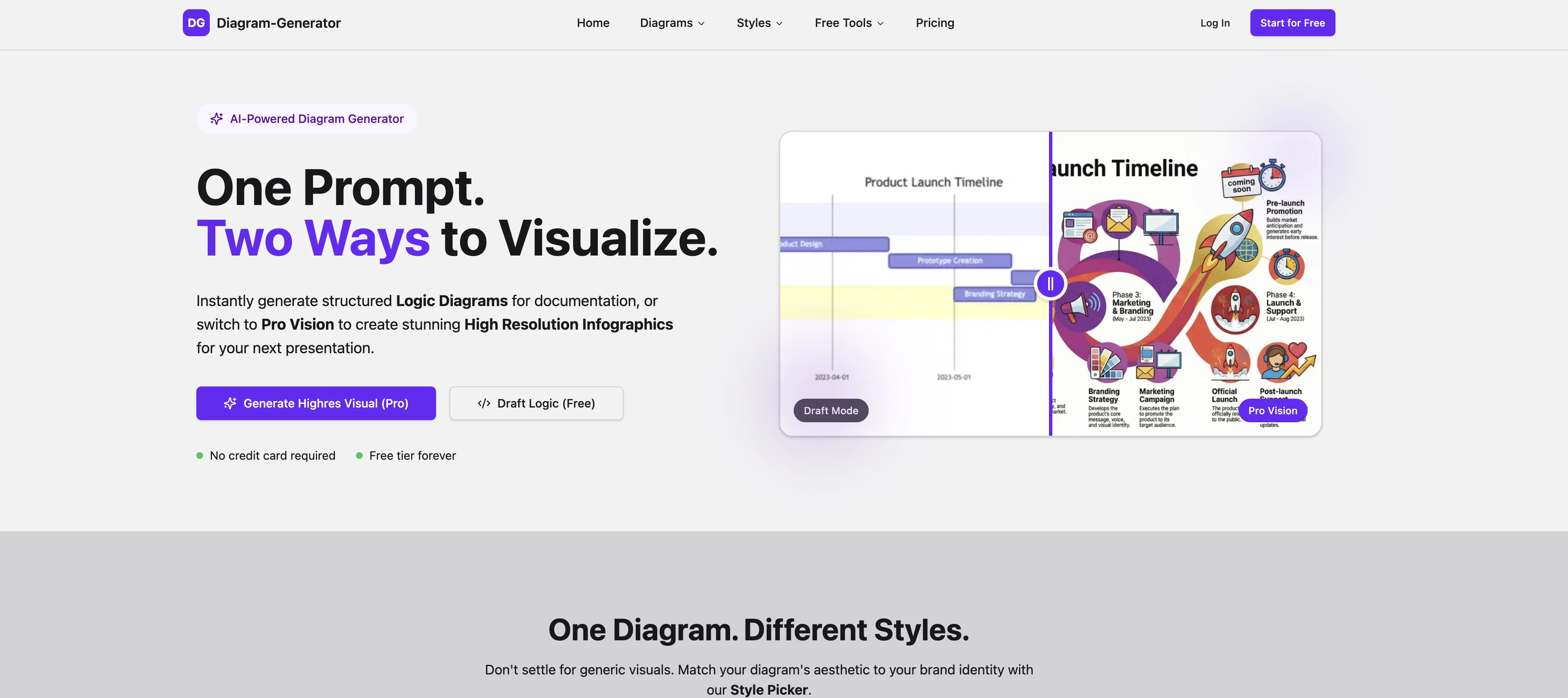
It offers two main features: Logic Diagrams for structured documentation and Pro Vision for the creation of high-resolution infographics. These features offer users the ability to create diagrams in a wide range of styles, allowing them to match the aesthetic of any brand or presentation visually.
It empowers its users to visualize abstract concepts such as 'the emotional journey of a customer buying a house' or 'the friction points in our Q3 sales strategy.' Using its advanced Pro engine, DG Diagram-Generator can research the latest data, facts, and relationships from the web before drawing, thereby ensuring the accuracy and recency of the infographics produced.
Furthermore, it uses a process known as a 'Draft Render' workflow where a lightweight AI sketches a logic structure based on the inputted idea; the user can then refine this initial draft using a simple chat interface before finally rendering the diagram into a high-quality visualization.
Please note that the rendering of the final infographic incurs a cost, which is part of a credit-based pricing structure.
Access & connections
Where you can use DG Diagram-Generator.
Platforms
Capabilities
What this tool accepts, produces, and is strongest at.
Input
- Text
Output
- Image
Highlights
- No Signup
Supported features
- Visual Creation
- No Signup
- Integrations
- SVG
Pros & cons
Pros
- Supports 16 diagram types
- High-resolution outputs
- Draft Render workflow
- Multiple diagram styles
- One prompt generates diagrams
- Flowcharts and Organizational Charts
- Automatic Design feature
- Data Visualization capability
Show 43 more
- Infographics creation
- Business Strategy Visualisation
- Emotional Journey Mapping feature
- Web Research tool
- Brand Aesthetics selection
- Credit-Based Pricing
- High Resolution renders
- Real-time updates
- Structured Documentation
- Logic Diagrams feature
- Pro Vision creation feature
- Aesthetic matching capability
- Web-data-driven research ability
- Advanced Pro engine
- Easy chat interface refinement
- Infographic rendering feature
- Boardroom-Ready aesthetics
- Real-world Awareness Search Grounding
- Complex Reasoning Visualization
- 4K Render capability
- Multi-tiered pricing models
- Different levels of resolution options
- Presence of watermark control
- Option of Commercial License
- Private Gallery feature
- Public and Private Gallery options
- Community, standard and priority Support options
- Supports editable Mermaid code
- Variety in Diagram Styles
- Professional-grade visualizations
- Sketch logic structure feature
- Connects to the web
- Customer sentiment analysis
- Pricing for compute usage
- Accuracy and recency assurance
- Unlimited Draft Mode
- Various Style Picker options
- Auto-scrolling showcase feature
- User friendly
- Ideal for presentations
- Varied diagram types and styles
- Create diagrams instantly
- No hidden fees
Cons
- Final rendering incurs cost
- Credit-based pricing
- Limited Pro features for free users
- Watermark presence in free version
- Chat interface may be complex
- Infographic research may be limited
- No alternatives to 'Draft Render' workflow
- Only 16 diagram types supported
Show 2 more
- 2K resolution limit on lower tiers
- Credit dependent high-resolution rendering
Compare alternatives
Similar tools in the catalog — with a clear reason to open each one.

AI Diagram Maker ✓
FreemiumCreate professional diagrams in seconds with AI.
Why look Typically cheaper
Full comparison
DiagramGPT by Eraser ✓
FreemiumGenerated engineering diagrams.
Free + from $10 per member / month
Full comparison
Diagramming ✓
FreemiumInstantly design UML & workflows with AI
Why look Typically cheaper
Full comparison

Tenorshare AI Diagrimo ✓
FreemiumTurn text into visuals instantly.
Why look Typically cheaper
Full comparison
Mermaid Chart ✓
FreemiumVisualize complex data with simple charts
Why look Typically cheaper
Full comparisonReleases 1
FAQ 12
What are the 16 types of diagrams supported by DG Diagram-Generator?
How does DG Diagram-Generator use AI to generate diagrams?
What are the different pricing models available for DG Diagram-Generator?
How does the 'Draft Render' workflow of DG Diagram-Generator work?
What are the different diagram styles offered by DG Diagram-Generator?
Can DG Diagram-Generator create high-resolution diagrams?
Why does DG Diagram-Generator stand out among other diagram tools?
Who can use DG Diagram-Generator?
Can DG Diagram-Generator visualize abstract concepts?
Can diagrams from DG Diagram-Generator be used for professional presentations?
How easy is it to use DG Diagram-Generator?
How can one match diagrams with brand identity using DG Diagram-Generator?
Related tools
Recommended

Automateed ✓
Free TrialCreate eBooks effortlessly with Automateed, the AI-powered writing tool.

Younet ✓
Free TrialAI Agent Orchestration and Automation. Build your agentic business.

X-Pilot AI ✓
FreemiumTurn Documents into Accurate Video Course Series

LearningStudioAI ✓
Free TrialAI-powered authoring tool for effortless online course creation.

Stratup.ai ✓
FreemiumInnovative idea generation for businesses.

B12 AI Website Builder ✓
FreemiumAI-powered website builder