

DaVinsiri ✓
Supercharge communication with AI-powered Siri shortcuts
Free + from $5.69/mo
Verdict
A quick read before you dig into the full page.
- Best if
- Supercharge communication with AI-powered Siri shortcuts
- Skip if
- Limited to three responses
- Pick this when
- GPT-3.5 Turbo based
Considering FlowPost instead? Compare side by side
Overview
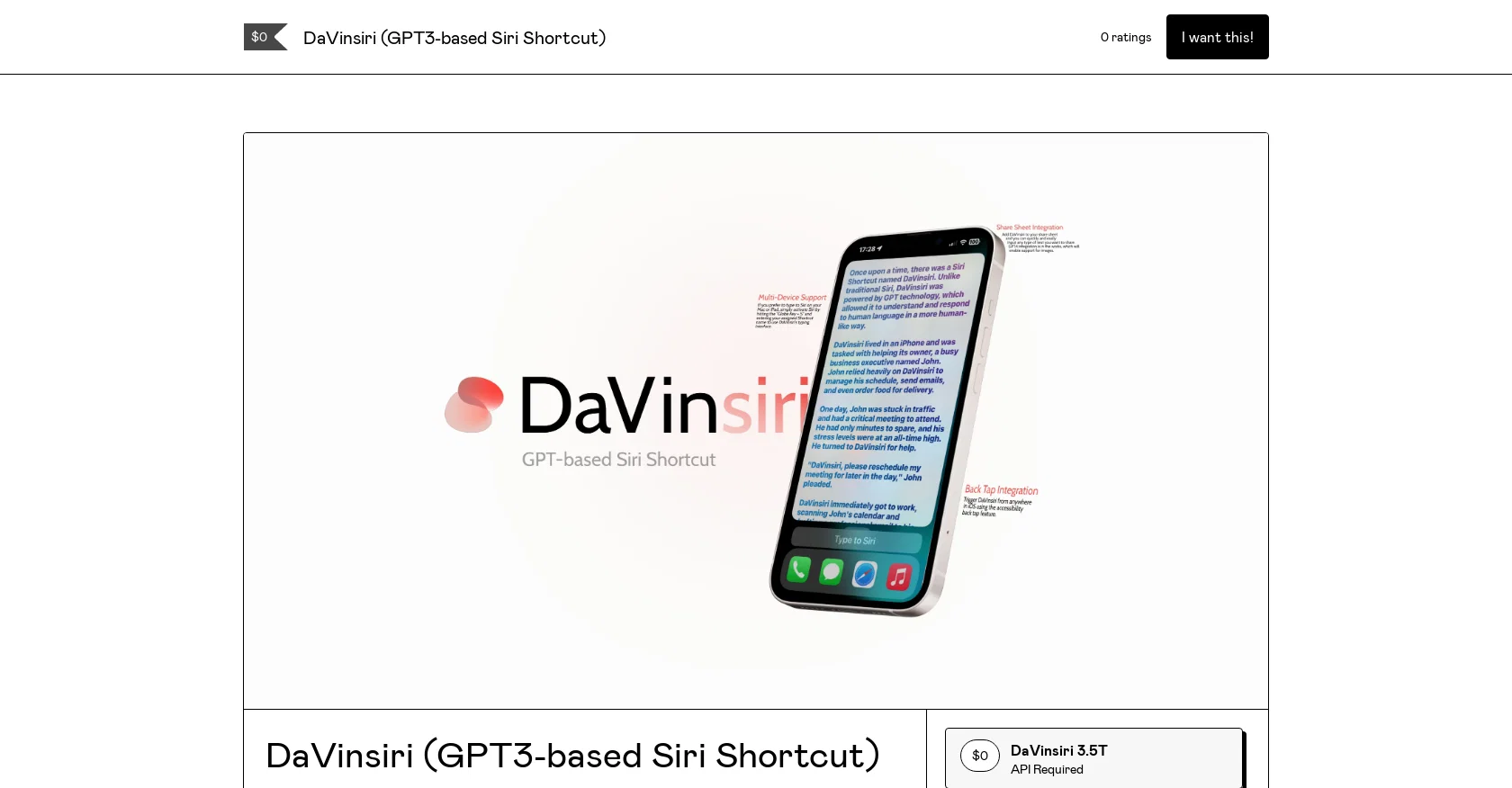
DaVinsiri is a Siri Shortcut tool that allows users to communicate and generate content effortlessly. It is built on the GPT-3.5 Turbo model from OpenAI, which enables it to generate up to three responses per Siri trigger automatically.
The output is automatically saved to the OS clipboard for easy pasting. DaVinsiri can be customized with useful features such as back tap integration, multi-device support, and share sheet integration.
The share sheet integration allows you to input any text easily, and GPT-4 integration enables support for images, which is currently under development.
DaVinsiri requires an OpenAI account, but a trial version is available for those who do not have one. The trial version is available for the price of a cup of coffee for a 30-day period.
DaVinsiri is designed specifically for Apple devices, and it can be launched via widgets, Spotlight, or by asking Siri. In summary, DaVinsiri is a powerful AI tool that helps users generate content and communicate efficiently.
Its advanced Siri Shortcut ensures that users get fast and accurate responses to their requests, making content creation and communication much easier.
Access & connections
Where you can use DaVinsiri.
Platforms
Capabilities
What this tool accepts, produces, and is strongest at.
Input
- API
- Text
Output
- API
- Text
Pros & cons
Pros
- GPT-3.5 Turbo based
- Automated content generation
- Automated communication
- Up to three responses
- Automatic saving to clipboard
- Back tap integration
- Share sheet integration
- Multi-device support
Show 29 more
- Support for images
- Customizable features
- Easy input of text
- Trigger via widgets
- Trigger via Spotlight
- Trigger via Siri
- Trial version availability
- Optimized for Apple devices
- Fast and accurate responses
- Launch via an icon
- Future GPT-4 support
- Widget integration
- Spotlight integration
- iOS back tap
- GPT-4 potential image integration
- Activated via keyboard shortcut
- External source permission support
- Home screen shortcut capability
- Effortless text generation
- Automated question answering
- Efficient communication
- Quick workflow automation
- Predictive conversational patterns
- Routine task automation
- Designed for multiple steps
- Immediate clipboard access
- Input from any application
- Automatic response storage
- Content creation simplified
Cons
- No Android support
- Limited to three responses
- Clarification needed for multi-device support
- Trial version costs money
- Specifically designed for Apple devices
- Requires Javascript enabled for purchase
- Relies on an iCloud link
- Image support under development
Show 1 more
- Requires external sources enabling
Compare alternatives
Similar tools in the catalog — with a clear reason to open each one.


EasyAI – AI Flow - No Code Content (Video/Image) Ge... ✓
Free TrialChain AI tasks with no-code into workflows for chatbots, video, documents, and
Why look Offers a public API
Full comparison
RightBlogger ✓
FreemiumAutomate blogging, SEO, and publishing in one simple platform
Why look Higher community rating
Full comparison
myAIninja ✓
Free TrialAI-powered content creation for social media, 10x faster
Why look Higher community rating
Full comparison

Releases 1
FAQ 12
What is DaVinsiri?
How does DaVinsiri work?
What is the GPT-3.5 Turbo model?
How does DaVinsiri integrate with Siri?
What can I do with DaVinsiri’s back tap integration?
What devices support DaVinsiri?
How does share sheet integration work in DaVinsiri?
What additional features will be available with GPT-4 integration in DaVinsiri?
Do I need an OpenAI account to use DaVinsiri?
What does the trial version of DaVinsiri offer?
How do I launch DaVinsiri?
What makes DaVinsiri different from other AI content creation tools?
Related tools
Recommended

Agentgpt ✓
FreemiumDeploy autonomous AI Agents effortlessly in your browser.

AutoGPT ✓
Free TrialRun AutoGPT in your browser for free

LearningStudioAI ✓
Free TrialAI-powered authoring tool for effortless online course creation.

VenturusAI ✓
FreemiumBusiness idea analysis and reporting.

Business Idea Generator AI ✓
FreeGenerate innovative business ideas with AI

BrowseGPT ✓
FreeAutomate your browser with AI