
GitHub

GitHub Data Explorer ✓

Discover GitHub insights with AI-generated SQL queries

3.7k views 52 saves Free
More categories (4)

Verdict

A quick read before you dig into the full page.

Best if
Discover GitHub insights with AI-generated SQL queries
Skip if
Limited data structuring knowledge
Pick this when
Explores GitHub event data

Considering DevSeerAI instead? Compare side by side

Overview

GitHub Data Explorer is an AI-powered tool designed to simplify the process of extracting insights from GitHub event data. The user can input a question in natural language, and the Data Explorer will generate an SQL query based on that question, and then return the results in a visual format.

The tool uses the capabilities of Text2SQL integrated into Chat2Query, making it an effective solution for exploring any dataset. The data used in GitHub Data Explorer is sourced from GH Archive, a project that archives all GitHub event data since 2011.

However, the tool has certain limitations. Its efficiency in generating SQL queries for large and complex requests can be compromised, and there might be occasional service instability.

To ensure effective results, users are advised to utilize clear, specific phrases in their questions. The tool also has certain limitations with the scope of data it can explore, as the data sourced is strictly from GH Archive.

In case of unsatisfactory results or query generation failures, users are encouraged to refine their queries or check the network and request limits. The tool also offers question optimization tips and query templates near the search box for users' convenience.

GitHub Data Explorer relies on a number of technologies including the GH Archive and GitHub event API for data sourcing, and the TiDB Cloud for handling large-volume data.

Translation of natural language to SQL is facilitated by the OpenAI engine. Continual improvements and optimizations are being worked on to enhance the tool's potential and performance.
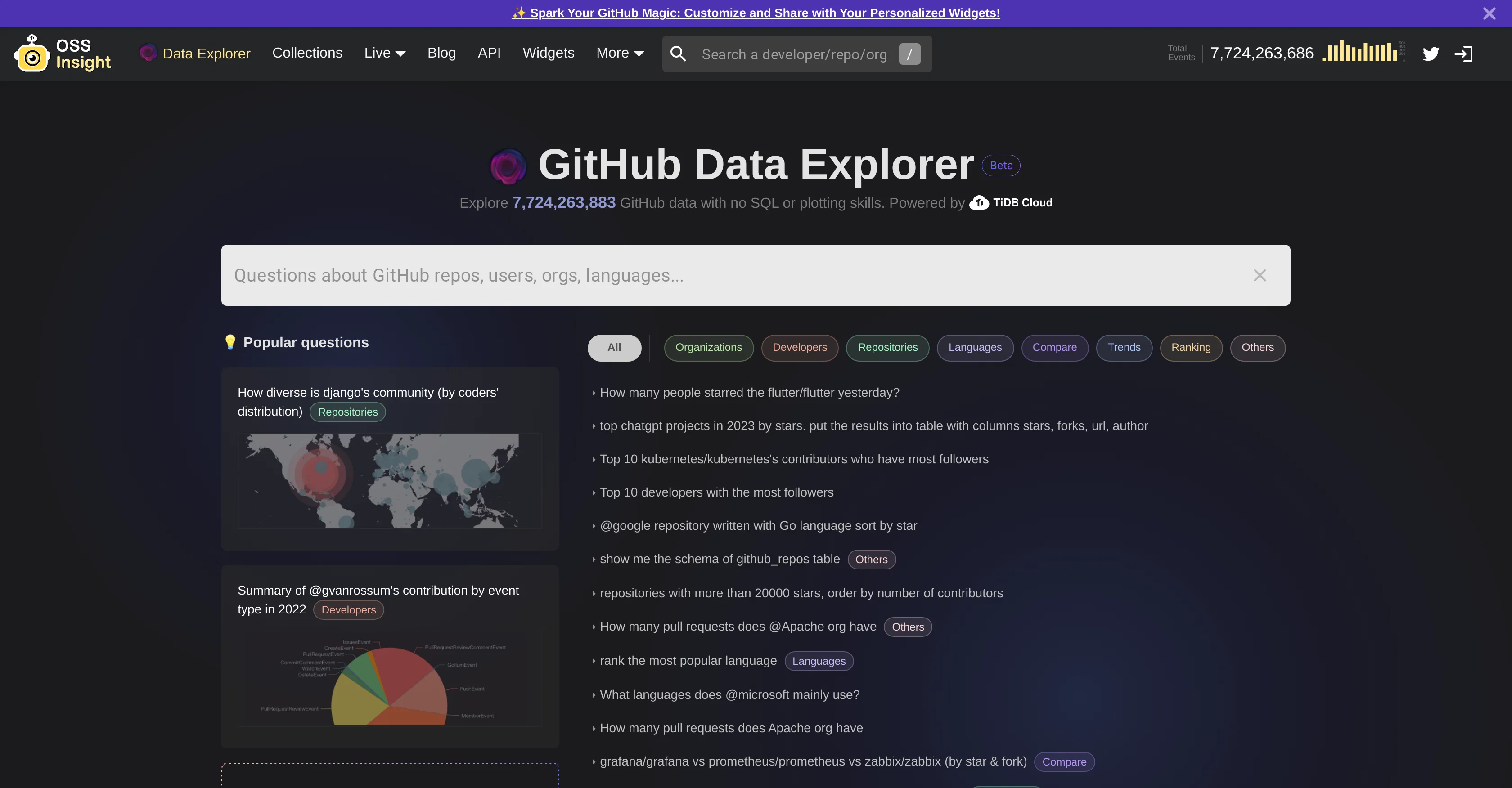
GitHub Data Explorer website

Access & connections

Where you can use GitHub Data Explorer, and what it plugs into.

Platforms

Web

Integrations

Capabilities

What this tool accepts, produces, and is strongest at.

Input

  • API
  • Text

Output

  • Tabular
  • API
  • Text

Supported features

  • SQL

Pros & cons

Pros

  • Explores GitHub event data
  • Built with Chat2Query
  • Uses GH Archive
  • Generates SQL queries
  • Visual display of results
  • Handles complex queries
  • Optimized for large data
  • Suggests popular questions
Show 29 more
  • Offers query templates
  • Translates natural language to SQL
  • Optimized for large-volume data
  • Query optimization tips
  • Built on GH Archive and GitHub event API
  • Uses TiDB Cloud for data handling
  • Ability to explore any dataset
  • Continual improvements and optimizations
  • Translates natural language to SQL queries
  • 15 questions per hour limit
  • Recommends using specific phrases
  • Visualizes and outputs results
  • GitHub data analysis
  • Real-time data updates
  • Suitable for exploring datasets
  • Fully managed cloud Database as a Service
  • Pay-as-you-go pricing model
  • Serve online traffic TiDB
  • Handles large and complex queries
  • Records and archives all GitHub event data
  • Question optimization tips near search box
  • Fully managed cloud Database as a Service
  • Visual results representation
  • Real-time data updates
  • Multiple data sourcing
  • Built-in query templates
  • Integrated with Chat2Query
  • Streaming, real-time data updates
  • Offers pay-as-you-go pricing model

Cons

  • Limited contextual understanding
  • Lack of domain knowledge
  • Inefficient SQL generation
  • Service instability
  • Restricted to GitHub data
  • Limited request allowance
  • 15 queries per hour cap
  • Visual representation inconsistencies
Show 2 more
  • Limited data structuring knowledge
  • Dependency on specific question phrasing

Compare alternatives

Similar tools in the catalog — with a clear reason to open each one.

Releases 1

Initial release January 12, 2023 Current
Initial release of GitHub Data Explorer.

FAQ 12

What is Data Explorer?
Data Explorer is an AI-powered tool that makes exploring GitHub event data easy and fast. It is established with Chat2Query, an AI-powered SQL generator, and employs GH Archive for collecting and archiving data since 2011. It enables users to ask questions in natural language and automatically generate SQL queries. The results of these queries are then visually presented, assisting users in swiftly discerning insights from the data. Although it has some limitations, such as a lack of context and domain knowledge and challenges in producing efficient SQL statements for large, complex queries, it remains a powerful tool for data exploration.
How does Data Explorer work?
Data Explorer works by translating user questions into SQL queries and then visualizing the results. Users input their question in natural language, and Data Explorer leverages Text2SQL integrated into Chat2Query to generate the corresponding SQL query. It then processes this query, fetching the relevant data and producing a visual representation of the results for easy interpretation. This means that users do not need advanced SQL knowledge to extract information from the datasets. If a user is struggling to craft a question, Data Explorer suggests popular questions near the search box to aid in their exploration.
Can Data Explorer be used with any dataset?
Yes, Data Explorer can be used with any dataset. Despite the focus on GitHub event data, it is designed to handle different types of datasets. As long as the dataset is structured in a way that an SQL query can be written for it, Data Explorer can analyze it. This versatility, combined with the AI's ability to process natural language queries, makes Data Explorer an excellent choice for various data exploration needs.
How does Data Explorer handle complex queries?
Data Explorer is equipped to handle complex analytical queries using AI-powered SQL generation. After a question is asked in natural language, it is translated into an SQL query through the integration of Text2SQL into Chat2Query, even for complex analytical queries. However, the efficiency in producing SQL statements might be compromised for larger, more convoluted queries. To maximize effectivity, users are suggested to use clear, specific phrases in their questions.
How does Data Explorer handle large amounts of data?
Data Explorer manages large amounts of data using a combination of robust technologies. The primary technology is TiDB Cloud, a fully managed cloud Database as a Service (DBaaS) that allows the storage of massive data, processes complicated analytical queries, and serves online traffic. The backend database is designed to manage and provide quick access to substantial datasets, making Data Explorer effective even when handling billions of GitHub events.
What are some limitations of Data Explorer?
Data Explorer has certain limitations. First, it often lacks context and domain knowledge. This means it may not always recognize and properly interpret intricate or field-specific terminilogy and structures in user questions. Second, it might struggle to produce the most efficient SQL statement for large and complex queries, and may sometimes experience service instability. Lastly, its usability is limited by the available data, which is sourced from GH Archive, and therefore may not cover every possible GitHub-related information a user might be looking for.
How would I use clear and specific phrases to improve my results with Data Explorer?
Clear and specific phrases can enhance the performance of Data Explorer. Using detailed and unambiguous phrases enables the AI-powered SQL generator to understand the query intent better, leading to more accurate SQL queries and, consequently, more relevant results. For instance, using a GitHub login account rather than a nickname, or a GitHub repository's full name, can help produce better results. Using GitHub terms to specify your query can also enhance the results. For example, changing your query "The most popular Python projects 2022" to "Python projects with the most forks in 2022" can yield more precise results.
How does Data Explorer use SQL?
Data Explorer uses SQL to query data based on the user's question. Users provide their questions in natural language, and Data Explorer uses Text2SQL technology to translate these into SQL queries. Once created, these SQL queries are run against the dataset associated with the question, and the results of these queries are then processed and returned to the user, typically in a visual format.
How does Data Explorer visualize the results?
Data Explorer visualizes results by generating charts or graphs based on the SQL query it processes. This visual approach aids in presenting complex data outcomes in a more understandable format, making it easier for users to discern insights from the data. However, the visual representation may not always be generated, such as if an incorrect SQL query is produced or if the AI fails to choose the correct chart template.
Why does Data Explorer have trouble with large and complex queries?
Data Explorer may encounter difficulties with large and complex queries due to a few reasons. One primary reason is that the AI may lack the necessary context or domain knowledge to handle the complexity of the query. It may also fail to generate an efficient SQL statement for a vast or intricate query. These limitations could lead to inaccurate or inefficient results or occasional service instability.
Can Data Explorer handle real-time data updates?
Yes, Data Explorer can handle real-time data updates. It makes use of two major data sources, GH Archive, and GitHub event API. GH Archive archives GitHub events data since 2011 and updates it hourly, giving Data Explorer near-real-time data access. By combining this with the real-time data updates from GitHub event API, Data Explorer offers significant value in accessing instantly updated GitHub data.
What are query templates and how do I use them with Data Explorer?
Query templates are exemplary queries available near the search box in Data Explorer. They are there to assist users who may not know what type of questions to ask or how to phrase them. By modeling user questions on these templates, the chance of receiving useful query results increases because these templates are designed based on the kinds of questions the tool was built to answer. Essentially, they guide users on how to ask clear, specific questions that the tool can translate into SQL queries efficiently.
GitHub Data Explorer Free