

Dadan - Online Video Creation platform ✓
Optimize your video creation workflow with AI.
Free + from $11/mo
Verdict
A quick read before you dig into the full page.
- Best if
- You are educators and need: Education: Make content easier to find for students
- Skip if
- Limited language support
- Pick this when
- High accuracy video transcription
Considering freebeat AI instead? Compare side by side
Overview
Built for modern teams, educators, and creators, dadan brings together recording, editing, and sharing into one streamlined platform — no switching between tools required.
Key Features
Flexible Recording Options: Capture screen, webcam, or both in up to 4K resolution. Perfect for product demos, walkthroughs, tutorials, onboarding, and more.
Web-Based Video Editing: Trim, cut, blur, add text, or stitch clips directly in the browser without needing external software.
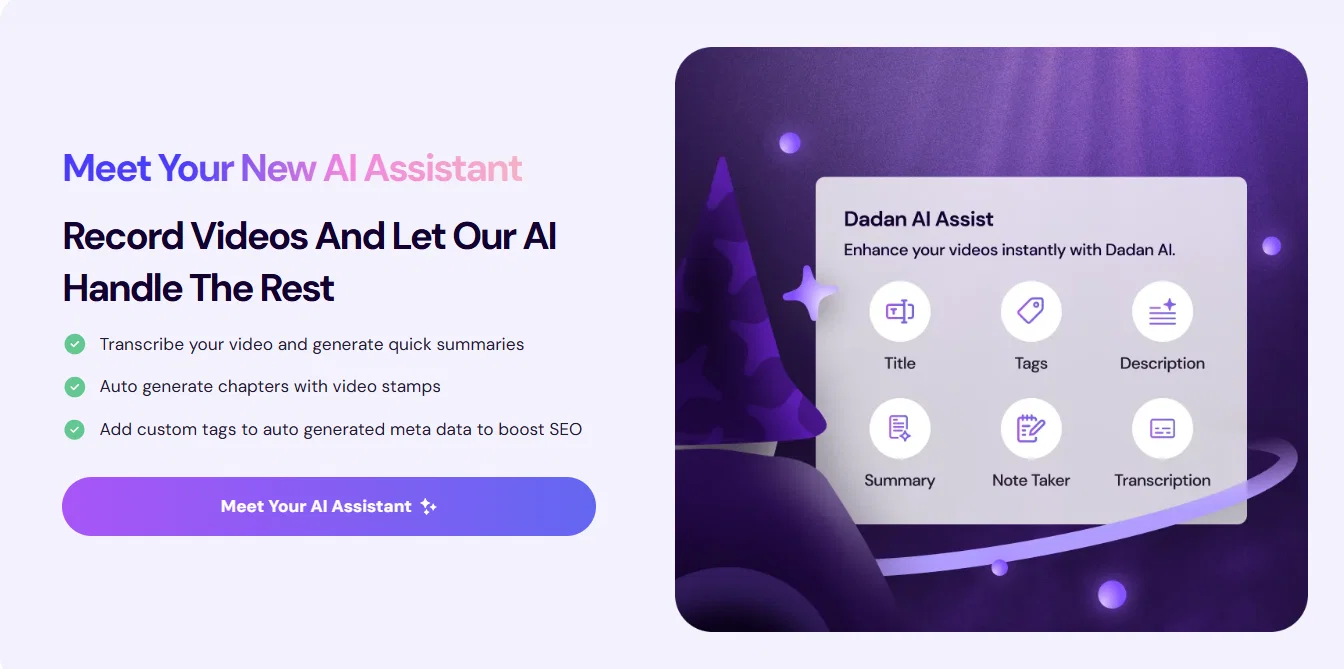
AI-Powered Automation: Automatically generate video chapters, transcriptions, multilingual captions, summaries, and even meeting notes. Supports over 30 languages for global accessibility.
Interactive Elements: Add quizzes, polls, forms, feedback fields, and CTAs directly into videos to drive engagement and collect viewer insights in real time.
Seamless Hosting and Collaboration: Host videos securely on dadan, share via custom links or public profiles, and collect timestamped feedback from viewers or team members.
Platform Integrations: Connect with Dropbox, Slack, LinkedIn, YouTube, and Google Classroom to streamline content distribution and enhance your workflow.
Multi-Platform Support: Available for Windows, macOS, Chrome, and Edge, dadan fits into any desktop or browser-based workflow.
Key Benefits
Simplified Knowledge Sharing: Ideal for educators, trainers, and teams looking to communicate ideas clearly and visually at scale.
Fewer Meetings, More Asynchronous Updates: Replace live calls with video messages that viewers can watch on their own time — improving efficiency and clarity.
Unified Video Management: From capture to sharing, manage your entire video workflow in one place, powered by AI.
Improved Viewer Engagement: Leverage analytics and interactivity to boost engagement and track impact.
In today’s fast-paced, remote-first world, dadan empowers users to communicate visually, work asynchronously, and deliver messages that resonate. Whether you’re teaching, onboarding, or updating your team, dadan makes it simple to create impactful video content that gets results.
Best for
Short scenarios where Dadan - Online Video Creation platform tends to shine.
-
Education: Make content easier to find for students.
Best for Educators
-
Remote Teams: Keep team members on the same page with clear meeting notes.
Best for Remote Teams
-
Content Creators: Repurpose videos into blog posts and social media content.
Best for Content Creators
-
Marketing: Improve video discoverability with auto-generated titles, tags, and descriptions.
Best for Marketing Professionals
-
Sales: Increase conversion opportunities with auto-generated Calls-to-Action.
Best for Sales Professionals
Example outputs 1
Sample generations and before/after results for Dadan - Online Video Creation platform.
Access & connections
Where you can use Dadan - Online Video Creation platform, and what it plugs into.
Platforms
Pros & cons
Pros
- High accuracy video transcription
- Auto-generation of video metadata
- Video discoverability enhancement
- Search engine optimization
- Auto-generated chapter creation
- Automated summaries and meeting notes
- Password-protected sharing link
- Content repurposing via transcription
Show 16 more
- Integrated editing suite
- Included screen recorder
- Collaboration tools
- Streamlined video creation process
- Navigation and user experience improvement
- Real-time note generation
- SEO-friendly video metadata
- Video interaction features like quizzes, polls
- Real-time meeting notes generation
- Transcript-based content repurposing
- Single click video optimization
- Auto-generated calls-to-action
- Multilanguage support (upcoming)
- Video conversions automation
- Data encryption and secure storage
- Free 2-week Pro plan trial
Cons
- Limited language support
- Not available on free plan
- Requires manual tweaking
- Accuracy of transcription unclear
- Unknown price
- Dependent on video quality
- Potential data security concerns
- Lack of multi-platform compatibility
Show 2 more
- No offline mode mentioned
- No API mentioned
Compare alternatives
Similar tools in the catalog — with a clear reason to open each one.

freebeat AI ✓
FreemiumTurn Music & Ideas into Viral Videos In One Click
Why look Typically cheaper
Full comparison
MagicLight ✓
FreemiumTransform text into captivating videos instantly.
Why look Typically cheaper
Full comparison
Seedance ✓
FreemiumMulti-shot video generation from text and image.
Why look Stronger for image work
Full comparisonPeople also view
Tools that often show up alongside Dadan - Online Video Creation platform in collections and comparisons.
Seedance ✓
FreemiumMulti-shot video generation from text and image.
MagicLight ✓
FreemiumTransform text into captivating videos instantly.

Kaiber Superstudio ✓
Free TrialAI Video Generation

HeyGen ✓
FreemiumCreate AI spokesperson videos from text
freebeat AI ✓
FreemiumTurn Music & Ideas into Viral Videos In One Click

D-ID ✓
FreemiumCreate AI-generated videos with ease

ResearchMonkey AI | YouTube Summarizer ✓
Free TrialSave Hours of Research in Seconds with 40+ AI Tools

OutlierKit ✓
PaidEnter one channel, see the entire niche.
Releases 1
Imported reviews 6
"A Versatile AI Assistant for Productivity and Collaboration"
Dadan AI Assist is a game-changer for boosting productivity in both personal and professional settings. Its intuitive interface and wide range of features, including task automation, smart suggestions, and seamless integration with popular platforms, make it a highly versatile tool. Whether you’re drafting documents, organizing schedules, or collaborating with teammates, Dadan AI Assist simplifies complex workflows with minimal effort. The AI’s ability to adapt to different work styles and provide contextually relevant insights really sets it apart from other AI assistants. It’s clear that a lot of thought has gone into making this tool highly user-friendly and efficient. Highly recommended for anyone looking to streamline their daily tasks!
For effortless video recording and sharing with your team using DadanAI, you would likely be leveraging its core functionality that focuses on simplifying communication and collaboration. Here's what you can expect in terms of capabilities:
Key Features of DadanAI for Video Recording and Sharing :
1.One-Click Recording and Sharing:
DadanAI likely provides an intuitive interface for quick recording, enabling you to capture videos with minimal setup. This can help document updates, feedback, or presentations, saving time and avoiding technical complexities.
2.Easy Integration with Team Communication Tools:
For seamless collaboration, DadanAI might integrate with popular team tools like Slack, Microsoft Teams, or email platforms. This would allow you to directly share recorded videos with your team without switching apps.
3.Secure Cloud Storage and Access:
You can expect secure cloud storage for recorded videos. This means your team members can access the videos anytime, and you can control access permissions, ensuring only relevant stakeholders view the content.
4.Automatic Transcriptions and Summaries:
If DadanAI incorporates AI-powered transcription, it could automatically generate transcripts of your videos. This is beneficial for team members who prefer reading notes or quickly searching for key points.
5.Annotations and Collaboration Features:
For video reviews, DadanAI might include annotation tools, allowing team members to leave comments or tag specific sections. This makes it easy to point out revisions or discuss certain aspects without needing separate meetings.
6.Real-Time Notifications:
Once you record and share a video, your team members could receive notifications, ensuring no one misses out on the latest updates.
Using DadanAI can streamline the entire process of recording, sharing, and collaborating on videos with your team, making it ideal for distributed teams or remote work setups. If you’re looking for these kinds of features, experimenting with DadanAI’s demo or free version could help you see if it matches your needs.
good extension
Love Dadan's new AI features. I used to hate searching through videos to find specific points and actions. Now I just get AI Assist to transcribe them and use one of the meeting templates to find what I need in a few seconds.
Daddan’s AI features are a game changer, elevating the video recording experience to new heights.
Dadan has made video recording and sharing with my team effortless. It’s user-friendly, allowing me to quickly capture and send videos. The AI feature is a big plus. it helps summarize our meetings, making it easier to review key points without watching the entire video. It saves time and boosts team collaboration, making everything run more smoothly!
FAQ 12
What does Dadan AI Assist do?
How does Dadan AI Assist generate video transcriptions?
What types of meta data can Dadan AI Assist auto generate for my video?
Can Dadan AI Assist improve my video's SEO?
What does the AI-generated chapters feature do in Dadan AI Assist?
Can Dadan AI Assist help me take meeting notes?
Can I share my Dadan AI Assist optimised videos on social media?
Does Dadan AI Assist offer password protection for shared videos?
Can I use my video transcripts to create blog posts or other content with Dadan AI Assist?
Can I record my screen with Dadan AI Assist?
Is there a built-in video editor in Dadan AI Assist?
What collaboration tools does Dadan AI Assist provide?
Related tools
Recommended

KeywordSearch ✓
FreemiumDiscover and target YouTube audiences.

GoEnhance ✓
FreemiumTransform videos into different anime styles, enhance and upscale images.

APOB ✓
FreemiumEarn money by creating your own personalized AI influencer.

AI Video API ✓
FreemiumCreate AI videos effortlessly and affordably

Talking Avatar AI ✓
FreemiumRewrite videos with AI-powered talking avatars

Imagetocaption.ai ✓
Free TrialGenerated captions for social media images