

ContentRadar ✓
Turn long-form pieces into LinkedIn and X posts that match your brand
Free + from $14/mo
Verdict
A quick read before you dig into the full page.
- Best if
- You are founders and need: Repurposing existing content into weeks of social media posts
- Skip if
- Pricey for advanced features
- Pick this when
- Streamlines content workflows
Considering Vizard instead? Compare side by side
Overview





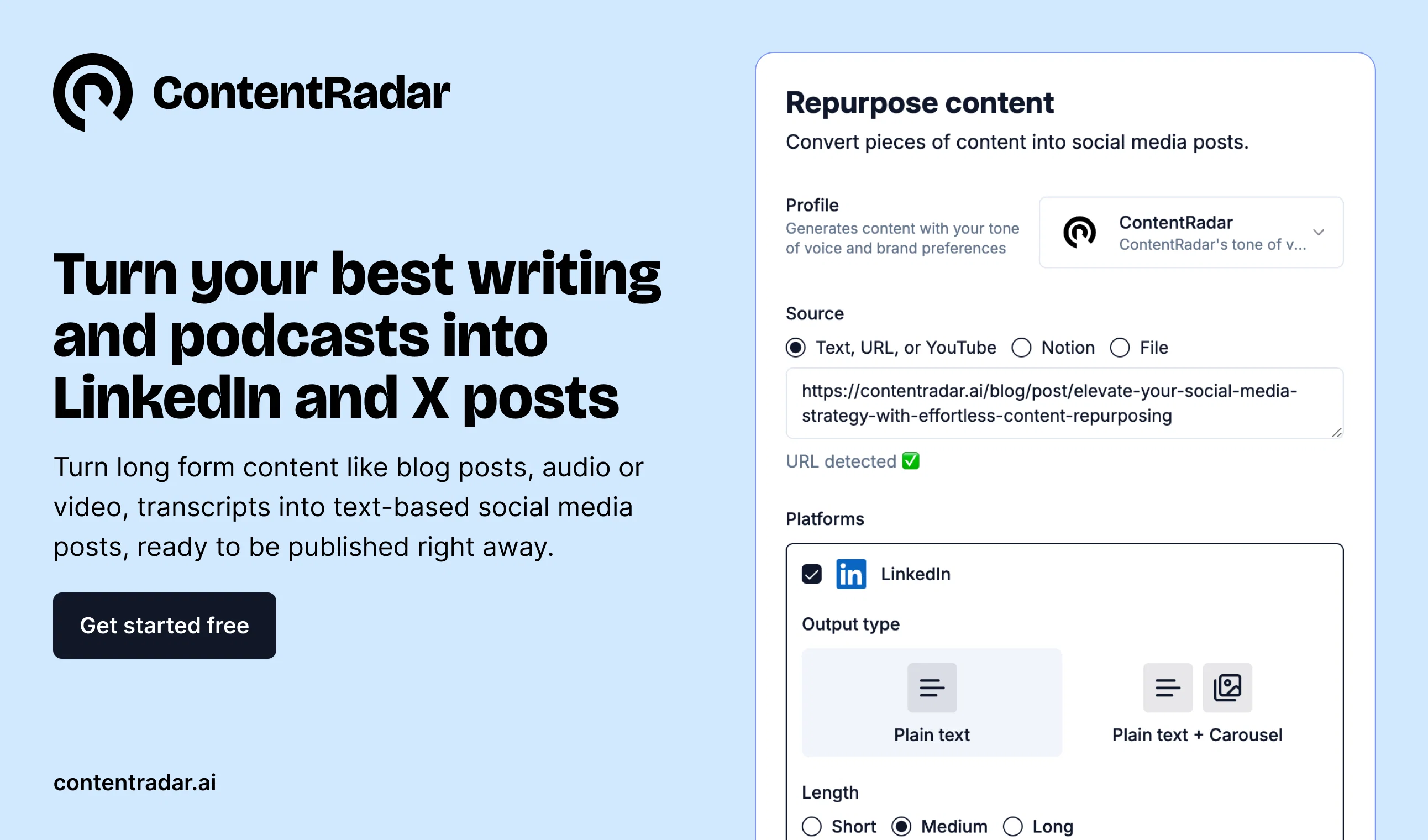
ContentRadar is an AI-powered content management workspace. It is designed to streamline and consolidate the tools and workflows for creating and repurposing content, with the aim of simplifying transitions between platforms.
It allows users to quickly turn any piece of content into posts and carousels for LinkedIn, and supports cross-posting to other unspecified platforms.
There are features for tailor-making social media posts, publishing and scheduling them, creating workspaces, connecting multiple accounts for shared company pages and accounts, and tracking posts interactions and leads.
A shared content calendar is available for better orchestration of marketing content and schedules across team members. Furthermore, ContentRadar enables users to generate graphics, such as LinkedIn carousels, using AI.
This tool is suitable for startup founders, B2B content creators, marketers, community leads and social media managers.
Best for
Short scenarios where ContentRadar tends to shine.
-
Repurposing existing content into weeks of social media posts
Best for Founders
-
Generating content ideas tailored to specific LinkedIn profiles
Best for Solopreneurs
-
Writing engaging posts quickly from ideas or notes
Best for Marketing managers
-
Managing scheduled posts across multiple channels with a shared content calendar
Best for Agencies
-
Creating engaging LinkedIn carousels from text posts
Best for Ghostwriters
-
Streamlining planning, approvals, and posting in a unified dashboard
Best for Talent acquisition managers
Example outputs 1
Sample generations and before/after results for ContentRadar.
Access & connections
Where you can use ContentRadar, and what it plugs into.
Platforms
Integrations
Pros & cons
Pros
- Streamlines content workflows
- Supports cross-platform posting
- Tailor-made social media posts
- Scheduled publishing
- Workspace creation feature
- Multi-account management
- Post interaction tracking
- Lead tracking capability
Show 19 more
- Shared content calendar
- Generation of graphics
- Suitable for various professionals
- Flexible, no-frills pricing
- Free access to most features
- Advanced features for fee
- Fast content repurposing
- Connection with shared company accounts
- Supports LinkedIn cross-posting
- Efficiency for founders, creators, managers
- Saves time repurposing content
- Simplified content transitions
- Unifies tools in one workspace
- Graphics generation easily
- Helpful for B2B content creators
- Useful for startup founders
- Resourceful for social media managers
- Aids community leads, copywriters
- Backed by well-known investors
Cons
- Unspecified cross-posting platforms
- Limited scheduling options in free tier
- Watermarked graphics in free version
- Limited connected accounts
- Pricey for advanced features
- Limited to LinkedIn Carousel creation
- Primarily focused on LinkedIn
- Other social platform management unclear
Show 2 more
- Single workspace in free version
- Not explicitly support Instagram, Facebook
Compare alternatives
Similar tools in the catalog.





People also view
Tools that often show up alongside ContentRadar in collections and comparisons.

ReachifyMe ✓
Free TrialLinkedIn Posts and Carousel Generator

RepurposingBot ✓
Free TrialTurn one article into dozens of posts.

Syndie.io ✓
Free TrialYour Trusted End-to-End Multi-Channel AI Sales Copilot

Salesprompter ✓
FreemiumAutomated LinkedIn message writing.

BetterHeadshot ✓
PaidCreate stunning AI headshots in minutes.

Podify.io ✓
Free TrialBoost your LinkedIn brand with AI and micro-communities.

AI Headshots ✓
PaidTransform selfies into professional headshots instantly.

PitchGhost ✓
Free TrialFind, engage, and close leads on social media, scary fast.
Releases 1
FAQ 12
What is ContentRadar and how does it work?
How can ContentRadar streamline my content creation process?
What kind of content can I repurpose with ContentRadar?
Can ContentRadar support cross-posting to various platforms?
How do I create and schedule social media posts with ContentRadar?
What kind of graphics can I generate with ContentRadar's AI capabilities?
What is the shared content calendar feature in ContentRadar?
Can I manage multiple accounts and company pages with ContentRadar?
What kind of interactions and leads can I track with ContentRadar?
Is ContentRadar suitable for startup founders?
Can B2B content creators benefit from ContentRadar?
Can I use ContentRadar for free or is there a fee?
Related tools
Recommended

Postiz ✓
Free TrialStreamline your social media in one place.

VenturusAI ✓
FreemiumBusiness idea analysis and reporting.

Business Idea Generator AI ✓
FreeGenerate innovative business ideas with AI

RewriteSomething ✓
FreeCreate product descriptions that sell with AI

Scisummary ✓
Free TrialCutting-edge scientific articles summarization.

B12 AI Website Builder ✓
FreemiumAI-powered website builder