

Verdict
A quick read before you dig into the full page.
- Best if
- Your diary, but drawn
- Skip if
- Limited artwork styles offered
- Pick this when
- Translates text to comics
Considering Comicsmaker instead? Compare side by side
Overview
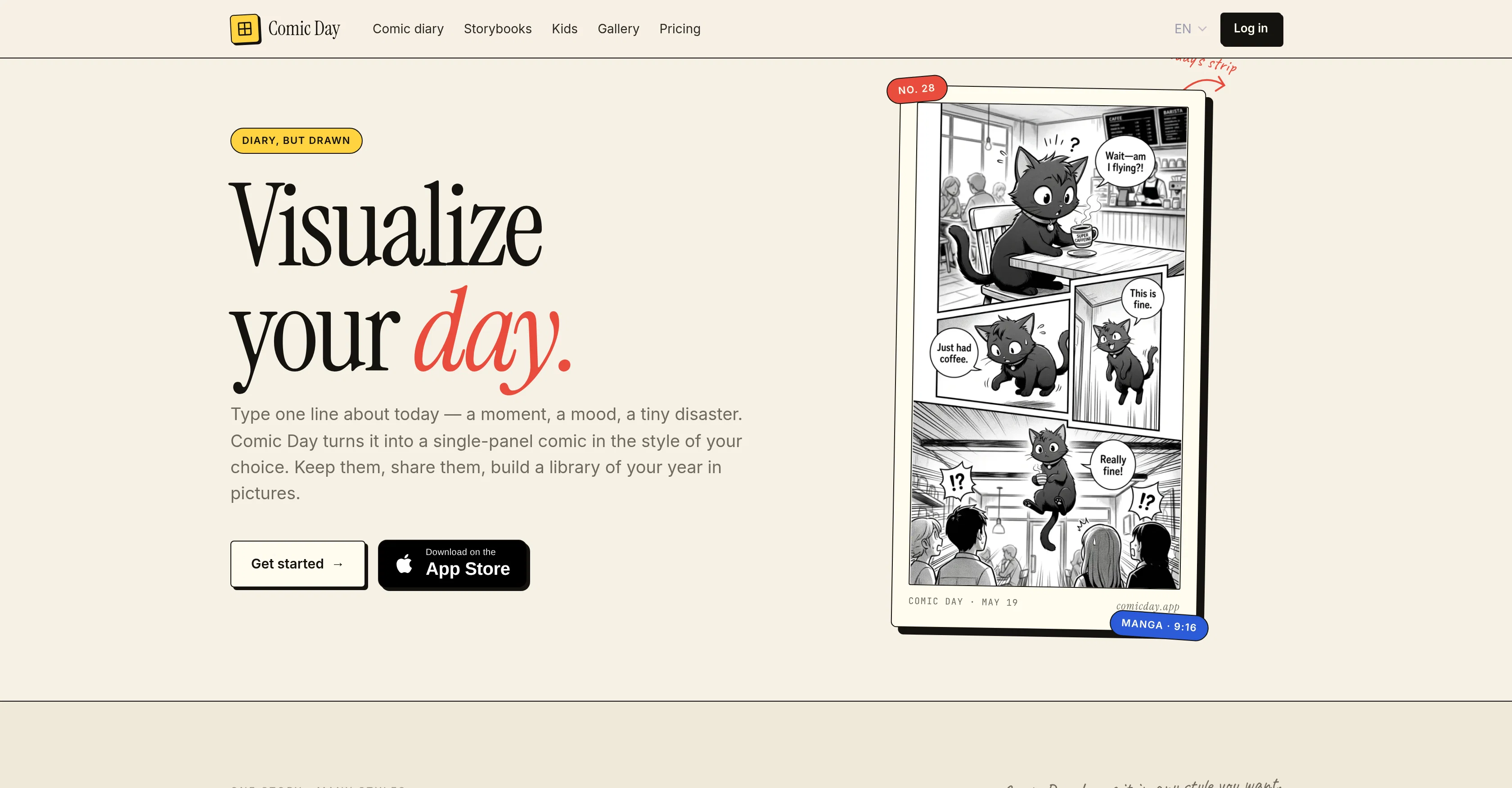
Comic Day is an AI tool that translates textual descriptions into captivating 4-panel comic strips. The AI transforms a user's input - a brief description of a moment or event - into a stylized illustration resembling a comic strip.
Presented in several artistic styles such as Manga, Cartoon, Doodle and more, the output can be personalized to match the user's preference. The tool enables users to create a visual diary from daily experiences with just a few text inputs.
It also offers a character casting feature that translates a photo into a reusable comic figure, enhancing personalization and continuity across different strips.
More than a standalone tool, Comic Day provides a platform for creating a comprehensive comic diary or a storybook, grouping related comic panels into a collection that can be shared through a simple link.
Thus, it facilitates documenting treasured moments, everyday occurrences, or unique instances from a users life with an animated twist. The tool is accessible through a web browser or through a dedicated iPhone application, ensuring easy access and wide availability for users, providing a innovative and engaging way of visual storytelling.
Access & connections
Where you can use Comic Day.
Capabilities
What this tool accepts, produces, and is strongest at.
Input
- Text
- Image
Output
- Image
Supported features
- Image Generation
Pros & cons
Pros
- Translates text to comics
- Multiple artistic styles available
- Creates visual diary
- Character casting from photo
- Reusable comic figures
- Groups related comic panels
- Shareable via simple link
- Documenting life in comics
Show 27 more
- Available as web tool
- Dedicated iPhone application
- Personalized comic creation
- Comic style selection
- Quick turn-around time
- No drawing skills needed
- Supports multi-line descriptions
- Saves comics to library
- Allows character reuse
- Collect comics into book
- Generates comics of varied lengths
- Accessible storytelling format
- Interactive story editing
- Supports various moods
- Creates stylized illustrations
- Single line input comics
- Supports different languages
- Manga style
- Cartoon style
- Doodle style
- Creates storyboard
- Comic characters from photos
- Digital art creation
- Memory preservation
- Digital journaling
- Children-friendly interface
- Provides visual storytelling
Cons
- Limited to 4-panel comics
- No Android application
- Limited artwork styles offered
- Character casting feature complexity
- May lack fine-tuning artistic controls
- Depends on user's textual description
- No offline access
- Can't handle more nuanced scenarios
Show 2 more
- Only single-panel for character casting
- Personalized art style consistency
Compare alternatives
Similar tools in the catalog — with a clear reason to open each one.

Comicsmaker ✓
FreemiumBring stories to life with AI-powered comics.
Why look Higher community rating
Full comparison

Komiko App ✓
PaidCreate comics, webtoons, & roleplay games with AI character
from $8.33/mo
Full comparison

Comicify ✓
FreeTransform dull text into comic adventures
Why look Fully free option
Full comparison
Releases 1
FAQ 12
What is Comic Day?
How does Comic Day turn text into comic strips?
What are the different artistic styles available in Comic Day?
How can I personalize the output of Comic Day?
What is the character casting feature in Comic Day?
Can Comic Day be used for creating comic diaries or storybooks?
How can I share the comics created using Comic Day?
Is Comic Day available on iPhone?
Does Comic Day require any drawing skills?
What kind of textual descriptions can be transformed into comics using Comic Day?
How does Comic Day help in documenting everyday occurrences or unique instances?
How long does it take to create a comic strip using Comic Day?
Related tools
Recommended

Thumix AI ✓
PaidGenerate viral YouTube thumbnails with AI in seconds.

MagicSlides.app AI PPT Maker ✓
FreemiumCreate Stunning PPTs in Seconds with the AI PPT Maker

GetLogit ✓
FreemiumArtificial intelligence, available for everyone.

ChatGPT ✓
FreemiumAsk anything, create anything, and move from idea to action.

Automateed ✓
Free TrialCreate eBooks effortlessly with Automateed, the AI-powered writing tool.

Kin - Personal AI Advisors ✓
FreePrivacy-first & designed your for mind, and life at work