

Code to Flowchart ✓
Turn code into interactive flowcharts with AI
Trial; then from $4.49/mo
Verdict
A quick read before you dig into the full page.
- Best if
- You are software developers and need: Visualizing code logic for personal projects
- Skip if
- No multi-user support on basic subscription
- Pick this when
- Supports major languages
Considering Cursor instead? Compare side by side
Overview
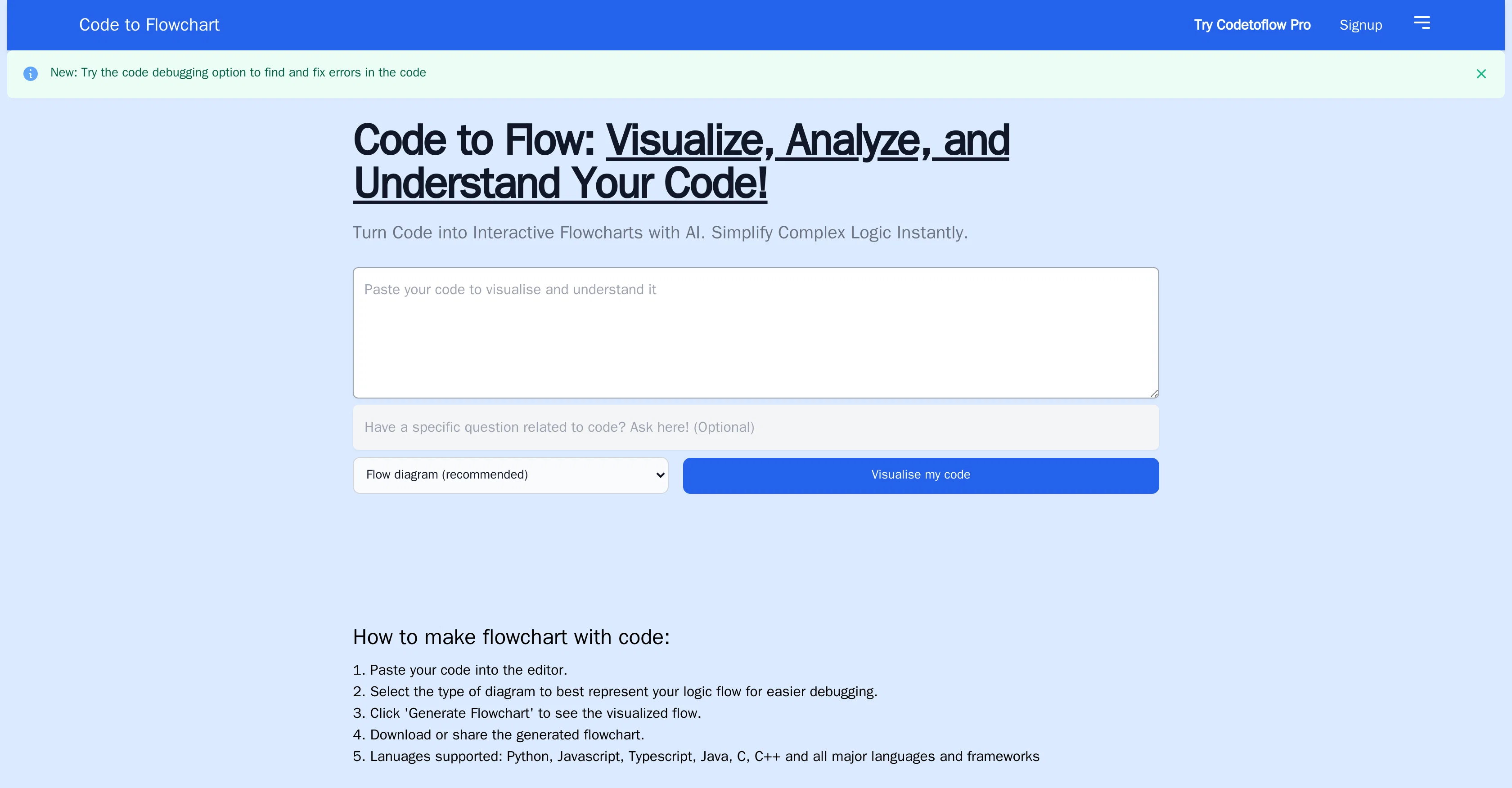
Code to Flowchart, also referred to as Codetoflow, is an AI tool designed to assist users in understanding their code through the generation of visual flowcharts.
Users can input their code into the editor and select an appropriate diagram style for their logic flow. After clicking 'Generate Flowchart', a visual representation of their code is formed.
The generated visualizations can then be downloaded or shared. This provides users with an intuitive method of breaking down complex sections of code into easily understandable visual graphics, aiding debugging processes and providing insights that can enhance collaboration and productivity.
The tool is versatile, supporting various major languages and frameworks, including Python, Javascript, Typescript, Java, C++, and others. Additionally, Codetoflow offers a premium version, Codetoflow Pro, which enables unlimited code visualizations amongst other features.
Importantly, the platform ensures the safety of user's code, as it does not store or share the code entered into the system.
Best for
Short scenarios where Code to Flowchart tends to shine.
-
Visualizing code logic for personal projects
Best for Software developers
-
Converting code to flowcharts for note-taking and knowledge management
Best for Students
-
Improving communication in development teams
Best for Team leads
-
Planning and discussing project stages effectively
Best for Project managers
-
Streamlining code reviews
Best for Technical writers
-
Optimizing task delegation and tracking in coding projects
Best for Software developers
Example outputs 1
Sample generations and before/after results for Code to Flowchart.
Access & connections
Where you can use Code to Flowchart.
Platforms
Capabilities
What this tool accepts, produces, and is strongest at.
Input
- Code
Output
- Image
Pros & cons
Pros
- Supports major languages
- Supports major frameworks
- Premium version available
- Unlimited code visualizations
- Does not store code
- Does not share code
- Generates visual flowcharts
- Helps understand complex code
Show 30 more
- Aids debugging process
- Enhances collaboration
- Boosts productivity
- Multiple diagram styles
- Interactive flowcharts
- Code breakdown visualization
- Useful for code teaching
- Code interpretation feature
- Downloadable graphics
- Sharable visualizations
- Signup option
- Black Friday sale
- Code debugging option
- Flow diagram option
- Sequence diagram option
- Explain tech concepts
- Download graph
- Shareable link
- Feature to save graph
- Insight into nested loops
- Insight into conditionals
- 30-day free trial
- Unlimited code flows
- Multiple user subscription
- Early access to features
- Actionable insights on code
- Prioritized assistance
- Extended length for code(8k tokens)
- Supports developer
- Coming features(GPT 4)
Cons
- Limited free visualizations
- Premium version required for unlimited access
- No offline functionality
- Limited to supported languages
- No code storing
- Debugging features may be basic
- No clear API for integrations
- No multi-user support on basic subscription
Compare alternatives
Similar tools in the catalog — with a clear reason to open each one.

OnSpace.AI - No Code App Builder ✓
FreemiumBuild Apps with AI, No Code
Free + from $20/mo
Full comparison
Kilo Code ✓
Free TrialAI-powered coding assistant for VS Code
Why look Higher community rating
Full comparison
Github Copilot ✓
FreemiumAI-powered coding assistant for faster development
Free + from $10/mo
Full comparison
CodingFleet ✓
FreemiumAI wizard transforms instructions into code snippets.
Why look Higher community rating
Full comparisonPeople also view
Tools that often show up alongside Code to Flowchart in collections and comparisons.

Programming Helper ✓
UnknownGenerate code from text descriptions instantly.
OnSpace.AI - No Code App Builder ✓
FreemiumBuild Apps with AI, No Code
Kilo Code ✓
Free TrialAI-powered coding assistant for VS Code
Github Copilot ✓
FreemiumAI-powered coding assistant for faster development

Cursor ✓
FreemiumAI-powered IDE for faster coding
CodingFleet ✓
FreemiumAI wizard transforms instructions into code snippets.

Rift-code ✓
Free TrialStop reading code. Start seeing it.

Junie by JetBrains ✓
FreemiumStop switching tools. Start shipping.
Releases 1
FAQ 12
What is Codetoflow?
How does Codetoflow work?
What languages and frameworks does Codetoflow support?
How can I generate a flowchart using Codetoflow?
Can I share the flowcharts I create with Codetoflow?
What is the difference between the free version of Codetoflow and Codetoflow Pro?
Does Codetoflow store or share my code?
How can Codetoflow assist in debugging my code?
How does Codetoflow turn my code into flowcharts?
In what ways does using Codetoflow enhance collaboration?
Can I customize the style of the diagrams in Codetoflow?
Is there a limitation to the number of code visualizations I can generate with Codetoflow?
Related tools
Recommended

Scisummary ✓
Free TrialCutting-edge scientific articles summarization.

OnlyPrompts ✓
Free TrialAutomate 37,000+ tasks with 150,000+ prompts

Agentgpt ✓
FreemiumDeploy autonomous AI Agents effortlessly in your browser.

Thea ✓
FreemiumAI study tools to master material, not just memorize it.

PrometAI ✓
FreemiumTurn ideas into viable reality with AI business plan generator.

CodeRabbit ✓
Free TrialEnhanced code review for improved workflow and quality.