

Cli3nts ✓
Your all-in-one LinkedIn AI Agent.
Trial; then from $45/mo
Verdict
A quick read before you dig into the full page.
- Best if
- Your all-in-one LinkedIn AI Agent
- Skip if
- Limited customizability
- Pick this when
- Streamlines replies immediately
Considering 2PR instead? Compare side by side
Overview
Cli3nts is a B2B SaaS tool that leverages artificial intelligence to automate and enhance business growth on LinkedIn. It is designed with capabilities for advanced outbound prospecting and inbound management.
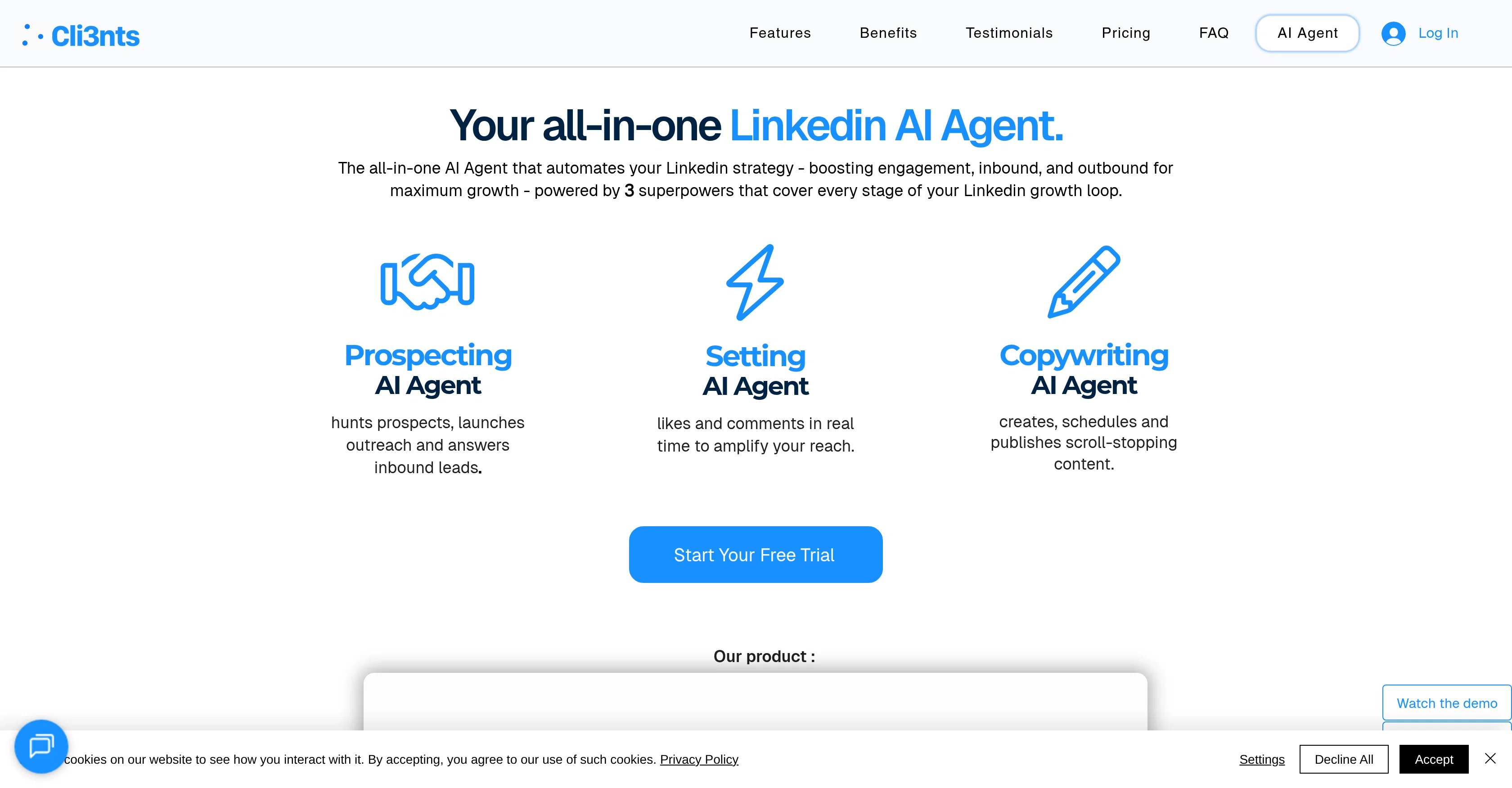
The tool aims to provide efficient, personalized support while integrating seamlessly into your workflow, allowing for engagement and scalability. Cli3nts acts as an AI agent with three primary features.
The Prospecting AI feature searches for potential clients, initiates outreach, and responds to inbound leads. The second feature, Setting AI, amplifies your LinkedIn reach by liking and commenting on posts in real time.
Finally, the Copywriting AI feature generates, schedules, and publishes engaging LinkedIn content. Furthermore, the tool has the ability to automate replies and comments thus enhancing engagement on LinkedIn and nurturing leads effectively.
It also has a feature that automates LinkedIn posts which increases visibility, consistency, and brand authority. Cli3nts also handles incoming messages by providing thoughtful responses, creating a more natural engagement experience.
It offers integration with HubSpot and possibly other similar platforms in the future.
Best for
Short scenarios where Cli3nts tends to shine.
-
Your all-in-one LinkedIn AI Agent.
Example outputs 1
Sample generations and before/after results for Cli3nts.
Access & connections
Where you can use Cli3nts, and what it plugs into.
Platforms
Capabilities
What this tool accepts, produces, and is strongest at.
Input
- Tabular
- Text
Output
- Tabular
- Text
Highlights
- Agents
Supported features
- Agents
- Outreach
- Social Media
- Automation
- Text Generation
- Integrations
- CLI
Pros & cons
Pros
- Streamlines replies immediately
- Automates LinkedIn posts
- Handles outbound interactions
- Manages inbound interactions
- Integration with HubSpot
- User-friendly setup
- Review and edit responses
- Efficiency enhancement
Show 30 more
- Personalized touch
- Increased LinkedIn engagement
- Automation of all-bound strategy
- Automates comments
- Smart lead nurturing
- Improves visibility
- Enhances brand authority
- Real-time engagements
- Content generation capabilities
- Soon to integrate other platforms
- Guided setup steps
- Natural engagement experience
- Advanced outbound prospecting
- Inbound management capabilities
- Real-time post liking
- DM automation
- Thoughtful automated responses
- Automated LinkedIn visibility boost
- Increased post consistency
- Saves user time
- +15 hours weekly saved
- +250% more engagement
- 99% automation efficiency
- Potential for future integrations
- Automates Linkedin DM responses
- Preserves communication style
- Complex questions handling
- Draft review option
- Response editing flexibility
- Direct CRM connections
Cons
- Limited platform integration
- Potentially impersonal responses
- Posts scheduling limitations
- High cost for agencies
- Limited customizability
- Doesn't support other CRMs
- Requires setup and configuration
- No 24/7 support
Show 2 more
- Restricted to LinkedIn
- Potential privacy concerns
Compare alternatives
Similar tools in the catalog — with a clear reason to open each one.

2PR ✓
Freemium2pr All-in-One AI Tool to Easily Create Winning Linkedin Posts
Why look Typically cheaper
Full comparison
Taplio ✓
FreemiumThe LinkedIn growth tool to turn content into pipeline
Why look Better for writing
Full comparison
Cclarity ✓
Free TrialYour authentic LinkedIn voice meets intelligent lead generation
Why look Typically cheaper
Full comparison
Typoro ✓
FreemiumTransform your LinkedIn posts into engagement magnets.
Why look Typically cheaper
Full comparisonPeople also view
Tools that often show up alongside Cli3nts in collections and comparisons.
Taplio ✓
FreemiumThe LinkedIn growth tool to turn content into pipeline
Typoro ✓
FreemiumTransform your LinkedIn posts into engagement magnets.

Postline.ai ✓
FreemiumThe best AI LinkedIn posts

MagicPost ✓
FreemiumEfficient LinkedIn post generation.
Cclarity ✓
Free TrialYour authentic LinkedIn voice meets intelligent lead generation
2PR ✓
Freemium2pr All-in-One AI Tool to Easily Create Winning Linkedin Posts

PostGod ✓
Free TrialCreate LinkedIn posts that sound like you

LinkedGrow ✓
FreemiumAI LinkedIn content tool with your own API key.
Releases 1
FAQ 12
What is the primary function of the Prospecting AI Agent within Cli3nts?
How does the Setting AI Agent in Cli3nts enhance LinkedIn reach?
How does the Copywriting AI Agent in Cli3nts work?
What does Cli3nts mean by streamlining replies and comments?
How does Cli3nts help improve LinkedIn post visibility and consistency?
Can Cli3nts handle both outbound and inbound LinkedIn interactions?
Does Cli3nts offer any integration with other platforms like HubSpot?
Does Cli3nts have future plans to integrate with platforms like Crisp, Intercom, and Zendesk?
How user-friendly is setting up and configuring Cli3nts on LinkedIn?
Can I review and edit suggested automated responses generated by Cli3nts?
What measures does Cli3nts employ to ensure efficiency and personalization in its operations?
How does Cli3nts handle immediate engagement and lead nurturing?
Related tools
Recommended

PrompTessor ✓
FreemiumAI Prompt Workspace for Better AI Results

B12 AI Website Builder ✓
FreemiumAI-powered website builder

Thea ✓
FreemiumAI study tools to master material, not just memorize it.

TheLibrarian.io ✓
Free TrialYour WhatsApp AI assistant for instant productivity.

Automateed ✓
Free TrialCreate eBooks effortlessly with Automateed, the AI-powered writing tool.

Recall ✓
FreemiumSummarize Anything, Forget Nothing!