

LinkedIn 2026 Rank: #2611
LinkedGrow ✓
AI LinkedIn content tool with your own API key.
Verdict
A quick read before you dig into the full page.
- Best if
- AI LinkedIn content tool with your own API key
- Skip if
- Limited lifetime licenses
- Pick this when
- BYOK Feature
Considering 2PR instead? Compare side by side
Overview




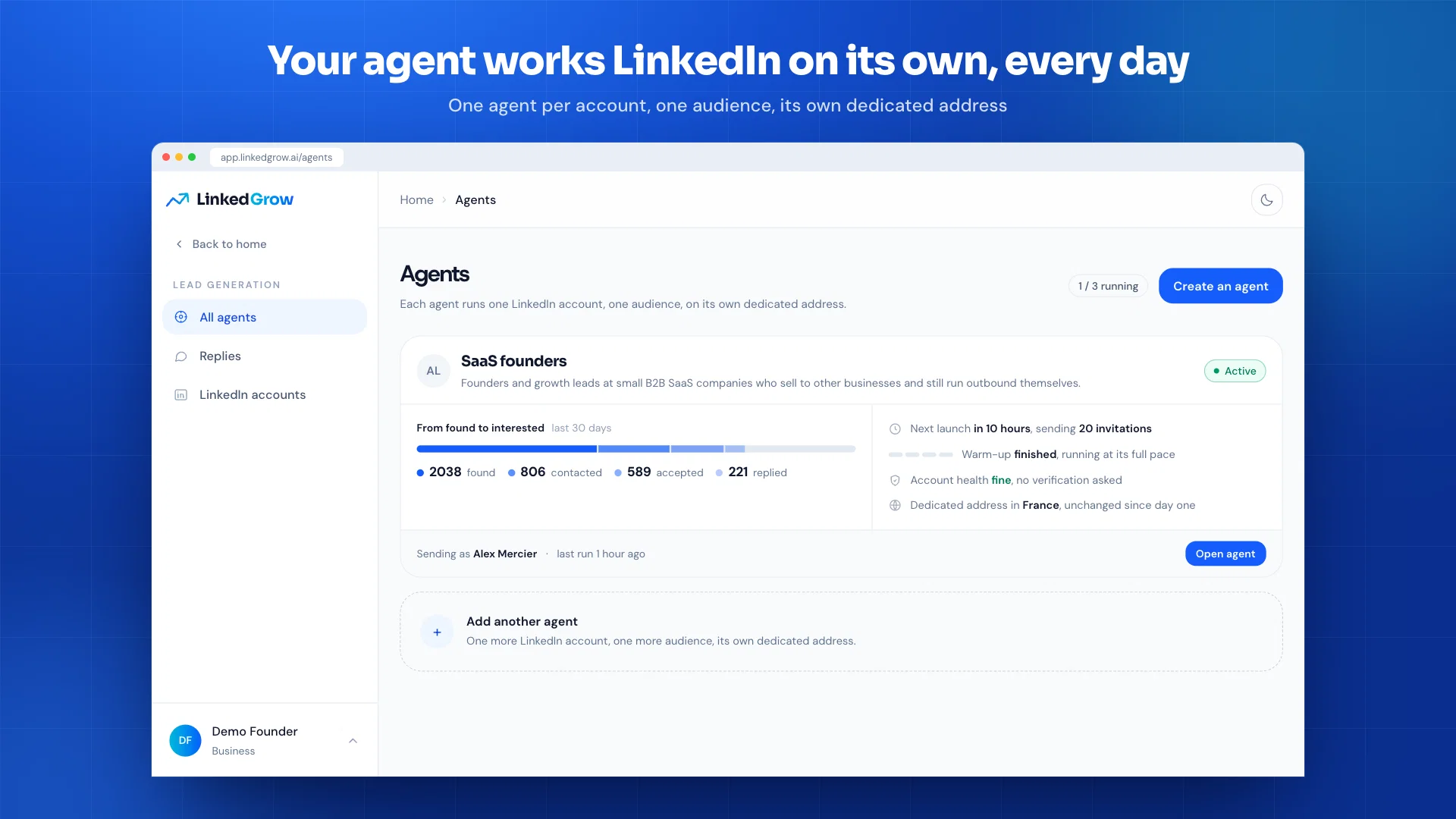
LinkedGrow is an AI-powered tool specifically designed for LinkedIn content creation and management. This comprehensive tool offers a multitude of features such as post generation, post editing, content scheduling, and analytics, with the added capability to utilize an individual's AI key.
This BYOK (Bring Your Own Key) feature allows users to leverage AI services from providers like OpenAI, Anthropic, or Google and significantly save on operational costs.
LinkedGrow also offers a rich text post editor compatible with LinkedIn, designed to be user-friendly and allow for custom formatting. It also incorporates an AI Image Generation feature that aids in creating compelling visuals for posts.
The tool's Carousel Generator feature helps create interactive and engaging multi-slide carousels, while the Hooks Generator aids in crafting captivating opening lines to increase user engagement.Another useful feature includes Content Repurposing, which allows a single content idea to be expressed in multiple formats and angles.
This is coupled with a First Comment Scheduling functionality that can be set to automatically post a first comment when your post goes live. For comprehensive insights, LinkedGrow provides an Advanced Analytics dashboard to track deep engagement trends and the best times for posting.The tool also offers features that optimize engagement such as Algorithm Optimizer which gives AI-driven suggestions for boosting reach.
Additionally, it encourages social proof via Cross Promotion by letting users join groups that interact with each other's posts. A variety of options for post testing, team collaboration, universal API access, and responsive priority support, makes LinkedGrow a versatile tool for LinkedIn content management.
- Ai Rewriter
- Ai Image Generator
- Convert Popular Reddit Threads To Linkedin Posts
- Convert Youtube Videos To Linkedin Posts
- Get Best Day And Time To Post On Linkedin (for Your Audience)
Access & connections
Where you can use LinkedGrow, and what it plugs into.
Platforms
Capabilities
What this tool accepts, produces, and is strongest at.
Input
- API
- Tabular
Output
- Video
- API
- Text
- Image
Highlights
- API
Supported features
- Social Media
- Writing
- Rewrite
- Image Generation
- Automation
- Brand Strategy
- Team Collaboration
- API
Pros & cons
Pros
- BYOK Feature
- Advanced post editor
- Content scheduling & planning
- Carousel creation
- Hooks Generator
- Content repurposing
- First comment scheduling
- Analytics dashboard
Show 37 more
- Engagement tools
- Algorithm optimizer
- Supports team collaboration
- Role-Based Access
- Advanced analytics
- REST API custom integrations
- Priority support
- Regular updates
- Cost effective
- Markdown support
- Automated first-comment posting
- Posting time optimization
- Cross-promotion features
- A/B Testing
- High-engagement post creation
- Lifetime access
- No recurring charges
- Affordable pricing plans
- One-time payment option
- Secure checkout
- Content Calendar
- Testing post versions
- Universal API access
- Saves operational costs
- Rich Text Editor
- Custom Post Formatting
- Content Reach Boosting
- Social Proof Encouragement
- Linkedin specific tool
- For early bird discounted price
- Easy API integration
- Unlimited content creation
- Engagement trend tracking
- Fast, dedicated support
- Improves LinkedIn engagement
- No monthly costs
- Post visual preview
Cons
- Limited to LinkedIn only
- Lacks broader social media integration
- Limited lifetime licenses
- No explicit mention of security
- Doesn't offer multilingual support
- Difficult to switch API providers
- May require technical knowledge
- No mobile application mentioned
Compare alternatives
Similar tools in the catalog — with a clear reason to open each one.

2PR ✓
Freemium2pr All-in-One AI Tool to Easily Create Winning Linkedin Posts
Free + from $24/mo
Full comparison

Taplio ✓
FreemiumThe LinkedIn growth tool to turn content into pipeline
Why look Better for writing
Full comparison


Releases 1
FAQ 12
What is LinkedGrow's Bring Your Own Key (BYOK) feature?
How does LinkedGrow's AI-powered post generation work?
How can I use the advanced post editor in LinkedGrow?
What is the process for scheduling and planning content in LinkedGrow?
What is the capability of LinkedGrow's AI Image Generator and how does it aid in creating images?
How does LinkedGrow's Carousel Generator enhance the engagement potential of my posts?
What is the Hooks Generator feature in LinkedGrow?
What does content repurposing in LinkedGrow entail?
How does the first comment scheduling feature in LinkedGrow work?
How does LinkedGrow's analytics dashboard help in tracking post performance?
What kinds of engagement tools does LinkedGrow offer?
What is the role of the algorithm optimizer in LinkedGrow?
Related tools
Recommended

SureThing.io - "OpenClaw" for Beginners ✓
FreemiumFirst General AI Agency. Designed for long-horizon tasks.

AdsCreator.com ✓
Free TrialTurn any website into scroll-stopping ads.

Made4Founders ✓
Free TrialAll-in-one founder platform. Post to 7 socials. Replaces 6 SaaS tools.

Jason AI ✓
PaidAI-powered assistant for B2B sales outreach

DeepSeek ✓
FreeUnravel the mystery of AGI with curiosity

PrompTessor ✓
FreemiumAI Prompt Workspace for Better AI Results