

Verdict
A quick read before you dig into the full page.
- Best if
- The AI Workspace for Writing - Like Google Docs + Claude
- Skip if
- No image generation capability
- Pick this when
- Full collaboration capabilities with shared notes, shared AI & teams
Considering Voila instead? Compare side by side
Overview






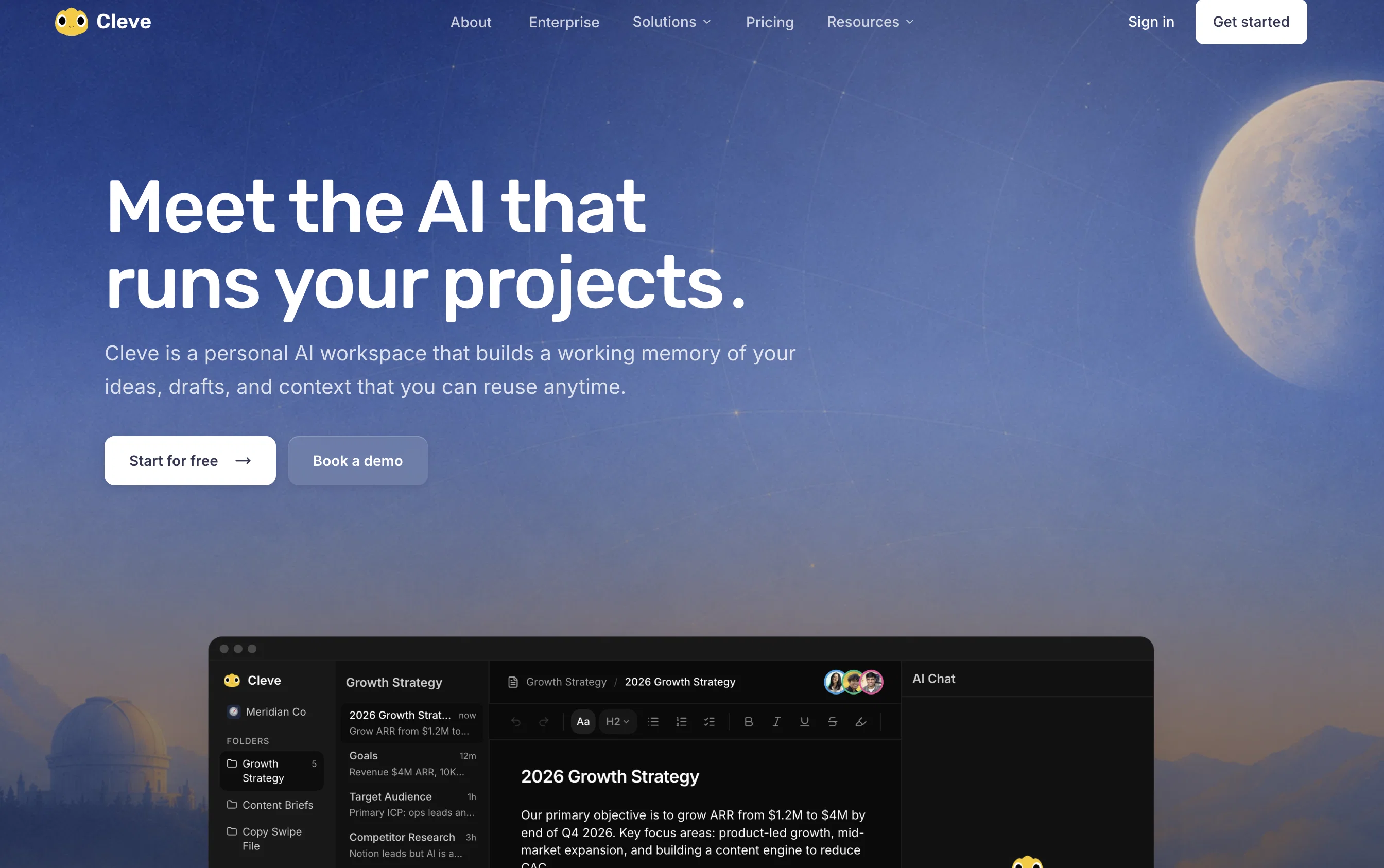
Cleve is a workspace tool designed to streamline the modern content creation process. Enhanced with Artificial Intelligence, Cleve allows users to create, organize, and gain inspiration, delivering an integrated solution for content creators of different fields.
Users can transform their quick ideas into optimized posts efficiently, thereby nurturing personal brands with reduced time and effort. The tool aids with writing blocks, enabling users to not grapple with blank screens but instead, deliver productive results.
It provides users with deeper insights into their ideas through guided questions, fostering a transformative brainstorm mechanism that helps draft content.
With a specialized Voice Mode feature, users can communicate their ideas hands-free, elevating Cleve's usability for individuals on-the-go. Users can also leverage the trending news to keep their content relevant and fresh.
Cleve offers editing features such as highlighting, editing, and inserting for users to finetune their pieces. It serves as a handy tool for professionals, thought leaders, and creators, delivering efficient outcomes.
Testimonials suggest ease in transitioning from thoughts to well-crafted posts, with context-understanding features that extend notes and ideas into full-fledged content.
Best for
Short scenarios where Cleve tends to shine.
-
The AI Workspace for Writing - Like Google Docs + Claude
Example outputs 1
Sample generations and before/after results for Cleve.
Access & connections
Where you can use Cleve, and what it plugs into.
Platforms
Integrations
Capabilities
What this tool accepts, produces, and is strongest at.
Input
- Image
- Text
- Audio
Output
- API
- Text
Highlights
- Agents
- API
- MCP
Supported features
- Agents
- API
- MCP
Pros & cons
Pros
- Full collaboration capabilities with shared notes, shared AI & teams
- Supports 100+ languages for AI output
- Has web search capabilities to aid with research
- Streamlines content creation
- Aids with writer's block and acts as a thought partner
- Voice Mode for hands-free operation
- Editing features: highlighting, editing, inserting
- Extends notes into full-fledged content
Show 11 more
- Suitable for professionals, thought leaders, creators
- Optimized content for various social platforms
- Excels in creating personal branding content
- Ability to leave random notes
- Understanding and expanding user context
- Helps draft post quickly
- Accurate voice mode
- Enhances brainstorming
- Saves thinking time for writers
- Useful for ghostwriting clients
- Offers tone and style personalization
Cons
- No image generation capability
- UI can't be changed to foreign languages (though it does support foreign languages)
- No video generation capability
- No offline functionality
- Dependant on internet connection
Compare alternatives
Similar tools in the catalog — with a clear reason to open each one.

Voila ✓
Free TrialSeamless AI assistant to help you create, write, brainstorm, and research.
Why look Typically cheaper
Full comparison
Rizz! Keyboard ✓
FreeAI-powered creative responses in your iPhone keyboard.
Why look Fully free option
Full comparison
Werd - Vibe Write with Multi-agent AI ✓
Free TrialVIBE WRITE With Multi-agent AI
Why look Higher community rating
Full comparison
Sudowrite ✓
Free TrialAI writing partner for faster, more creative storytelling
Free + from $10.00/mo
Full comparison
RewriteBar ✓
Free TrialRewrite. Refine. Accelerate. — AI productivity for every macOS app. 🚀
Why look Higher community rating
Full comparisonPeople also view
Tools that often show up alongside Cleve in collections and comparisons.
Werd - Vibe Write with Multi-agent AI ✓
Free TrialVIBE WRITE With Multi-agent AI
Voila ✓
Free TrialSeamless AI assistant to help you create, write, brainstorm, and research.
Sudowrite ✓
Free TrialAI writing partner for faster, more creative storytelling
Rizz! Keyboard ✓
FreeAI-powered creative responses in your iPhone keyboard.
RewriteBar ✓
Free TrialRewrite. Refine. Accelerate. — AI productivity for every macOS app. 🚀

Skywork ✓
Free Trial10 tasks in 1 hour, not 10 hours

Pismo ✓
PaidNative AI writing assistant for Windows, MacOS and iOS

Merchant Floor | Blog Writer ✓
FreemiumWrite smarter. Publish faster.
Releases 1
Imported reviews 1
i love cleve
FAQ 12
What is Cleve?
🛠️ 1
tool
wrote:
Cleve is an AI workspace for content creators — a place where your notes and AI live together. You can capture ideas, organize your thoughts, chat with AI using your own notes as context, and turn them into polished content — all without switching between tabs or apps. Over 35,000 people use Cleve to write faster while keeping their authentic voice.
How does Cleve help with content creation?
🛠️ 1
tool
wrote:
Cleve helps with content creation by keeping your notes and AI in the same place. You can write or record a rough idea, then chat with AI to expand, rewrite, or refine it — using your own notes as context. Cleve also learns your writing style so the output sounds like you, not a generic AI template. You can choose how much help you want: full drafts, light edits, or just brainstorming.
How does Cleve use AI in its operations?
🛠️ 1
tool
wrote:
Cleve uses AI to understand the context of your notes and help you create content from them. The AI chat feature lets you ask questions, request rewrites, brainstorm ideas, or generate full drafts — all grounded in what you've already written. Pro and Max plans give access to advanced models including Claude Sonnet, Claude Haiku, and GPT-5.
What is Cleve's Voice Mode feature and how does it work?
🛠️ 1
tool
wrote:
Cleve's voice transcription feature lets you record your ideas hands-free and turns them into drafts you can immediately work with. It's ideal for capturing thoughts on the go. The Starter plan includes 1 hour of voice transcription per month, the Pro plan includes 5 hours, and the Max plan includes 48 hours.
Can I use Cleve if I am on-the-go?
🛠️ 1
tool
wrote:
Yes. Cleve has native mobile apps for both iOS and Android, so you can write, record voice notes, and chat with your AI wherever you do your best thinking. Your notes sync across web and mobile seamlessly.
How can Cleve help me stay consistent with content creation?
🛠️ 1
tool
wrote:
Cleve helps you stay consistent by giving you a single place to capture ideas whenever they strike — via text or voice — and then turn them into ready-to-publish content when you're ready. You can save prompts that work for you and reuse them, so your workflow gets faster over time. With AI that knows your writing style, every piece of content still sounds authentically like you.
What editing features does Cleve provide?
🛠️ 1
tool
wrote:
Cleve includes a rich text editor with formatting tools like headings, bold, italic, strikethrough, code blocks, and more. You can edit your notes directly in the editor, or ask the AI chat to rewrite, shorten, expand, or adjust the tone of any section. This combination of manual editing and AI assistance lets you fine-tune content until it's exactly right.
How does Cleve aid in productivity enhancement?
🛠️ 1
tool
wrote:
Cleve boosts productivity by eliminating the constant context-switching between note apps, AI tools, and writing apps. Everything lives in one workspace: capture an idea, develop it with AI, and edit it to publish-ready — all in the same tab. Saved prompts and a style-aware AI also mean less time re-explaining yourself every time you start a new piece.
How can Cleve help in personal branding?
🛠️ 1
tool
wrote:
Cleve helps with personal branding by ensuring your content sounds like you. It learns your writing style so AI-assisted drafts stay true to your voice. You can organize your ideas and build a library of past content to draw from, making it easier to show up consistently and build a recognizable presence online.
Does Cleve offer hands-free writing?
🛠️ 1
tool
wrote:
Yes. Cleve's voice transcription feature lets you record spoken ideas that are automatically transcribed into notes you can then edit or develop with AI. This is especially useful when you're commuting, exercising, or just thinking out loud and don't want to lose an idea.
How can Cleve help with writer's block?
🛠️ 1
tool
wrote:
Cleve helps with writer's block by giving you AI right inside your notes. Instead of staring at a blank page, you can jot down even the roughest idea and ask the AI to help you develop it. You can also record a voice note, get it transcribed, then use AI to shape it into a full draft — so you always have something to work with.
Can Cleve turn rough ideas into polished content?
🛠️ 1
tool
wrote:
Yes. That's one of Cleve's core strengths. You can drop a messy voice note, a few bullet points, or a rough paragraph into Cleve, then use the AI chat to develop, restructure, and refine it into publish-ready content — all without leaving the app.
Related tools
Recommended

Recall ✓
FreemiumSummarize Anything, Forget Nothing!

AI YouTube Title Generator ✓
Free TrialGenerate eye-catching YouTube titles that boost views and engagement.

B12 AI Website Builder ✓
FreemiumAI-powered website builder

VenturusAI ✓
FreemiumBusiness idea analysis and reporting.

Ideamap - Brainstorm and Mindmap AI ✓
FreemiumBoost your creativity with AI-powered brainstorming.

Straico ✓
FreemiumUnleash the Power of AI: One Workspace, Endless Possibilities