

Videos 2026 Rank: #1996
Capturable ✓
The AI studio that finishes the film.
Verdict
A quick read before you dig into the full page.
- Best if
- The AI studio that finishes the film
- Skip if
- Could be complex for beginners
- Pick this when
- Comprehensive video production
Considering freebeat AI instead? Compare side by side
Overview
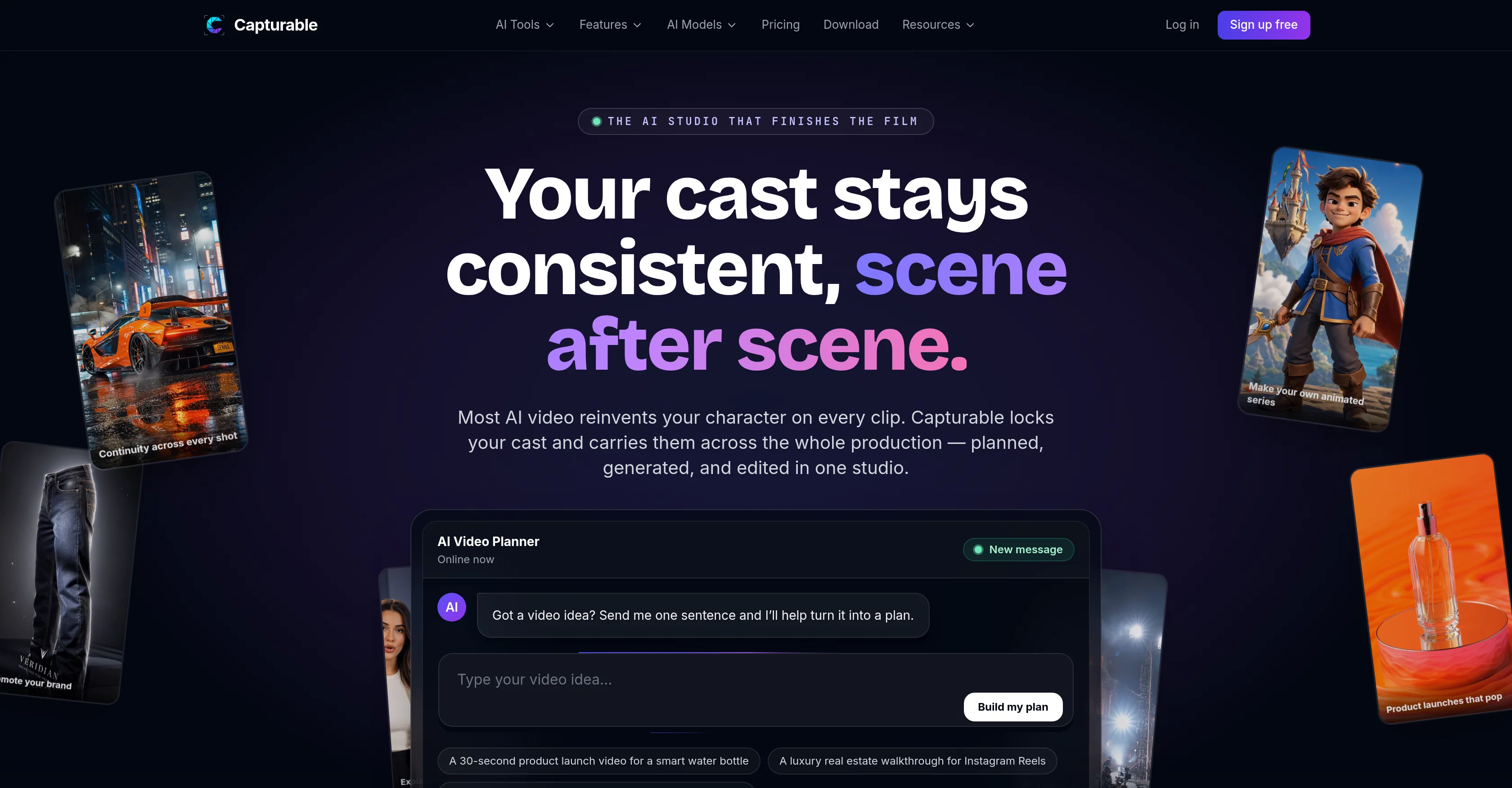
Capturable is an AI-powered tool for planning, generating, and exporting videos. It is designed for comprehensive video production, including planning, character creation, voiceover planning, and cost estimation.
It's capable of turning a one-sentence video idea into a full plan. This tool notably offers continuity across shots: users can create a consistent cast of characters that are carried across scenes throughout the entire production.
This mitigates the common issue of character inconsistency that occurs with most AI video tools.In addition, Capturable offers a range of creative and editing capabilities.
Users can script, generate scenes, edit and finish on a multi-track timeline. The process ensures the final product is of high quality by keeping the same face and wardrobe across an entire production.The tool also stands out because of its storyboard feature.
Users can see the whole film before they render it by turning an outline into a visual board of scenes and shots. This allows for batch generation as users can generate the entire storyboard at once instead of doing it clip by clip.Furthermore, Capturable has a script-to-video function.
Paste a script into the tool and it breaks it down into scenes and shots, creates consistent characters, and generates a multi-scene result. The character and world consistency feature enables a user to create characters or worlds that can be reused across multiple scenes or episodes, maintaining a coherent universe throughout the video.Built for full productions, Capturable offers a comprehensive studio experience.
It is not a simplistic clip maker but a platform that provides the features necessary for continuity, scenes, structure, and finished exports.
Access & connections
Where you can use Capturable.
Platforms
Capabilities
What this tool accepts, produces, and is strongest at.
Input
- Tabular
- Text
Output
- Video
- Text
Pros & cons
Pros
- Comprehensive video production
- Multi-track timeline
- Storyboard feature
- Batch generation
- Script-to-video function
- Continuity across shots
- Character consistency
- Voiceover planning
Show 35 more
- Cost estimation
- World building
- Scene generation
- Character creation
- Video rendering
- Built for full productions
- Character and world reusability
- Single-sentence idea to full plan
- High-quality final product
- Scene breakdown from script
- Frame chaining for continuity
- Real editing studio
- Frame-level control in editing
- Delivery-ready export
- Visual board of scenes
- Consistent look across scenes
- Approved character reference
- Locked identity for characters
- Consistency across scenes & episodes
- Coherent universe in videos
- Cast carried across the production
- Animation series creation
- Product brand promotion
- No setup form
- Same cast, every cut
- Designed for multi-scene content
- Auto scene breakdown
- Edit-ready output
- Approved character for reuse
- Locked location for consistency
- Coherent worldbuilding
- Not a clip maker
- Not one-off clips
- Scenes and structure planning
- Score, caption and export in one place
Cons
- Limited character customization
- No text-to-speech function
- Limited templates for storyboard
- No live preview option
- Lacks simple clip-making features
- Could be complex for beginners
- Lacks real-time collaboration features
- Doesn't offer 3D rendering
Show 1 more
- No mobile application
Compare alternatives
Similar tools in the catalog — with a clear reason to open each one.

freebeat AI ✓
FreemiumTurn Music & Ideas into Viral Videos In One Click
Why look Typically cheaper
Full comparison
MagicLight ✓
FreemiumTransform text into captivating videos instantly.
Why look Typically cheaper
Full comparison



Seedance ✓
FreemiumMulti-shot video generation from text and image.
Why look Stronger for image work
Full comparisonReleases 1
FAQ 12
What is Capturable?
What does the script-to-video function in Capturable do?
What benefits does Capturable's storyboard feature give?
How does Capturable help in maintaining character consistency in a video?
What is the use of the multi-track timeline feature in Capturable?
Is Capturable capable of voiceover planning?
How does Capturable handle film continuity?
Can Capturable be used for world building in a video?
How can Capturable turn a one-sentence video idea into a full plan?
What are the editing capabilities of Capturable?
Can scenes be generated in Capturable?
What is the role of Capturable in video exports?
Related tools
Recommended

Vidu AI Video Generator ✓
FreemiumTransform text and images into high-quality AI videos.

Chraft AI ✓
FreemiumChat to create viral videos with AI.

Vidduo ✓
Free TrialTransform photos into cinematic videos effortlessly

APOB ✓
FreemiumEarn money by creating your own personalized AI influencer.

China Video | AI Image-to-Video Generator ✓
Free TrialGenerate stunning videos with China's best AI models.
Videnly ✓
PaidCreate & Publish AI Videos Automatically