

Captions Sync: AI Recognition ✓
Transform content with AI-powered captions.
Verdict
A quick read before you dig into the full page.
- Best if
- Transform content with AI-powered captions
- Skip if
- Potential unexpected subscription renewals
- Pick this when
- Customizable keywords
Considering CaptionThat.app instead? Compare side by side
Overview
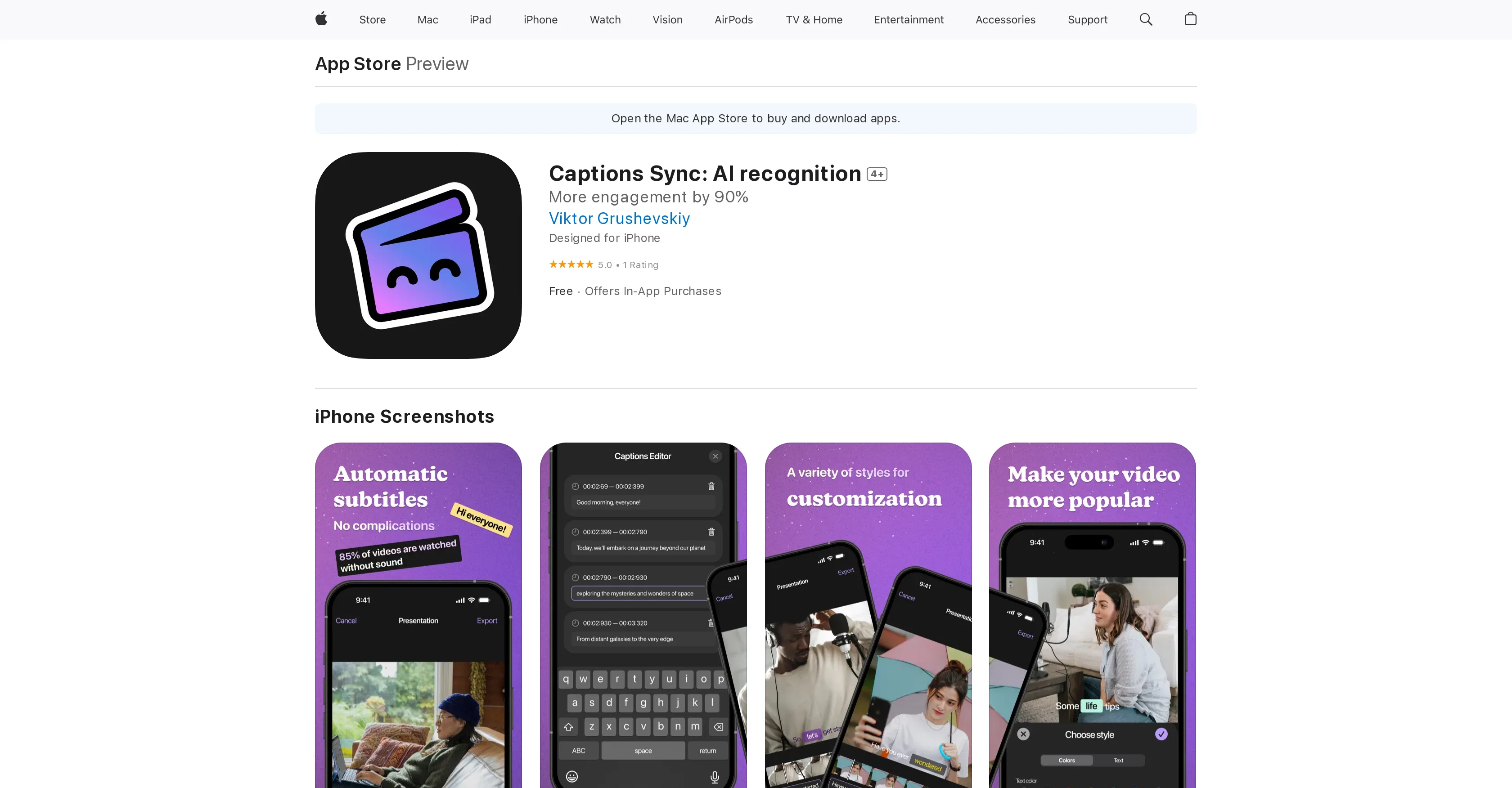
Captions Sync: AI Recognition is an AI-powered application that enables users to connect with their audience in a more efficient and meaningful way. Designed to understand content, messages, and target audiences, this application is capable of creating intuitive and impactful captions.
With options to customize keywords, adjust the tone of the text, and switch between languages, Captions Sync ensures flexibility according to the users' needs.It offers seamless connection to various social media platforms, simplifying the process of sharing content.
Besides its primary function of generating engaging captions, the application supports users in telling their stories in a way that resonates with their audience and keeps them engaged.
It brings a new approach to communication by amplifying the user's voice, sharpening their message, and helping their content reach new heights.The application was developed by Viktor Grushevskiy and is primarily designed for iPhone.
However, it also shows compatibility with Mac systems run by macOS 14.0 or later and Apple M1 chip or later. Users can manage their subscriptions and payments through their Apple ID account.
Despite its revolutionary functional capacity, the app maintains a simple and user-friendly interface, making it an accessible tool for individuals looking to improve their content delivery and audience connection.
Access & connections
Where you can use Captions Sync: AI Recognition, and what it plugs into.
Platforms
Integrations
Capabilities
What this tool accepts, produces, and is strongest at.
Input
- Text
Output
- Text
Pros & cons
Pros
- Customizable keywords
- Adjustable text tone
- Multi-language support
- Social media integration
- Storytelling support
- Content delivery optimization
- Voice amplification
- Message optimization
Show 41 more
- User-friendly interface
- iPhone application
- macOS compatibility
- Subscription management through Apple ID
- Apple M1 chip compatibility
- Enables audience engagement
- Facilitates content customization
- Audience message understanding
- Intuitive and impactful captions
- Seamless content sharing
- Designed by Viktor Grushevskiy
- Maintains simplicity despite functionality
- Transforms communication approach
- Promotes content reach
- In-App Purchases available
- Apple Vision support
- Improved video quality and customization
- Free basic application
- Captions Pro Weekly subscription
- Captions Pro Yearly subscription
- Size only 20.7 MB
- Category: Photo & Video
- Seller: Viktor Grushevskiy
- Requires visionOS 1.0
- Age Rating 4+
- Seller registered copyright
- Developer support available
- Good privacy policy
- Automatic subscription renewal
- Compatible with iOS 17.0
- Increases content stand out
- Catches and retains audience attention
- Cancellation option available
- Helps in telling resonating stories
- Relevant keyword infusion
- Payment through Apple ID account
- 24 hour renewal notice
- Amplifies user voice
- Elevates content to new heights
- Change in communication way
- A tool for idea sharing
Cons
- iPhone primarily targeted
- No Android compatibility
- Requires macOS 14.0+
- Requires Apple M1+
- Requires iOS 17.0+
- Subscription management through Apple ID
- Limited language options mentioned
- No clear data privacy
Show 2 more
- Potential unexpected subscription renewals
- No free version mentioned
Compare alternatives
Similar tools in the catalog — with a clear reason to open each one.

CaptionThat.app ✓
FreemiumThe AI caption generator for creators.
Why look Typically cheaper
Full comparison
Capit ✓
FreemiumAutomatically generate unique personalized social media captions from images or videos.
Why look Typically cheaper
Full comparison
PhotoCaption AI ✓
FreemiumYour photos speak a thousand words in multiple languages!
Why look Typically cheaper
Full comparison
Schedly ✓
Free TrialCreate 30 days of social content in 10 minutes.
Why look Better for writing
Full comparison
ClipMyApp ✓
Free TrialTurn screen recordings into a month of TikToks, Reels and Shorts
Why look Offers a public API
Full comparison
Cleve ✓
FreemiumThe AI Workspace for Writing - Like Google Docs + Claude
Why look Typically cheaper
Full comparisonReleases 1
FAQ 12
What is Captions Sync: AI Recognition?
How does Captions Sync understand content, messages, and target audiences?
How can I customize keywords using Captions Sync?
Can I adjust the tone of my text using Captions Sync?
In which languages can I write captions using Captions Sync?
How is Captions Sync connected to social media platforms?
What is the primary function of Captions Sync?
How does Captions Sync support users in their storytelling?
What is the role of Captions Sync in content delivery and voice amplification?
Who is the developer of Captions Sync?
Is Captions Sync compatible with Mac systems?
How can I manage my subscriptions in Captions Sync?
Related tools
Recommended

VenturusAI ✓
FreemiumBusiness idea analysis and reporting.

Stunning ✓
PaidBuild AI-powered websites in seconds

Recall ✓
FreemiumSummarize Anything, Forget Nothing!

PrometAI ✓
FreemiumTurn ideas into viable reality with AI business plan generator.

Noiz ✓
FreemiumSummarize YouTube videos with AI in one click

AI YouTube Title Generator ✓
Free TrialGenerate eye-catching YouTube titles that boost views and engagement.