
Design 2026 Rank: #2357
Canva AI Assistant ✓
Your conversational AI-powered design assistant.
Free + from $15/mo
Verdict
A quick read before you dig into the full page.
- Best if
- Your conversational AI-powered design assistant
- Skip if
- Limited customization options
- Pick this when
- Text and voice commands
Considering Kolors AI instead? Compare side by side
Overview
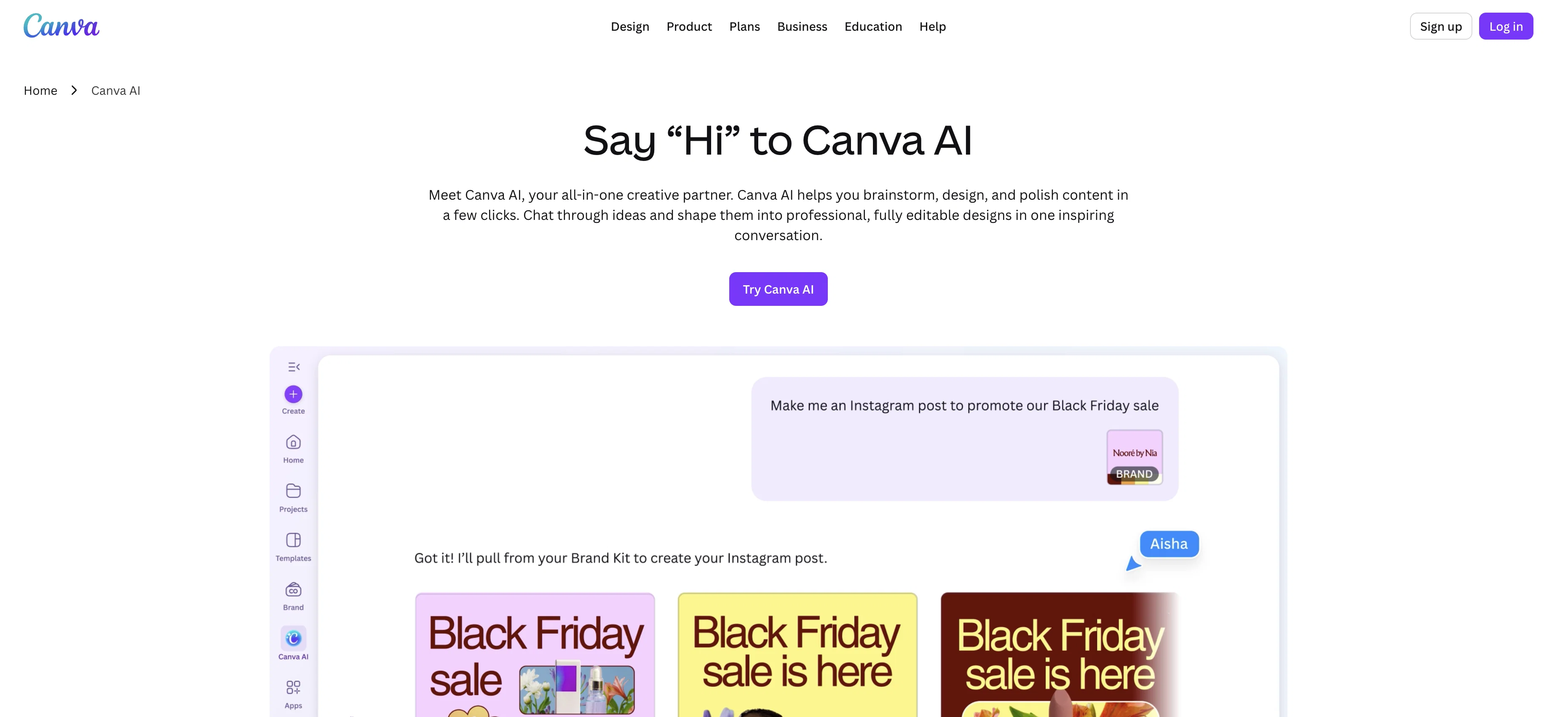
Canva AI is a conversational AI-powered assistant designed to streamline and support the creative process. The tool blends text, voice, and visual capabilities into one interactive, user-friendly platform, enabling users to brainstorm, design, and finesse content.
Users can communicate with Canva AI using natural language with text or voice commands, making its utilization akin to having a conversation with a team member.
The AI-powered solution is also designed to understand users' creative goals and context, thereby enhancing the quality of output. It provides personalized feedback and offers tools to refine designs, ensuring users have full control over their creative projects.
Canva AI also incorporates brand elements automatically by connecting to the user's Brand Kit, ensuring consistency across designs. This feature enables teams to focus more on creative creation.
Moreover, the tool enables collaboration, allowing users to tag @Canva in the comments to generate ideas, images, and text, or get help refining their work.
Canva AI places considerable emphasis on safety and privacy, with multi-layered safeguards to protect users from unseemly content. It offers adjustable AI access controls, content precautions, and privacy configurations to ensure ethical and responsible use.
Designed to blend seamlessly into creative workflows, Canva AI seeks to eliminate the need to switch between apps, thereby fostering an uninterrupted creative process.
Access & connections
Where you can use Canva AI Assistant, and what it plugs into.
Platforms
Integrations
Capabilities
What this tool accepts, produces, and is strongest at.
Input
- Image
- Text
- Audio
Output
- Code
- Video
- Text
- Image
Supported features
- Assistant
- Visual Creation
- Image Generation
- Text Generation
- Team Collaboration
- Brand Strategy
Pros & cons
Pros
- Text and voice commands
- Understands creative goals
- Personalized design feedback
- Automatic brand element incorporation
- Collaboration features
- Multi-layered content safeguard
- Integrated into creative workflows
- Interactive platform
Show 23 more
- Helps refine designs
- App integration capability
- Natural language understanding
- Visual content generation
- Design brainstorming capability
- Centralizes design process
- Eliminates app-switching
- Tailored advice in comments
- Creative contexts understanding
- Generate content at conversation speed
- Personalized brand consistency
- Ensured safety and privacy
- Design, write, image, video, code tools
- Voice, text, image communications
- Guided experience through creation
- Text to image capabilities
- Design creation with prompts
- Template fallback feature
- Content insight and exploration
- Attachment of your assets
- Lightweight editing panel
- Mobile and desktop utilization
- Effortless brand consistency
Cons
- No offline usage
- Limited voice command functionality
- No native app integration mentioned
- No multi-language support mentioned
- Lack of tutorial content
- No explicit multi-user collaboration
- No pricing information provided
- Access controls not thoroughly detailed
Show 2 more
- Limited customization options
- Detailed usage log not mentioned
Compare alternatives
Similar tools in the catalog — with a clear reason to open each one.


Canvora ✓
Free TrialThe Smartest Visual Assistant that can create visuals in 150+ languages.
Why look Offers a public API
Full comparison
Canva Visual Suite ✓
UnknownDesign for the new visual era
Why look Higher community rating
Full comparison
Canva AI ✓
FreemiumAI tools for design, writing, and creativity.
Why look Typically cheaper
Full comparison

Releases 1
FAQ 12
What is Canva AI?
How does Canva AI use natural language processing?
What can I use Canva AI to create?
Can I use voice commands with Canva AI?
How does Canva AI understand my creative goals?
How does the Canva AI provide personalized feedback?
What types of designs can I refine with Canva AI?
How does Canva AI integrate with my brand?
Can I collaborate with my team using Canva AI?
What safety and privacy features does Canva AI have?
Can Canva AI help me prevent inappropriate content?
Does Canva AI integrate with other apps?
Related tools
Recommended

B12 AI Website Builder ✓
FreemiumAI-powered website builder

Claude ✓
FreemiumBuilding reliable, interpretable AI systems

Ideamap - Brainstorm and Mindmap AI ✓
FreemiumBoost your creativity with AI-powered brainstorming.

Pounce ✓
Free TrialGet real followers and engagement in minutes.

Whacka ✓
Free TrialTurn ideas into real apps from your phone.

AI Builder | Hostinger Horizons ✓
Free TrialBuild web apps and websites without writing any code.