

calen ✓
Your AI calendar assistant you can chat with.
Verdict
A quick read before you dig into the full page.
- Best if
- Your AI calendar assistant you can chat with
- Skip if
- Limited assistant personalization
- Pick this when
- Chat interaction
Considering TalkWiz.ai instead? Compare side by side
Overview
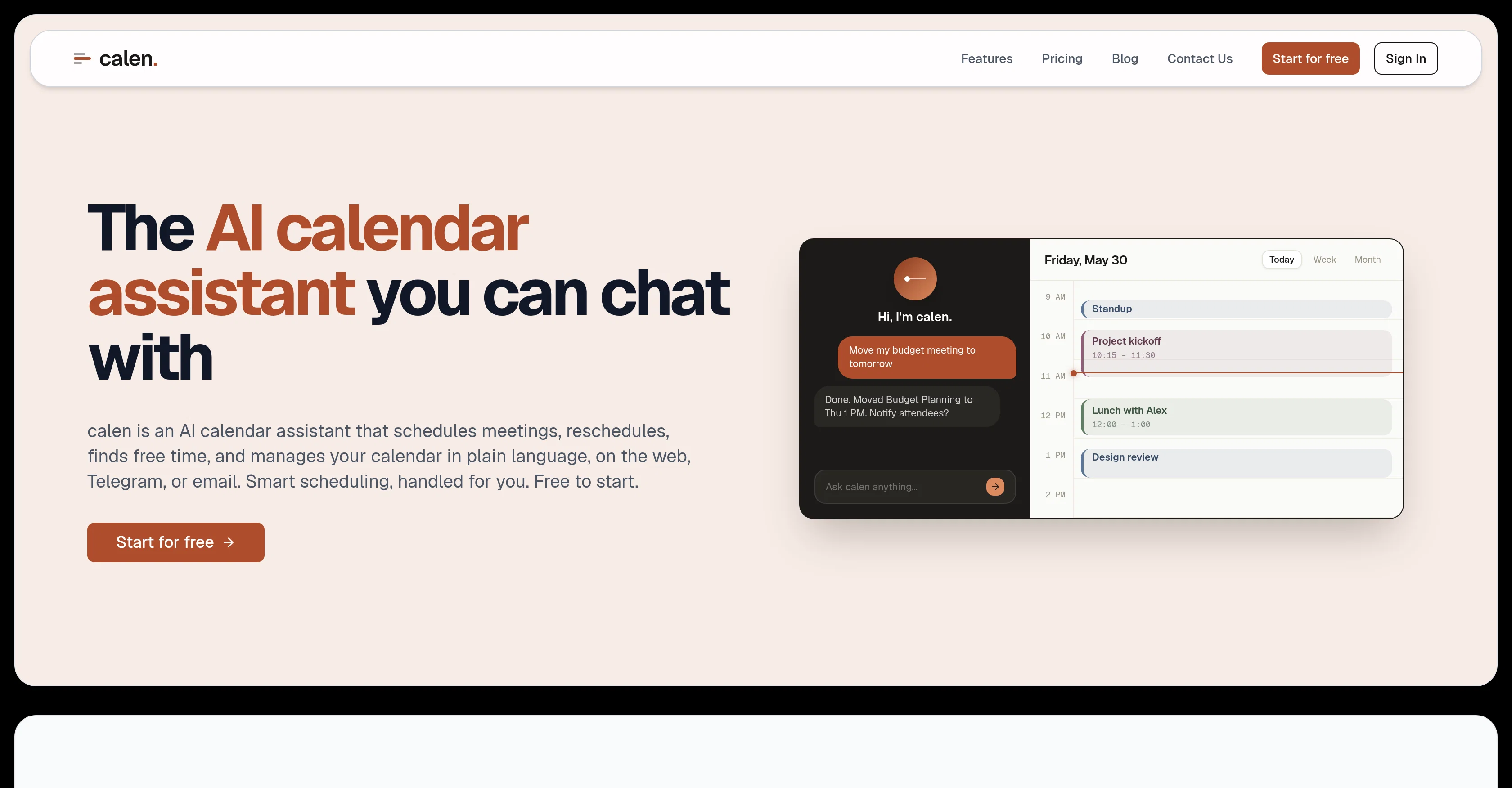
calen is an AI-driven calendar assistant designed to streamline scheduling and boost productivity. It's interactive, allowing users to chat with it across varying platforms, including the web, Telegram, and email.
The tool utilizes natural language processing to schedule, reschedule meetings, find free slots, and manage your calendar just by interpreting plain language commands.
For instance, one can request 'Move my budget meeting to tomorrow,' and calen will address the task seamlessly. To ease meeting coordination, users can CC calen in an email thread, and the assistant will automatically schedule the meeting, considering everyone's availability.
Once a meeting time is agreed upon, calen handles all the subsequent tasks such as calendar event creation, sending invitations, and adding all the necessary details.The tool is consistently accessible and interprets instructions such as 'Schedule lunch with Sarah tomorrow at 1 PM' or 'Move my 3 PM meeting to next week.' Its intelligence extends to understanding user preferences and patterns, providing personalized, efficient scheduling assistance.calen integrates directly with Google Calendar, facilitating real-time sync of created or changed events.
It plans to support other platforms such as Outlook and iCal in the future. This AI assistant uniquely moves beyond just showing your schedule and actively manages it, proactively booking, moving, and finding time for you.
It offers a free plan, and there's also a premium package available for additional services.
Access & connections
Where you can use calen, and what it plugs into.
Platforms
Integrations
Pros & cons
Pros
- Chat interaction
- Platform versatility (web, Telegram, email)
- Natural language processing scheduling
- Automatic scheduling via email CC
- Complete meeting management
- Consistent accessibility
- Understanding user preferences
- Google Calendar integration
Show 19 more
- Real-time event synchronization
- Plan for Outlook integration
- Plan for iCal integration
- Proactive calendar management
- Free plan availability
- Premium services option
- Automated appointment scheduling
- Cross-platform functionality
- Personalized scheduling
- Assistance in meeting coordination
- Email assistant feature
- Automated task handling
- Seamless calendar event creation
- Multiple communication channels
- Learning user patterns
- Automated invitation sending
- Efficient scheduling assistance
- Lightning fast scheduling
- Managing calendar in plain language
Cons
- No Outlook and iCal integration
- Limited to text commands
- Requires explicit calendar connection
- Potential privacy concerns
- Limited free plan capabilities
- Premium services extra cost
- Assumes users' platform familiarity
- Limited assistant personalization
Show 1 more
- Imprecise language may misinterpret
Compare alternatives
Similar tools in the catalog — with a clear reason to open each one.

TalkWiz.ai ✓
Free TrialConvert leads into sales with AI appointment booking.
Free + from $79/mo
Full comparison
Myra ✓
Free TrialYou build the product. Myra runs the front office
Free + from $19.00/mo
Full comparison
Chirpy AI ✓
FreemiumTurn website visitors into booked clients, 24/7
Free + from $20/mo
Full comparison
Futuro AI ✓
Free TrialHuman Indistinguishable Voice AI - Turn Missed Calls Into Closed Sales
Why look Offers a public API
Full comparison
ReadyToTalk ✓
Free TrialYour AI receptionist that never misses a call.
Free + from $39/mo
Full comparison
Dragon Notes ✓
Free TrialAI notes that remember who said what.
Free + from $1.99/mo
Full comparisonReleases 1
FAQ 12
What is calen?
How does calen work?
Can I use calen across different platforms?
How does calen handle meeting scheduling?
Can calen find free slots in my calendar?
How does calen understand my commands?
Which calendars does calen integrate with?
What's the process of setting up a meeting with calen via email?
Does calen handle invitation follow-ups for scheduled meetings?
How does calen leverage AI for productivity?
What type of commands can I issue to calen?
Do I need to learn special commands to use calen?
Related tools
Recommended

LearningStudioAI ✓
Free TrialAI-powered authoring tool for effortless online course creation.

GPTExcel ✓
FreemiumGenerate spreadsheet formulas with AI

PostPerfect ✓
FreemiumAutomated social media posts.

Transcript LOL ✓
FreemiumUnlimited transcripts, summaries, 99.8% accuracy, speaker recognition, superfast

IllumiChat ✓
FreemiumFrom Ticket Backlog to Instant Answers Powered by AI

What-A-Prompt ✓
FreeSupercharge your ChatGPT prompts for better results.