
BuilderKit ✓
Ship your AI Startup in days
from $49
Verdict
A quick read before you dig into the full page.
- Best if
- You are react.js developers and need: Building and deploying AI SaaS applications rapidly
- Skip if
- Limited payment gateways
- Pick this when
- Highly modular design
Considering Whacka instead? Compare side by side
Overview
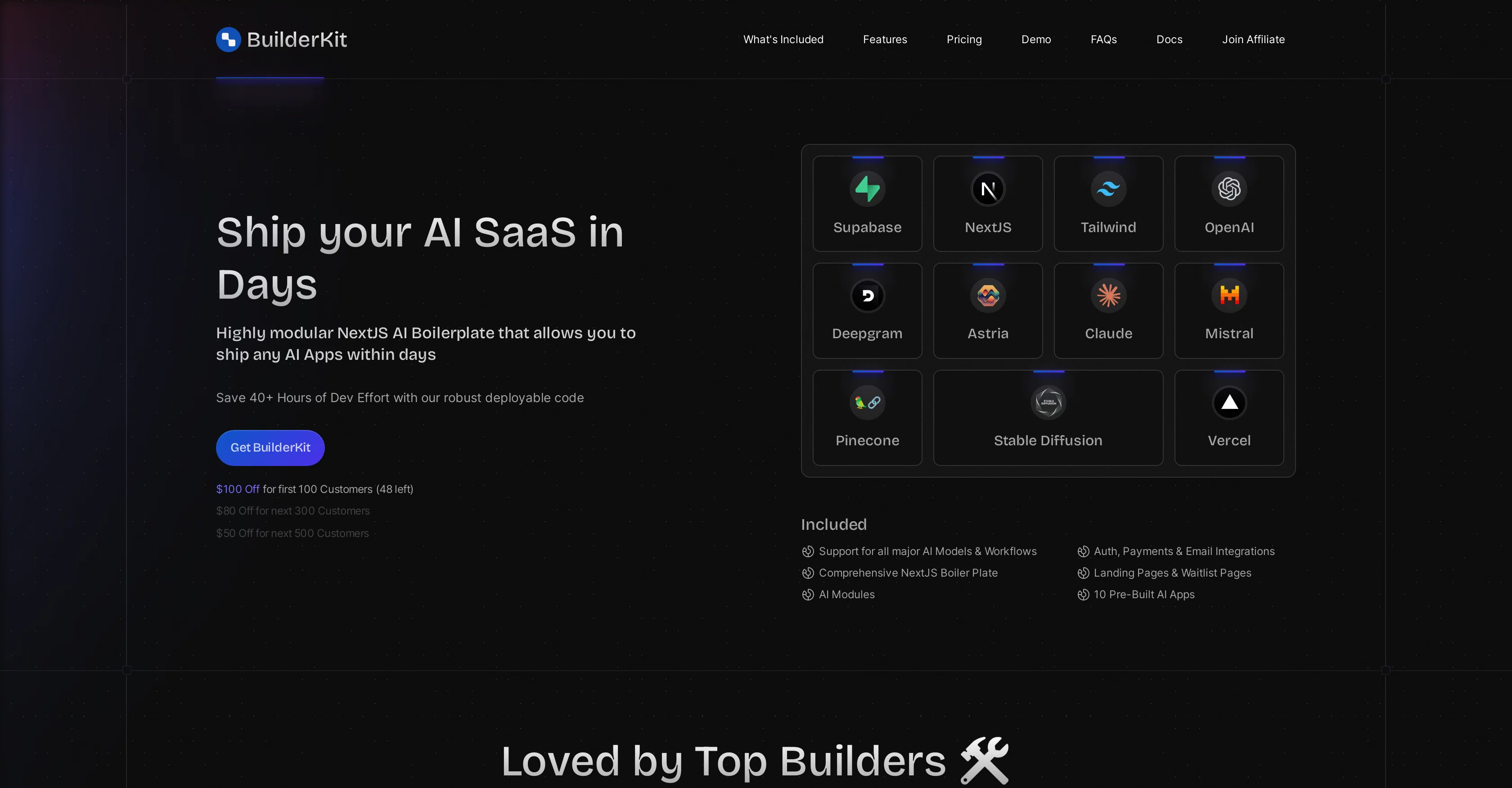
BuilderKit is a highly modular NextJS AI Boilerplate designed to facilitate the development and deployment of AI applications within a short time frame.
The tool has robust support for all major AI Models and Workflows. It includes comprehensive NextJS boilerplates, various AI modules, and key integrations for functionality such as authentication, payments, emails, and customer support.
Several AI apps are pre-built and integrated into BuilderKit, streamlining the development process for users. The tool also allows developers to harness the OpenAI functionality and integrate it with their own AI Apps.
Features include creating a ChatGPT clone, using the streaming API for quick response times, integrating with web-browsing, history, DALL-E and custom plugins.
It also offers several additional features, such as fallback models to avoid 'model-overloaded' responses and advanced Retrieval-Augmented Generation (RAG) using Pinecone.
Other core features include automatic image uploading, chat history, sharing capability, rate-limits, and detailed usage monitoring for fine-tuned control.
Notably, BuilderKit includes demo applications such as a ChatGPT clone with built-in web crawling and DALL-E image generation capabilities, as well as a PDF chat for uploading PDFs to ask questions, get summaries, or seek information.
Best for
Short scenarios where BuilderKit tends to shine.
-
Building and deploying AI SaaS applications rapidly
Best for React.js developers
-
Creating landing pages and waitlist pages for AI products
Best for Next.js developers
-
Setting up authentication and payment systems for AI apps
Best for AI SaaS developers
-
Managing users and usage through an admin panel
Best for React.js developers
Example outputs 1
Sample generations and before/after results for BuilderKit.
Access & connections
Where you can use BuilderKit.
Platforms
Pros & cons
Pros
- Highly modular design
- Streamlined development process
- Comprehensive NextJS boilerplates
- Quick response streaming API
- Web-browsing and history integration
- DALL-E and custom plugins compatibility
- Fallback models feature
- Advanced RAG using Pinecone
Show 23 more
- Automatic image uploading
- Chat history and sharing
- Rate-limits feature
- Detailed usage monitoring
- Demo applications inclusion
- Built-in web crawling in ChatGPT clone
- DALL-E image generation capabilities
- PDF chat for information extraction
- Supports authentication module
- Supports payments module
- Supports emails module
- Supports customer support module
- Key integrations
- Fine-tuned user control
- Auth, Payments & Email Integrations
- Postgres Tables on Supabase
- Realtime webhook response
- Supabase powered authentication
- Stripe and Lemon Squeezy payments
- Privacy policy and ToS prompts
- SEO optimization
- App admin dashboard
- Privacy Policy & ToS pages
Cons
- Limited language support
- Specific NextJS familiarity needed
- No multiplatform deployments
- Pending Discord community
- No built-in A/B testing
- Reliant on specific integrations
- No automated scalability
- Limited payment gateways
Show 1 more
- Lacks adaptive UI
Compare alternatives
Similar tools in the catalog — with a clear reason to open each one.

Whacka ✓
Free TrialTurn ideas into real apps from your phone.
Why look Typically cheaper
Full comparison
AppDeploy ✓
FreeDeploy real apps directly from ChatGPT or Claude
Why look Fully free option
Full comparison
Anything - AI App Builder ✓
FreemiumTurn your words into apps, sites, and products.
Why look Freemium alternative
Full comparison
LaunchLemonade ✓
Free TrialBuild AI assistants effortlessly for your business.
Why look Typically cheaper
Full comparison
Momen.app ✓
FreemiumLaunch real, interactive AI with just one prompt.
Why look Freemium alternative
Full comparisonPeople also view
Tools that often show up alongside BuilderKit in collections and comparisons.
Whacka ✓
Free TrialTurn ideas into real apps from your phone.
Momen.app ✓
FreemiumLaunch real, interactive AI with just one prompt.
LaunchLemonade ✓
Free TrialBuild AI assistants effortlessly for your business.

Dreamflow ✓
FreemiumShip native mobile apps, fast.
AppDeploy ✓
FreeDeploy real apps directly from ChatGPT or Claude
Anything - AI App Builder ✓
FreemiumTurn your words into apps, sites, and products.

AI Builder | Hostinger Horizons ✓
Free TrialBuild web apps and websites without writing any code.

Hatchable ✓
FreemiumHosting for your coding agent. Free.
Releases 1
FAQ 12
What is BuilderKit?
What AI Models and Workflows does BuilderKit support?
How can BuilderKit streamline my development process?
Which AI apps are pre-built and integrated into BuilderKit?
How does BuilderKit incorporate OpenAI functionality?
Can I create a ChatGPT clone using BuilderKit?
What are the benefits of using the streaming API feature in BuilderKit?
What is the purpose of the fallback models in BuilderKit?
How does BuilderKit use Pinecone for Retrieval-Augmented Generation?
What are some core features of BuilderKit?
What are the demo applications available in BuilderKit?
Does BuilderKit support image uploading?
Related tools
Recommended

AppsMakerStore ✓
FreemiumCreating and sharing your own mobile application has never been easier.

Stunning ✓
PaidBuild AI-powered websites in seconds

Agentgpt ✓
FreemiumDeploy autonomous AI Agents effortlessly in your browser.

Marblism ✓
FreemiumAI Employees who Work for Your Business

VenturusAI ✓
FreemiumBusiness idea analysis and reporting.

Mindsmith ✓
FreemiumPlatform for building and sharing eLearning content