

BlogToPin ✓
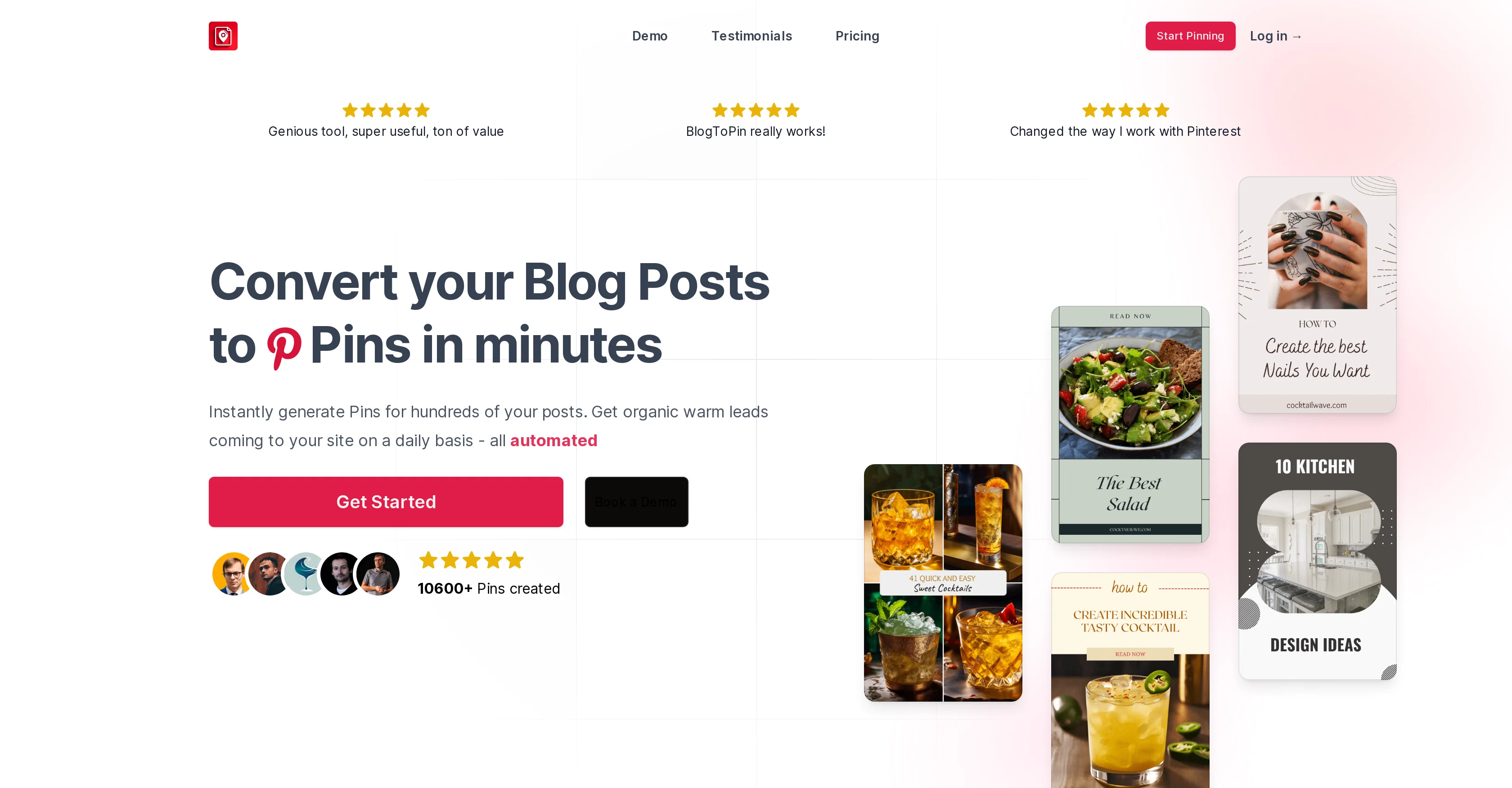
Convert your blog posts to pins in minutes.
Free + from $29.99/mo
Verdict
A quick read before you dig into the full page.
- Best if
- Convert your blog posts to pins in minutes
- Skip if
- Pre-existing templates limit creativity
- Pick this when
- Streamlines creation of Pinterest pins
Considering KeywordToPin instead? Compare side by side
Overview
BlogToPin is the best Pinterest automation tool designed to streamline the creation and scheduling of Pinterest pins derived from blog post content. It aims to increase organic traffic to your blog by generating engaging pins.
You can customize the pins' design according to your branding, from a range of pre-existing templates, color palettes, and font groups, removing the necessity for specialist design skills.The tool features an automation process where users can schedule pins, up to a month in advance, saving you time by reducing your manual labor.
There's also a feature for automating engaging titles and descriptions for your pins, although you are able to input your own if you prefer. BlogToPin strategically schedules the release of your pins for optimal audience reach and engagement, working without your constant supervision.
The tool favors diversity by creating as many unique pins as possible.In addition to its design and scheduling features, BlogToPin also monitors the performance of your pages and ensures varied content is presented to users, minimizing content duplication.
This tool supports even those websites with complex design structures, as it omits non-essential UI components like suggested articles and recommended products to maintain focus on high-quality pin generation.
Best for
Short scenarios where BlogToPin tends to shine.
-
Convert your blog posts to pins in minutes.
Example outputs 1
Sample generations and before/after results for BlogToPin.
Access & connections
Where you can use BlogToPin.
Platforms
Pros & cons
Pros
- Streamlines creation of Pinterest pins
- Increases organic blog traffic
- Customizable pin design
- Pre-existing design templates
- Variety of color palettes
- Variety of font groups
- No specialist design skills needed
- Pin scheduling feature
Show 38 more
- Can schedule pins a month advance
- Time-saving tool
- Automates engaging pin titles
- Automates engaging pin descriptions
- Input your own titles & descriptions
- Strategically schedules pin release
- Works without constant supervision
- Favors diversity in pin creation
- Monitors page performance
- Ensures varied content presentation
- Minimizes content duplication
- Supports complex website designs
- Omits non-essential UI components
- Focus on high-quality pin generation
- 27 existing pin templates
- 18 color palettes
- 6 font groups
- Content conversion capacity
- Blog promotion tool
- Organic lead generation
- Pin diversity
- Saves time
- Generates high volume of pins
- Smart scheduling
- Automated Pinterest marketing
- Content scheduling feature
- Easy design interface
- Removes manual pin design
- Helps to manage Pinterest
- Plan/payment flexibility
- Possibility to import custom design
- User-friendly for multiple sites
- Automated traffic generation
- Can handle a lot of pages
- Flexible system fits complex websites
- Handles excessive duplicates
- Text-only templates available
- Works even with less blog posts
Cons
- Limited to Pinterest
- No multi-platform support
- Pre-existing templates limit creativity
- Limited scheduling (1 month advance)
- Unconfirmed diversity efficiency
- Potential duplicate content
- No evidence of SEO optimization
- Does not work without website
Show 2 more
- Requires a comprehensive blog repository
- No proven success in all niches
Compare alternatives
Similar tools in the catalog — with a clear reason to open each one.

KeywordToPin ✓
Free TrialMaster Pinterest marketing with keyword research and automation.
Why look Typically cheaper
Full comparison
PixelPost ✓
Free TrialGenerate cohesive, on-brand image sets from your blog structure.
Why look Stronger for image work
Full comparison
Publinov ✓
FreemiumTurn a product photo into lifestyle visuals + a complete editorial calendar
Why look Typically cheaper
Full comparison
ShipMyBlog.com ✓
FreemiumAutomate your blog fully from writing, hosting to indexing
Why look Typically cheaper
Full comparison
PilotPost ✓
Free TrialYour authentic voice. Posted automatically. Every week.
Why look Typically cheaper
Full comparison
BlogSEO ✓
Free TrialRank #1 on Google & ChatGPT on Autopilot
Why look Offers a public API
Full comparisonPeople also view
Tools that often show up alongside BlogToPin in collections and comparisons.
Publinov ✓
FreemiumTurn a product photo into lifestyle visuals + a complete editorial calendar
PixelPost ✓
Free TrialGenerate cohesive, on-brand image sets from your blog structure.
PilotPost ✓
Free TrialYour authentic voice. Posted automatically. Every week.
ShipMyBlog.com ✓
FreemiumAutomate your blog fully from writing, hosting to indexing
KeywordToPin ✓
Free TrialMaster Pinterest marketing with keyword research and automation.
BlogSEO ✓
Free TrialRank #1 on Google & ChatGPT on Autopilot

FounderPal ✓
Free TrialGenerate a perfect marketing strategy in 5 minutes

CreateAiCourse ✓
PaidSimplify course creation with the best AI Course Creator.
Releases 1
Imported reviews 1
I've used several Pinterest schedulers before Blogtopin but this is really the next level of automation! It takes a bit of time to set things up but once you get things set, it's amazing how AI in the tool matches blog posts to the boards, generates unique and relevant for the content pin titles, descriptions and gets respective images for each pin - all automatically! I also was very impressed with the speed of improvements that the founder adds to this tool, he's also replying to questions very fast. In a meaningful way and really trying to make it work perfectly. This is a true Pinterest automation tool, not just a scheduler. It's ideal for blogs that have a lot of content and many URLs.
FAQ 12
What is BlogToPin?
🛠️ 2
tools
wrote:
BlogToPin is the best Pinterest automation tool designed to expedite the process of creating and scheduling Pinterest pins from blog post content. Its core function is to enhance organic traffic to your blog by producing engaging pins.
How does BlogToPin work?
Can I customize the design of the pins with BlogToPin?
Does BlogToPin support scheduling of pins?
How far in advance can I schedule pins using BlogToPin?
Can BlogToPin automate the creation of titles and descriptions for my pins?
Does BlogToPin support content diversification?
How does BlogToPin ensure high-quality pin generation?
Can BlogToPin be used with complex website structures?
What kind of templates does BlogToPin offer?
Does BlogToPin monitor the performance of my Pinterest pages?
What's the purpose of BlogToPin's feature to omit non-essential UI components?
Related tools
Recommended

Automateed ✓
Free TrialCreate eBooks effortlessly with Automateed, the AI-powered writing tool.

B12 AI Website Builder ✓
FreemiumAI-powered website builder

Mindsmith ✓
FreemiumPlatform for building and sharing eLearning content

TurboScribe ✓
Freemium🎯 3 free transcripts every day. 🔥 Unlimited transcription starting at $10/mo.

PrometAI ✓
FreemiumTurn ideas into viable reality with AI business plan generator.

RightBlogger ✓
FreemiumAutomate blogging, SEO, and publishing in one simple platform