

Videos 2026 Rank: #1456
Blinkvid ✓
One platform for top AI video models.
Verdict
A quick read before you dig into the full page.
- Best if
- One platform for top AI video models
- Skip if
- No explicit quality customization
- Pick this when
- Three key workflows
Considering freebeat AI instead? Compare side by side
Overview
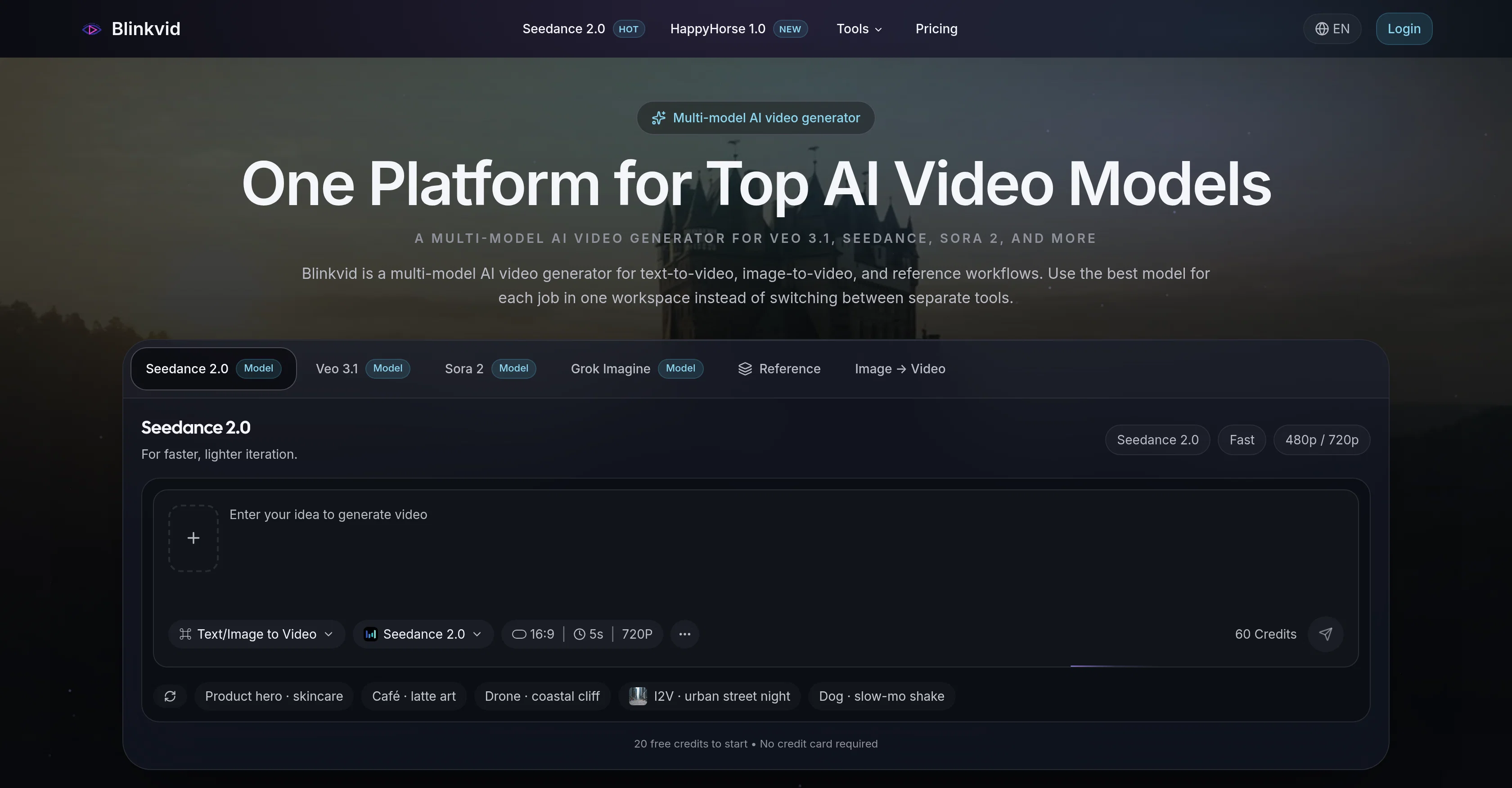
Blinkvid is a multi-model AI tool that offers versatile video generation capabilities. It supports an array of top AI video models including Veo 3.1, Seedance 2.0, Sora 2, and more.
These models unlock different functionalities that allow users to perform text-to-video, image-to-video, and reference workflows. Making it possible to animate text or still images into moving video content, or to produce videos that adhere strictly to a given reference.
This flexibility allows each AI model to be effectively used within the same workspace, eliminating the need to bounce between multiple platforms. Blinkvid additionally features an all-in-one workspace, designed for more serious video workflows, which is beneficial for comparing models and accelerating project completion.
Available features include AI Celebrity Video Generator and a practical video prompt library. Users can initiate the video creation process with a descriptive text prompt, optionally adding a reference image to guide the AI.
The tool then processes the request creating the desired video content, ready for download and sharing. A variety of pricing plans is also available to suit individual or business requirements.
Access & connections
Where you can use Blinkvid.
Platforms
Capabilities
What this tool accepts, produces, and is strongest at.
Input
- API
- Image
- Text
Output
- Video
- API
Supported features
- Video Generation
- Image Understanding
- Visual Creation
- Styling
- Video Avatars
Pros & cons
Pros
- Three key workflows
- Streamlines content creation process
- Prompt-based workflows
- Still-frame animation capabilities
- Reference-guided workflow
- Text to video conversions
- Image to moving visuals
- All-in-one workspace
Show 31 more
- Accelerates content production
- Practical video prompt library
- Descriptive text prompt
- Variety of pricing plans
- Video Content Creation
- Content Sharing
- Video Download
- Multi-platform Operations
- Business Requirements
- Reference image option
- Multiple video models
- Versatile video generation capabilities
- Project acceleration
- Animate text or images
- Preserve framing and mood
- Fast and secure
- Real time updates
- Flexible workflow
- Generation speed
- Max resolution
- Reference Generation
- Option to Upload Reference
- Simple Process
- HD video output
- No watermark
- Commercial use license
- Priority support
- API access
- Seamless sign up
- Transparent pricing
- 24/7 customer support
Cons
- No explicit quality customization
- Restricted formatting options
- Absence of offline mode
- No multi-user collaboration
- May require high-end hardware
- No specific video editing functions
- Opaque pricing structure
- No cross-platform compatibility
Show 1 more
- No version control
Compare alternatives
Similar tools in the catalog — with a clear reason to open each one.

freebeat AI ✓
FreemiumTurn Music & Ideas into Viral Videos In One Click
Why look Typically cheaper
Full comparison
MagicLight ✓
FreemiumTransform text into captivating videos instantly.
Free + from $8.4/mo
Full comparison



Seedance ✓
FreemiumMulti-shot video generation from text and image.
Why look Stronger for image work
Full comparisonReleases 1
FAQ 12
What is Blinkvid?
What are the main features of Blinkvid?
How does the text-to-video workflow function in Blinkvid?
How does the image-to-video workflow function in Blinkvid?
What is the reference-guided workflow in Blinkvid?
What are the different AI models supported by Blinkvid?
What is the purpose of a multi-model AI video generator like Blinkvid?
How can Blinkvid be used to create social ads?
Can Blinkvid animate still images?
How does Blinkvid help in video pacing and framing?
What do you mean by prompt-based workflows in Blinkvid?
Can Blinkvid help to quickly conceptualize ideas?
Related tools
Recommended

Video maker by AI Generator Hub ✓
Free TrialCreate stunning AI videos, images, and music effortlessly.

Scenova AI ✓
FreemiumCreate consistent AI influencers with locked identity.

ChatGPT ✓
FreemiumAsk anything, create anything, and move from idea to action.

DeepSeek ✓
FreeUnravel the mystery of AGI with curiosity

Serno ✓
FreemiumCustom AI experts that map what one AI can't

Whacka ✓
Free TrialTurn ideas into real apps from your phone.