

Webinar content repurposing 2026 Rank: #3199
BigMarker Content Studio
Create AI-generated content for events and webinars.
Verdict
A quick read before you dig into the full page.
- Best if
- Create AI-generated content for events and webinars
- Skip if
- Subscription tier usage limitations
- Pick this when
- Webinar content repurposing
Overview
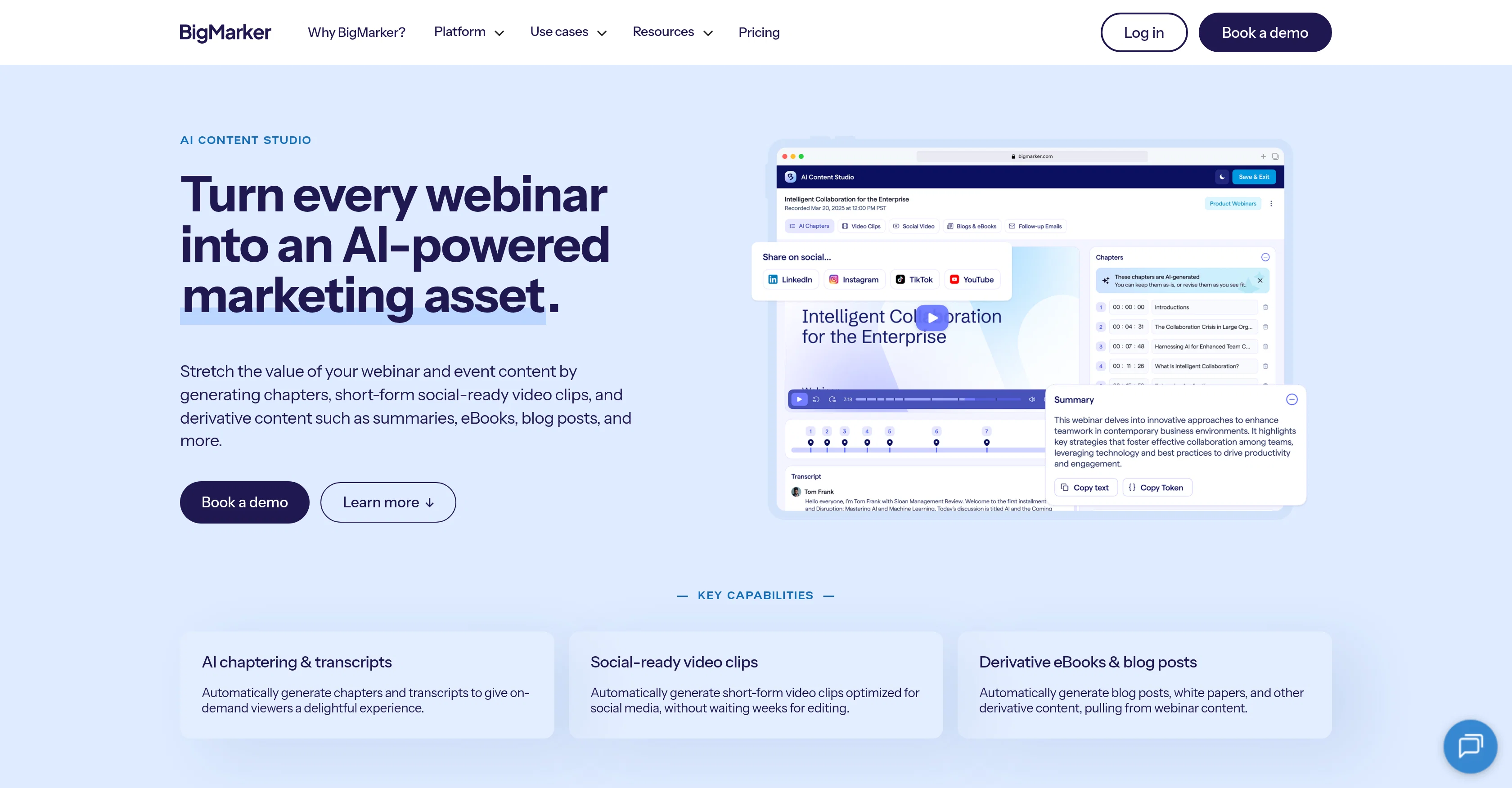
AI Content Studio is a robust tool that utilizes AI to repurpose and extend the life of your webinar and event content. Functionally, it generates derivative content such as chapters, summaries, eBooks, blog posts, and short-form social-ready video clips from your webinar materials.
This tool possesses automatic chaptering and transcription capabilities, providing on-demand viewers with an enhanced user experience, and it facilitates easy navigation of video content.
It can automatically generate short-form video clips from a summary of the session or individual chapters optimised for sharing on social media platforms, eliminating the waiting time for manual video editing.
AI Content Studio enhances your content's accessibility by generating concise summaries for usage across various platforms such as social media, email campaigns, or blog posts.
Moreover, it helps in transforming your webinars into integrated blog posts or comprehensive e-books and white papers, highlighting your key findings and significant takeaways.
All derivative content is produced in ready to use formats with optimisation for quick publishing across different platforms. The tool is designed with industry-standard security measures ensuring the privacy and integrity of your content.
One has the liberty to edit and customize the AI-generated content before publishing.
Access & connections
Where you can use BigMarker Content Studio.
Platforms
Capabilities
What this tool accepts, produces, and is strongest at.
Input
- Video
Output
- Code
- Video
- Text
Supported features
- Video Understanding
- Video Edit
- Transcription
- Text Generation
- Social Media
- Automation
Pros & cons
Pros
- Webinar content repurposing
- Generates eBook, blog posts
- Automatic video chaptering
- Transcription capabilities
- Enhances user experience
- Easy video content navigation
- Auto-generates short-form video clips
- Optimised for social media
Show 37 more
- Quick content summarisation
- Allows content transformation
- Produces ready-to-use formats
- Quick publishing optimisation
- Industry-standard security measures
- Maintains content privacy
- Content integrity secured
- Allows content customisation
- Supports multiplatform publishing
- Content optimisation
- Facilitates email campaigns
- Support blog post creation
- Automatic chaptering
- On-demand video accessibility
- Enables content mapping
- Automated content generation
- Customizable content output
- Increases content accessibility
- Seamless content marketing
- Simplifies video editing
- Saves manual editing time
- Tailors content for personas
- Deploys custom eLearning solutions
- Automates follow-up process
- Boosts mobile app experiences
- Tailors audience engagement
- Captures important data
- Hosts customized webinars
- Updates for product
- Maintains transparency in pricing
- Provides progressive profiling
- Crafts on-demand contents
- Hosts custom online events
- Generates CEU credit programs
- Supports embedded webcast
- Optimised for immediate post
- Allows timestamp override
Cons
- No real-time content generation
- Long processing time
- Dependent on pre-existing webinars
- Limited customization options
- Potential lack of originality
- Restricted to video content
- No native multi-language support
- No API for integration
Show 2 more
- Beta version restrictions
- Subscription tier usage limitations
Releases 1
FAQ 12
What kind of content does BigMarker Content Studio AI create?
What functionalities does BigMarker Content Studio AI provide?
How does BigMarker Content Studio AI enhance the user experience of the video content?
How does BigMarker Content Studio AI function for summarizing content?
How does BigMarker Content Studio AI benefit in social media sharing?
What's the process to transform webinars into blog posts or e-books with BigMarker Content Studio AI?
In which formats is the derivative content produced by BigMarker Content Studio AI?
How does BigMarker Content Studio AI ensure the security of my content?
Can I edit the AI-generated content before publishing?
What is the function of content repurposing in BigMarker Content Studio AI?
How does BigMarker Content Studio AI facilitate email campaigns?
How does BigMarker Content Studio AI optimize content for publishing across different platforms?
Related tools
Recommended

EasyScribe ✓
FreemiumTurn audio and video into accurate text instantly.

SummarAIze ✓
FreemiumEfficient repurposing of content.

reap Ai ✓
FreemiumTransform long videos into viral shorts instantly.

ScreenApp ✓
FreemiumYour Second Brain - Convert Recordings into Insights

ContentPod ✓
FreemiumThe everything app for content creation

CoreWise.video ✓
FreemiumExtract Wisdom from Any Link -- 6 AI Models, Haiku 4.5 Synthesized