Verdict

A quick read before you dig into the full page.

Best if
All-in-one online PDF editor, converter, and manager
Pick this when
All-in-one online PDF editor, converter, and manager

Overview

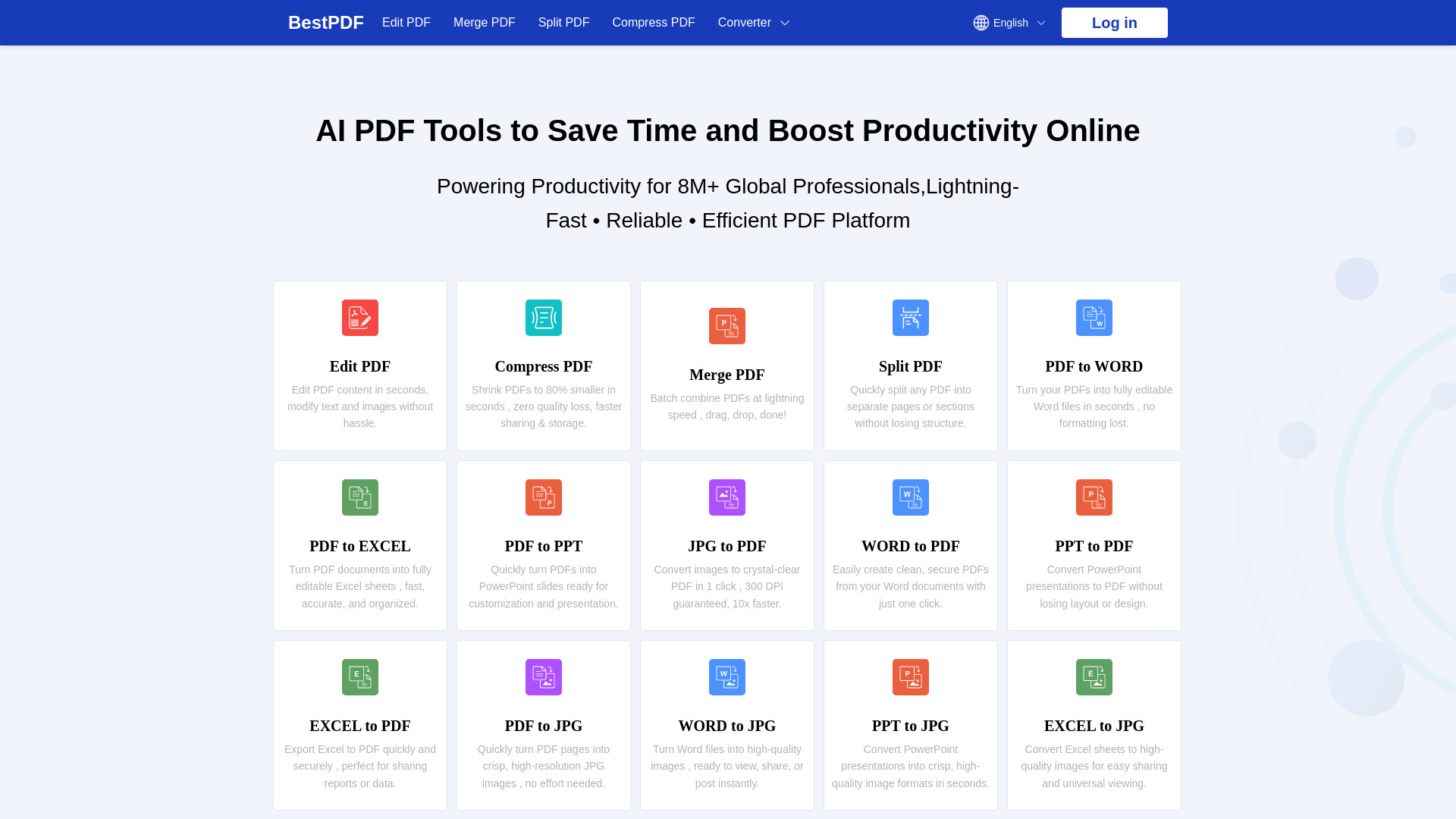
BestPDF is an all-in-one online PDF editor and converter designed to help users manage their PDF documents efficiently. It offers a comprehensive suite of tools including merging, splitting, editing, compressing, and converting PDFs to and from various formats such as Word, Excel, PowerPoint, and JPG. The platform also features AI PDF tools for enhanced productivity, including a translation feature that supports over 200 languages. BestPDF emphasizes speed, security (with TLS encryption and GDPR/CCPA compliance), and ease of use, providing a no-watermark experience for millions of global professionals.

BestPDF screenshot

Access & connections

Where you can use BestPDF, and what it plugs into.

Platforms

Web

Integrations

Capabilities

What this tool accepts, produces, and is strongest at.

Highlights

  • Edit PDF content (text and images)
  • Compress PDF files (up to 80% smaller)
  • Merge multiple PDF files
  • Split PDF into separate pages or sections
  • Convert PDF to Word, Excel, PPT, JPG
  • Convert Word, Excel, PPT, JPG to PDF
  • Translate PDF documents (over 200 languages)
  • AI PDF Tools for productivity

FAQ 7

What is BestPDF?
BestPDF is an all-in-one online PDF editor and converter designed to help users manage their PDF documents efficiently. It offers a comprehensive suite of tools including merging, splitting, editing, compressing, and converting PDFs to and from various formats such as Word, Excel, PowerPoint, and JPG. The platform also features AI PDF tools for enhanced productivity, including a translation feature that supports over 200 languages. BestPDF emphasizes speed, security (with TLS encryption and GDPR/CCPA compliance), and ease of use, providing a no-watermark experience for millions of global professionals.
How to use BestPDF?
To use BestPDF, select the desired tool (e.g., 'Edit PDF'). Then, upload or drag your PDF file into the designated area. Make the necessary changes using the online editor. Once done, click 'Download' to save your processed file instantly. The platform is mobile-friendly and supports bulk file processing.
How do we protect your data?
We prioritize your file security with enterprise-grade TLS encryption and strict compliance with international privacy frameworks such as GDPR and CCPA. Your documents remain confidential. We never store or share your content.
Can I use it on my phone?
Yes, our platform is fully mobile-friendly. You can convert and edit PDF files directly from your smartphone or tablet with no app installation required. Just open the browser and get started instantly.
Which file types are supported?
Our tools are compatible with all major document and image formats, including PDF, DOCX, XLSX, PPTX, JPG, and others, so you can work with your files without limitations.
Can't locate your file?
For your privacy, we don't store any uploaded documents. If the file is missing, simply re-upload and process it again, your data stays secure at all times.
Can I handle several files at once?
Absolutely. Our platform enables bulk file processing, making it easy to convert or manage multiple documents in one go, saving you valuable time and clicks.
BestPDF

