

AVCLabs Video Blur AI ✓
Automatically blur videos to reduce 99% blurring workload.
Trial; then from $19.98/mo
Verdict
A quick read before you dig into the full page.
- Best if
- Automatically blur videos to reduce 99% blurring workload
- Skip if
- Limited output formats supported
- Pick this when
- Object detection
Considering Video Background Changer instead? Compare side by side
Overview
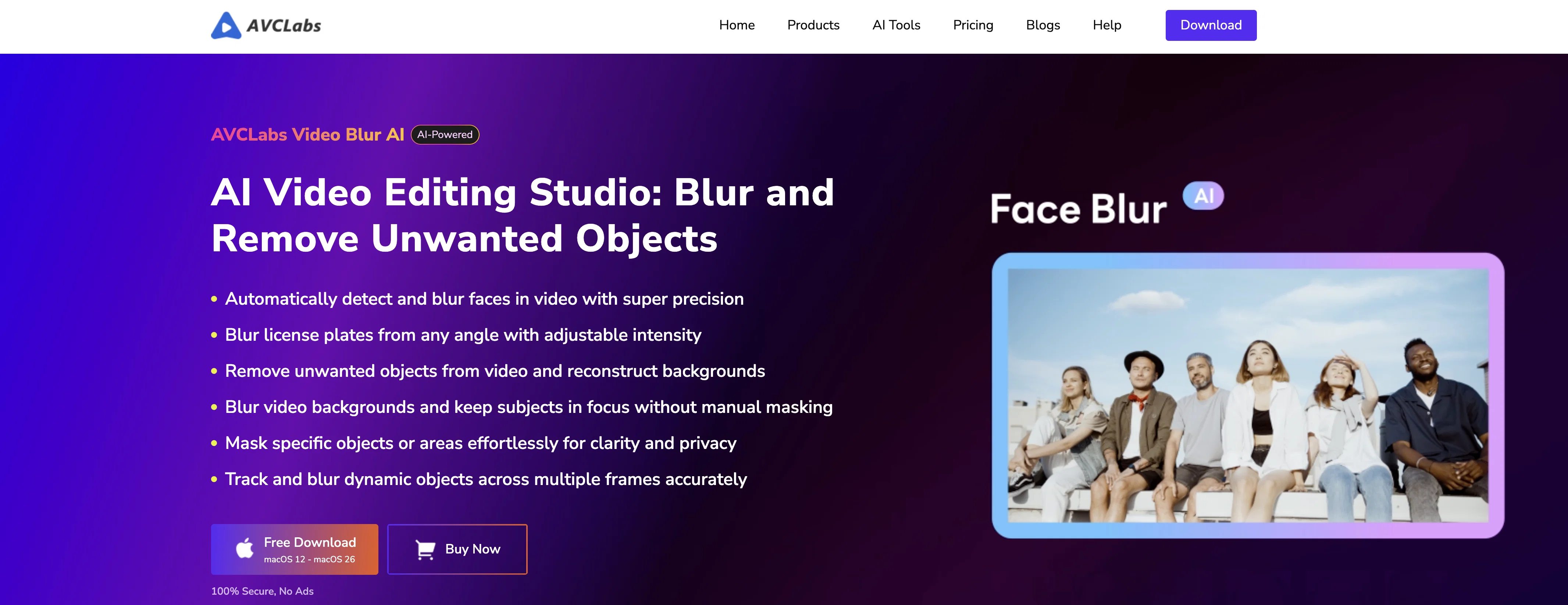
AVCLabs Video Blur AI is an AI-powered video editing tool specialized in blurring and object removal functions. The software uses AI to identify and blur faces or backgrounds and to remove objects from videos, significantly reducing the amount of manual editing typically involved in such tasks.
Primary uses include privacy protection and content enhancement. It can automatically detect and blur faces in videos even under challenging conditions such as poor lighting, crowding or rapidly changing scenes.
Moreover, it comes with a special feature for license plate recognitions, which is useful in blurring license plates in various scenarios to secure vehicle privacy and comply with data regulations.
Its background and foreground blur options offer users creative control over their footage. The object tracking feature allows for the consistent and accurate blurring of moving objects in videos.
Users may find this tool beneficial in blurring out sensitive elements or focusing viewers' attention on specific parts of the footage. Supported by facial detection technology, the Image Import Recognition function allows users to import specific facial photos and apply blur effects to the selected faces.
This tool successfully makes manual editing more efficient and is ideal for professionals who require efficient anonymization and privacy protection in their video content.
Access & connections
Where you can use AVCLabs Video Blur AI.
Platforms
Capabilities
What this tool accepts, produces, and is strongest at.
Input
- Video
Output
- Video
Highlights
- Local
Supported features
- Video Edit
- Image Understanding
- Automation
- Runs Locally
Pros & cons
Pros
- Object detection
- Automated video blurring
- Unwanted object removal
- Face blurring
- License plate blurring
- Background and Foreground blurring
- Object tracking function
- Rapid scene changes handling
Show 31 more
- Efficient video processing
- Privacy protection capabilities
- Image Import Recognition
- License Plate Recognition
- Anonymization of video content
- Dashcam footage enhancement
- Creative control over footage
- Compliance with data regulations
- Reduces manual editing workload
- Multiple blur effects
- Cross-format compatibility
- Intelligent region processing
- Real-time preview
- Flexible video editing
- GPU Acceleration
- Localized processing & data security
- Automatic Blur Customization
- Supports all major video formats
- Constant tracking without frame drops
- Simultaneously handles multiple sensitive information
- Suitable for dynamic and complex scenes
- Fixed Area Removal feature
- Smart Object Recognition Removal function
- Compatible with Windows and macOS
- Number of practical use cases
- Precise blur intensity control
- Automatic face detection in complex scenes
- Supports fast-moving scenes
- Accurate license plate tracking
- Foreground blur for privacy protection
- Accurate object tracking
Cons
- Specific focus on blurring
- No diverse editing capabilities
- No audio editing features
- Lack of fine-toning tools
- Poor lighting handling issues
- Privacy concerns with facial photos
- Limited output formats supported
- No real-time editing feature
Compare alternatives
Similar tools in the catalog — with a clear reason to open each one.

Releases 1
FAQ 12
What are the main features of AVCLabs Video Blur AI?
Does AVCLabs Video Blur AI support automated video editing?
How does AVCLabs Video Blur AI implement object detection and removal?
Is AVCLabs Video Blur AI effective for blurring faces and license plates?
What is the accuracy of the face recognition feature of AVCLabs Video Blur AI?
How does AVCLabs Video Blur AI help manage privacy in videos?
Can I blur both the foreground and background using AVCLabs Video Blur AI?
What does the object tracking feature of AVCLabs Video Blur AI do?
How useful is AVCLabs Video Blur AI for dashcam users or road surveillance content creators?
How does AVCLabs Blur AI utilize artificial intelligence in video editing?
Does AVCLabs Video Blur AI work on video streams with fast-moving subjects?
What are the applicable scenarios for using AVCLabs Video Blur AI?
Related tools
Recommended

AVCLabs Video Enhancer AI ✓
PaidUpscale, Enhance, Restore, Colorize, Stabilize & Blur Videos with AI

Visboom ✓
Free TrialAI fashion photoshoots without real models or photographers.

Size the Market ✓
PaidFast, accurate pricing intelligence for e-commerce.

AVCLabs PhotoPro AI ✓
Free TrialAI-powered photo editor to simplify photo editing.

Crave-Guide.Ai ✓
Free TrialAI coach for cravings and eating habits - not calorie counting.

Visual Field Test ✓
Free TrialDetect blind spots online instantly.