

Automatic Chat ✓
AI chatbot that learns from your website
Trial; then from $9/mo
Verdict
A quick read before you dig into the full page.
- Best if
- AI chatbot that learns from your website
- Skip if
- Limited to chosen pages
- Pick this when
- 24/7 operation
Considering GPT Trainer instead? Compare side by side
Overview
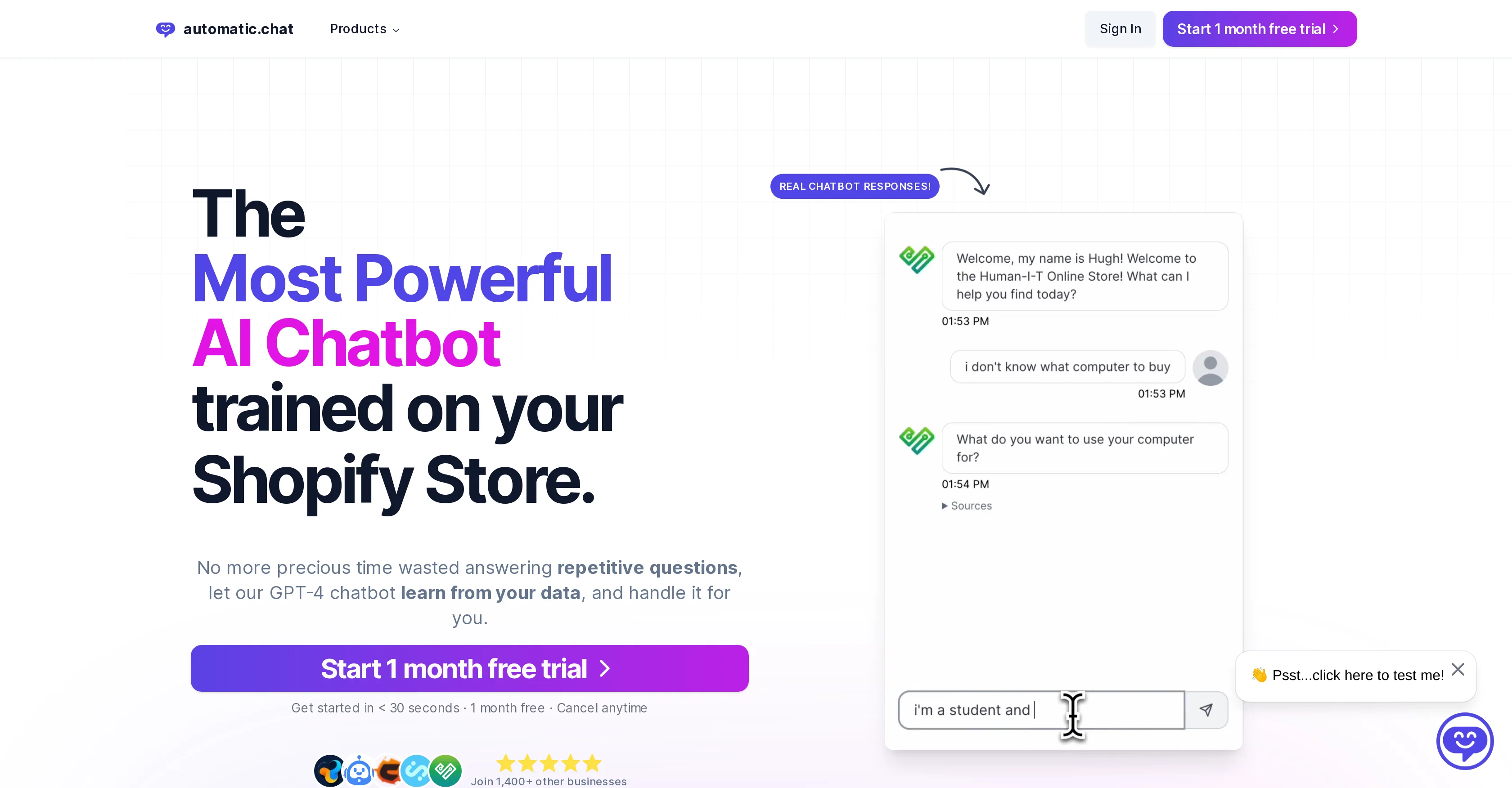
Automatic Chat is an AI-driven chatbot designed for website integration, powered by OpenAI's GPT-4. This tool is built to help businesses manage customer interactions by providing quick responses to customers, which imitate human-like conversations.
The chatbot is trained to learn from various data sources, such as a company's website, PDFs, and Google docs, enabling it to provide tailored responses based on the organization's unique knowledge base.
Automatic Chat boasts several features designed to enhance users' experience, these include customization options for branding, multilingual chat capabilities, and robust analytics and reporting tools for chatbot performance monitoring.
It also offers a chat log feature, helpful in keeping track of interactions. The platform prioritizes privacy and security, implementing industry-leading policies to safeguard user data.
Initial setup of the chatbot is facilitated with their free setup service.
Access & connections
Where you can use Automatic Chat.
Platforms
Capabilities
What this tool accepts, produces, and is strongest at.
Input
- Text
- Tabular
Output
- Text
- API
Pros & cons
Pros
- 24/7 operation
- Instant responses
- Easy setup
- Website integration
- ChatGPT-4 powered
- Learning from multiple data sources
- Customizable branding
- Assists in customer interaction management
Show 38 more
- Brand-specific tailored responses
- On-Page interaction
- Multilingual support
- Robust analytics and reporting tools
- Chat conversation logs
- Industry-leading data privacy policies
- Does not store personal data
- One-line embed code for integration
- Designed for user-friendly experience
- Customizable greeting messages
- Offers question suggestions
- Encrypted and secure
- Can be trained on website, PDFs, Google docs
- Free setup service
- Quick response times
- Accurate responses
- Free 1 month trial
- Businesses worldwide use it
- Provides data-driven decisions
- Integrates with the user's branding
- Supports multiple languages
- Respected by thousands of businesses
- Capable of high-volume message handling
- Proactive customer engagement
- Transforms customer service efficiency
- Helps free up team's time
- Recognition of repetitive questions
- Able to handle heavy traffic
- Proven to improve customer engagement
- Can improve customer satisfaction
- Supports fast roll-outs
- Improves customer interaction management
- Capable of fast learning from data
- Can expand customer reach
- Can transform traditional customer service methods
- Brings an extra 'team member'
- Provides automated responses
- Analyzes chatbot performance
Cons
- No personal data storage
- Limited to chosen pages
- No non-public data training
- Depends on website content
Compare alternatives
Similar tools in the catalog — with a clear reason to open each one.

GPT Trainer ✓
FreemiumAI Voice and Text Agents with No-Code
Why look Offers a public API
Full comparison
Social Intents ✓
Free TrialReal-time support & sales via messaging platforms.
Free + from $39/mo
Full comparison
Chatisto ✓
FreemiumAI-powered live chat for better customer support.
Why look Higher community rating
Full comparison
IllumiChat ✓
FreemiumFrom Ticket Backlog to Instant Answers Powered by AI
Why look Offers a public API
Full comparison

CoSupport AI ✓
Free TrialAI for support ops that drown in repetitive tickets.
Why look Offers a public API
Full comparisonReleases 1
FAQ 12
What is Automatic Chat?
How does Automatic Chat work?
How do I set up Automatic Chat on my website?
What features does Automatic Chat offer?
How does Automatic Chat's AI training process work?
Can I customize the look of Automatic Chat to match my branding?
What languages does Automatic Chat support?
What kind of data does Automatic Chat store?
How does Automatic Chat ensure data privacy and security?
What technology is Automatic Chat based on?
How fast can Automatic Chat respond to customer inquiries?
Can I view conversation logs in Automatic Chat?
Related tools
Recommended

LearningStudioAI ✓
Free TrialAI-powered authoring tool for effortless online course creation.

VenturusAI ✓
FreemiumBusiness idea analysis and reporting.

GPTExcel ✓
FreemiumGenerate spreadsheet formulas with AI

TutorAI ✓
FreemiumInstant knowledge on any topic

Scisummary ✓
Free TrialCutting-edge scientific articles summarization.

Stratup.ai ✓
FreemiumInnovative idea generation for businesses.