

Auri.AI ✓
Your AI assistant one tap away
Free + from $6.99
Verdict
A quick read before you dig into the full page.
- Best if
- You are writers and need: Writing emails, essays, and blog posts
- Skip if
- Pricey Pro membership
- Pick this when
- State-of-the-art Transcription
Considering Voila instead? Compare side by side
Overview
Auri AI is a comprehensive productivity tool designed to enhance writing and transcription tasks using artificial intelligence. Available across several Apple devices, this tool comprises features including a multilingual AI keyboard, an enhanced AI chat, smart notes, and advanced transcription systems.
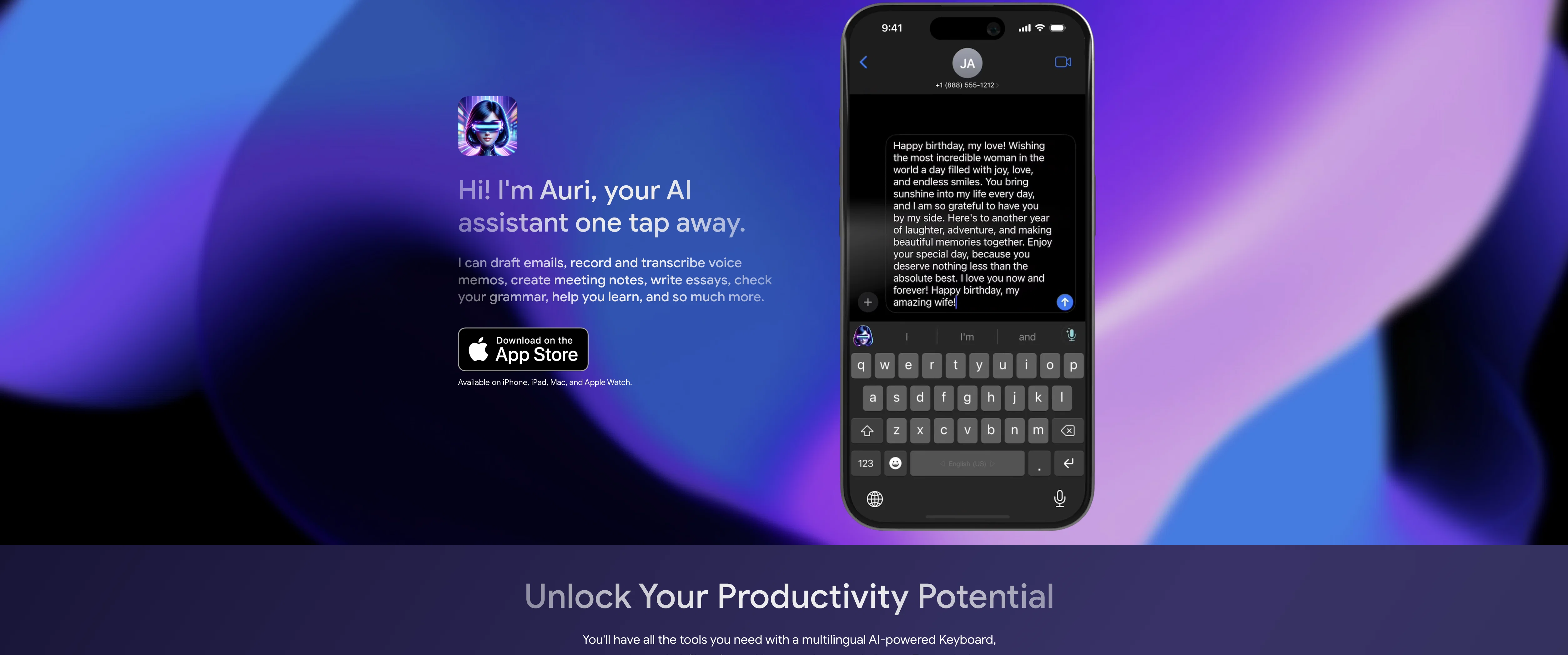
The AI keyboard serves multiple functions including writing, translating, paraphrasing, checking grammar, and replying to emails, thus enhancing multilingual communication across various platforms.
The AI chat enables brainstorming of ideas, setting reminders, as well as facilitating learning experiences. It boasts a robust voice-recording feature that simplifies transcription, transforming thoughts into coherent textual content.
The smart notes feature doesnt just facilitate notetaking, but also aids in summarizing, paraphrasing and correcting grammar and spelling errors. The tool also provides features such as text-to-speech capabilities and privacy-centered design.
Auri's assistance is available across various devices including iPhone, iPad, Mac and Apple Watch, helping users streamline tasks and enhance productivity.
Best for
Short scenarios where Auri.AI tends to shine.
-
Writing emails, essays, and blog posts
Best for Writers
-
Translating text in real-time
Best for Students
-
Paraphrasing sentences and paragraphs
Best for Professionals
-
Checking grammar and spelling
Best for Non-native English speakers
-
Transcribing voice memos and meetings
Best for Anyone who needs help with writing and communication
-
Creating meeting notes
Best for Writers
-
Brainstorming ideas with AI Chat
Best for Writers
Example outputs 1
Sample generations and before/after results for Auri.AI.
Access & connections
Where you can use Auri.AI.
Capabilities
What this tool accepts, produces, and is strongest at.
Input
- Text
- Audio
Output
- Audio
- Text
Pros & cons
Pros
- State-of-the-art Transcription
- Intelligent note-taking
- Automatic email drafting
- Voice-recording
- Text-to-speech
- Grammar and Spelling correction
- Writing enhancement
- Privacy-first design
Show 29 more
- Highly customizable themes
- Supports 25+ languages
- In-app translation
- In-app paraphrasing
- Fact-checking chatbot
- Works on multiple devices
- High user reviews
- Mobile keyboard availability
- Real-time writing correction
- 80+ languages translation
- Keyboard Dictation
- Smart note transcription
- Robust voice-recording feature
- Learning facilitation
- Image, chart, and graph analysis
- Meeting notes automation
- Privacy-centered data
- Capable of formal/informal paraphrasing
- Translates in 26 languages
- Available on iPhone, iPad, Mac, Apple Watch
- Transform voice notes to text
- Text-to-Speech Pro
- Works in all apps
- Sync across all devices
- Auri account data privacy
- Paraphrasing, translation, and grammar correction on selected text
- Transcribe voice in multiple languages including Afrikaans, Arabic, Armenian, Azerbaijani, and others
- Free version available
- Pro membership for unlimited access
Cons
- Only for Apple devices
- Requires full access
- Less effective for long-text selection
- Language limitations for transcription
- Paraphrasing only in English
- Pricey Pro membership
- Slow response times
- Limited daily use in free version
Show 1 more
- No Android compatibility
Compare alternatives
Similar tools in the catalog — with a clear reason to open each one.

Voila ✓
Free TrialSeamless AI assistant to help you create, write, brainstorm, and research.
Free + from $6/mo
Full comparison
Rizz! Keyboard ✓
FreeAI-powered creative responses in your iPhone keyboard.
Why look Fully free option
Full comparison
Werd - Vibe Write with Multi-agent AI ✓
Free TrialVIBE WRITE With Multi-agent AI
Why look Higher community rating
Full comparison
Sudowrite ✓
Free TrialAI writing partner for faster, more creative storytelling
Free + from $10.00/mo
Full comparison
RewriteBar ✓
Free TrialRewrite. Refine. Accelerate. — AI productivity for every macOS app. 🚀
Why look Offers a public API
Full comparisonPeople also view
Tools that often show up alongside Auri.AI in collections and comparisons.
Werd - Vibe Write with Multi-agent AI ✓
Free TrialVIBE WRITE With Multi-agent AI
Voila ✓
Free TrialSeamless AI assistant to help you create, write, brainstorm, and research.
Sudowrite ✓
Free TrialAI writing partner for faster, more creative storytelling
Rizz! Keyboard ✓
FreeAI-powered creative responses in your iPhone keyboard.
RewriteBar ✓
Free TrialRewrite. Refine. Accelerate. — AI productivity for every macOS app. 🚀

Skywork ✓
Free Trial10 tasks in 1 hour, not 10 hours

Pismo ✓
PaidNative AI writing assistant for Windows, MacOS and iOS

Merchant Floor | Blog Writer ✓
FreemiumWrite smarter. Publish faster.
Releases 1
FAQ 12
What is Auri.AI and how can it help me with writing tasks?
What is the range of features provided by Auri.AI?
What types of spelling and grammar errors can Auri.AI detect and correct?
How can Auri.AI assist me in writing sentences and paragraphs?
How effective is Auri.AI at translating words?
Can Auri.AI paraphrase text, and how does this feature work?
Can Auri.AI help me to draft emails?
What languages and themes does the Auri.AI keyboard support?
How does the chatbot in Auri.AI operate and assist me?
What kind of user data is accessed or collected by Auri.AI?
How can I download and install Auri.AI on my device?
How can Auri.AI aid in the transcription process?
Related tools
Recommended

Mindsmith ✓
FreemiumPlatform for building and sharing eLearning content

Hyperis ✓
FreemiumOrganized task prioritization.

Easy-Peasy.AI ✓
FreemiumAccelerates content creation.

Scene One ✓
FreemiumWrite more stories, less hassle with AI-powered book software.

HyperWrite | AI Writing Assistant ✓
FreemiumAI-powered writing companion for faster, creative content.

CreativAI ✓
FreemiumWrite up to 10x faster with AI