

Personal assistant 2026 Rank: #210
Apex ✓
Your AI digital twin that acts, not just chats.
Verdict
A quick read before you dig into the full page.
- Best if
- Your AI digital twin that acts, not just chats
- Skip if
- High learning curve
- Pick this when
- Runs 24/7 on dedicated server
Considering Notis instead? Compare side by side
Overview
Apex is an AI-based autonomous personal assistant that operates around the clock on a designated server. It is designed to function as your digital twin, performing a range of tasks similar to you.
It's more than a chatbot, Apex takes action, carrying out tasks from communications to decision making. It can manage and interact with different platforms like email, Slack, calendar, and more.
Apex also has the capability to monitor Key Performance Indicators (KPIs), aid in application development and even make purchases. It's designed to write code and perform various web tasks, fully capable of operating without explicit command.
Apex has a feature known as 'Memory' that allows it to remember your conversations, preferences, and context across every interaction. This AI tool has a unique feature of performing proactive actions, such as managing daily priorities and providing briefings.
Especially significant, Apex is self-hosted which gives you exclusive ownership of your data. The platform has been developed to prioritize security in its design.
- Persistent Memory Across All Conversations
- 24/7 Dedicated Server — Never Closes
- Email Triage, Summarization, And Auto-draft In Your Voice
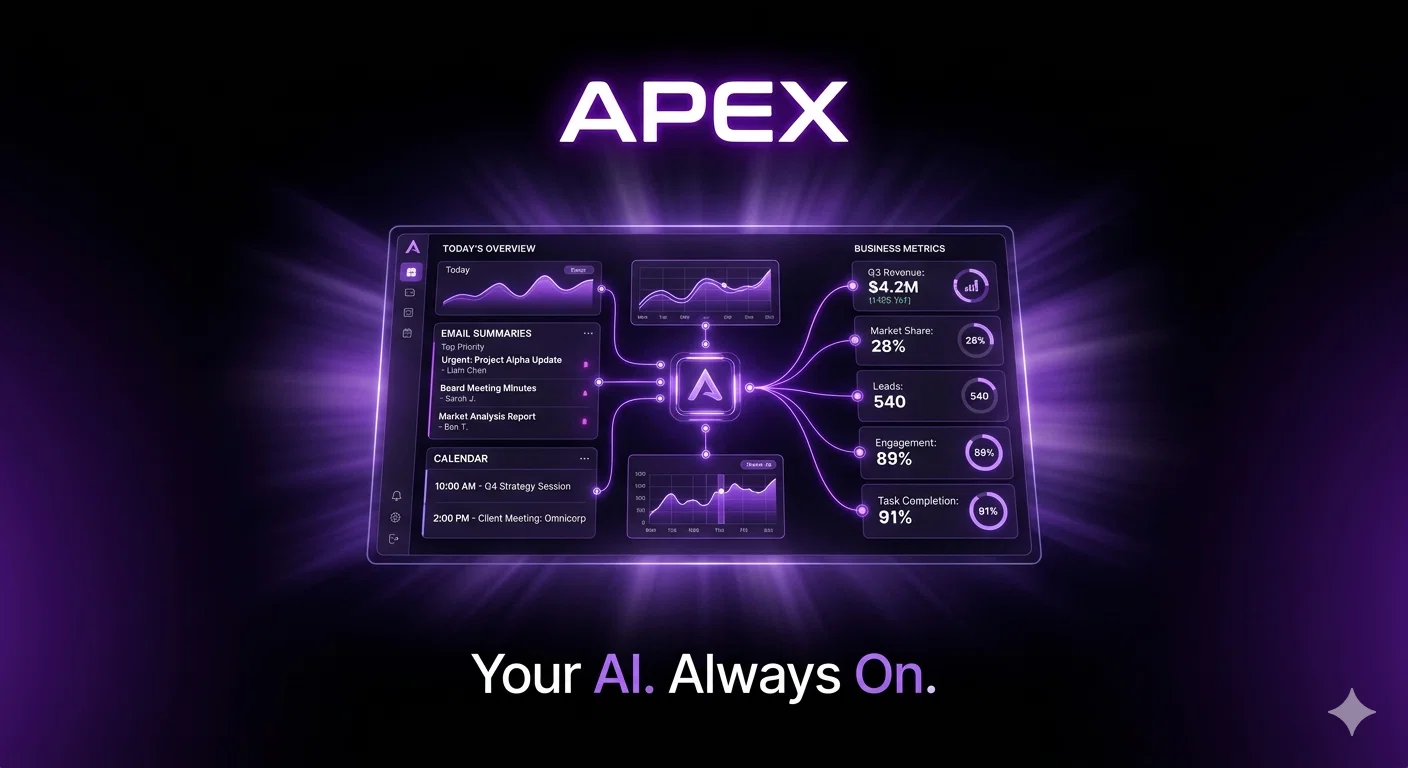
- Daily Morning Briefings: Email, Calendar, And Business Metrics
- Scheduled Automations — Runs Workflows Without Prompting
- Integrations: Gmail, Slack, Shopify, Hubspot, Stripe, Google Calendar, Clickup
- Isolated Encrypted Server — Full Data Privacy
- Proactive Alerts — Flags What Matters Without You Checking
- Voice And Chat Interface
- Nightly Backups — Your Data And Memory Are Always Safe
Access & connections
Where you can use Apex, and what it plugs into.
Platforms
Capabilities
What this tool accepts, produces, and is strongest at.
Input
- API
- Code
- Tabular
- Text
Output
- Code
- Tabular
- Text
Highlights
- Agents
- API
- MCP
- Local
- Open Source
- Waitlist
Supported features
- Agents
- API
- MCP
- Runs Locally
- Open Source
Pros & cons
Pros
- Runs 24/7 on dedicated server
- Remembers every conversation
- Actionable, not just conversational
- Drafts emails in your voice
- Sends daily briefings
- Runs automations across various platforms
- Data lives on isolated server
- Data encryption
Show 38 more
- Works across Gmail, Slack, Shopify
- Works across HubSpot, Stripe, Google Calendar
- Works across ClickUp
- Monitors Key Performance Indicators
- Helps in application development
- Able to make purchases
- Writes code and performs tasks
- Proactive task management
- Prioritizes data security
- Self-hosted
- Memory feature for conversations and preferences
- Task automation
- Communication management
- Cross-platform interaction
- Web task management
- Acts without command prompts
- Coded to manage daily priorities
- Sends out briefings proactively
- Capable of interacting with emails, Slack, calendar
- Works like a digital twin
- Performs real work on your behalf
- Capable of executive decision making
- Entity-specific server for security
- Eliminates inbox clutter
- Cuts down on async noise
- Auto follow-up ensuring nothing falls through
- Integrated content engine
- Monitor and provide action points for KPIs
- Can build app prototypes overnight
- Find significant data signals
- Assists in making purchases
- Optimizes calendar for deep work
- Never misses follow-ups
- Can make calls
- Acts like an autonomous agent
- Pre-built playbooks for complex work
- Preference and context-based actions
- Connects with multiple apps in one place
Cons
- Limited availability
- Requires dedicated server
- Possibly high maintenance
- Limited platform compatibility
- Lacks real-time communication
- Limited e-commerce functionality
- Inability to customize
- No multi-user support
Show 2 more
- High learning curve
- Excessive data dependence
Compare alternatives
Similar tools in the catalog — with a clear reason to open each one.

Notis ✓
Free TrialThe first WhatsApp assistant that runs on your ChatGPT and Claude subscriptions
Free + from $13/mo
Full comparison


Assindo ✓
Free TrialManaged AI agent like OpenClaw but with real phone calls included
Free + from $0.99/mo
Full comparison

Botlor ✓
Free TrialYour AI butler that books, shops, creates, advises.
Why look Higher community rating
Full comparisonReleases 1
Imported reviews 1
Apex is the best tool for all of your needs
FAQ 12
What exactly is Apex?
How does Apex handle email and Slack communications?
What kind of tasks can Apex perform on my behalf?
In what ways is Apex similar to conventional automation tools?
How does Apex emulate my work patterns and decision-making approach?
Can Apex interact with my pre-existing applications like Slack, Email, and WhatsApp?
Does Apex's memory feature mean it can remember past conversations and user preferences?
Can Apex write and construct code?
How is Apex ensuring the security of my data?
How can I get Apex to provide executive briefings with full context?
What is 'The Shield' feature in Apex?
How can Apex help with monitoring key performance indicators?
Related tools
Recommended

Claude ✓
FreemiumBuilding reliable, interpretable AI systems

remio: Your Personal ChatGPT ✓
FreemiumGet Tailored Answer with Your Personal ChatGPT

AppDeploy ✓
FreeDeploy real apps directly from ChatGPT or Claude

Whacka ✓
Free TrialTurn ideas into real apps from your phone.

Denovo ✓
FreemiumTurn your idea into a real business in minutes.

SurfSense ✓
FreemiumAI-powered research and knowledge management assistant