

AI Editor ✓
AI-powered rich text editor for modern writing
Free + from $2000
Verdict
A quick read before you dig into the full page.
- Best if
- AI-powered rich text editor for modern writing
- Skip if
- Complex installation via npm
- Pick this when
- npm installation
Considering Calliope instead? Compare side by side
Overview
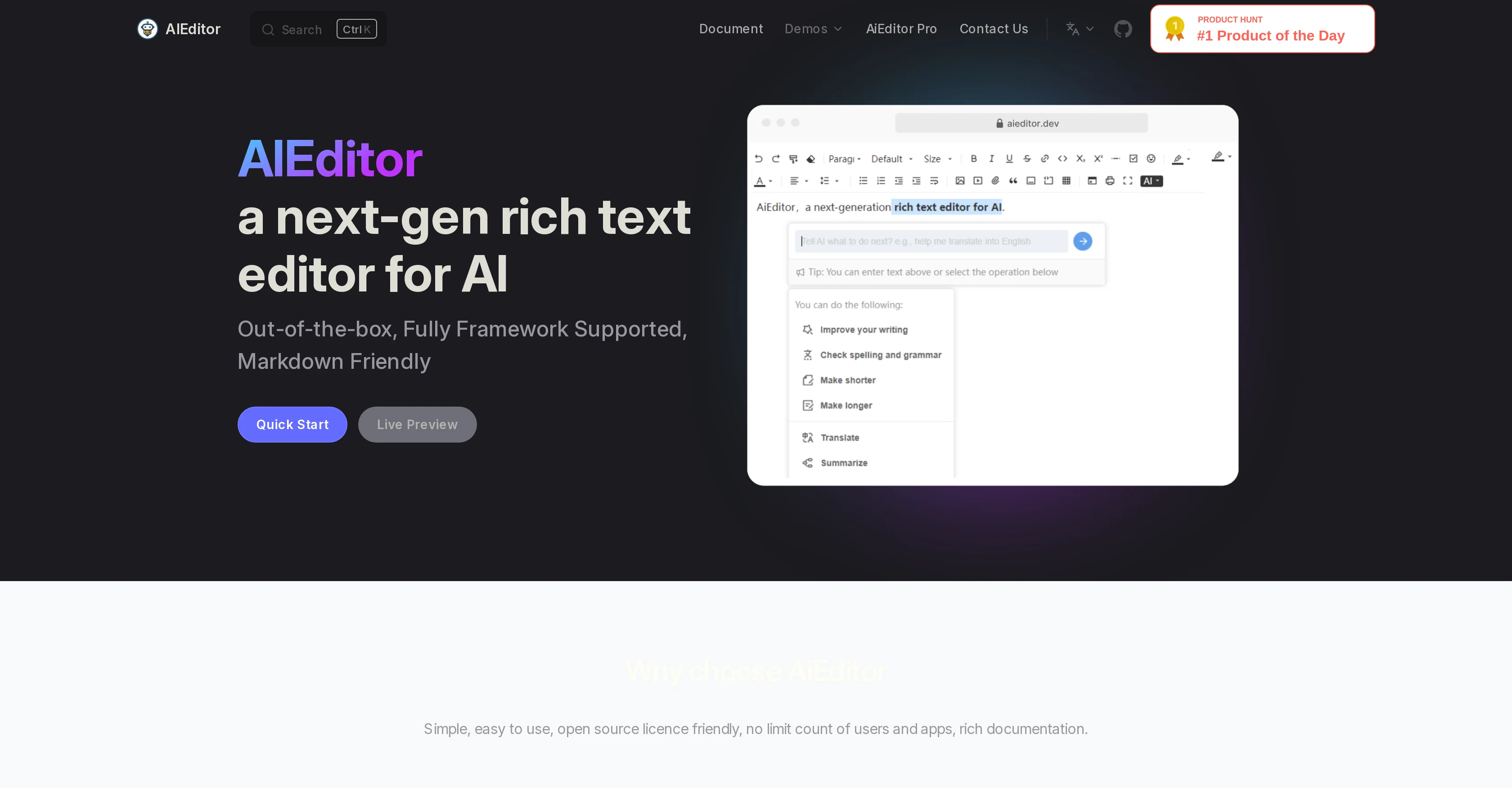
AiEditor is an advanced, open-source rich text editor powered by artificial intelligence. It's designed to provide an efficient, user-friendly platform for developing knowledge products.
Conveniently installed via npm, AiEditor offers robust support for multiple frameworks as it is developed based on Web Component. Unlike certain editors, it supports private API keys and private deployment to both the open source and commercial versions for enhanced data and privacy security.Significantly, AiEditor boasts AI-powered capabilities such as recognizing and correctly rendering Markdown syntax in real-time, checking for spelling and grammar errors, summarizing core content, and expanding or condensing text as needed.
It also presents a 'one-click' translation feature, with ongoing plans for more AI capabilities.Moreover, AiEditor fosters collaboration by enabling multiple users to work on the same document simultaneously and viewing real-time changes.
Therefore positioning it as a versatile choice for an array of scenarios, including project management, news reporting, software development, medical research, and more.In addition, users can add comments or suggestions, flag errors or areas of improvement for subsequent revision, infusing a value-adding editorial collaborative approach.
AiEditor also blends in external source works, such as a virtual whiteboard, hand-drawn sketches, and a chart editor, further enhancing its functionality.
Access & connections
Where you can use AI Editor.
Platforms
Capabilities
What this tool accepts, produces, and is strongest at.
Input
- Text
Output
- Text
Supported features
- IDE
Pros & cons
Pros
- Open-source
- npm installation
- Supports multiple frameworks
- Web Component based
- Supports private API keys
- Private deployment
- Real-time Markdown rendering
- Spelling and grammar check
Show 33 more
- Content summarization
- Text expansion/condensation
- One-click translation
- Multi-user collaboration
- Real-time editing
- Allows comments/suggestions
- Error flagging
- Incorporates external sources
- Includes virtual whiteboard
- Includes hand-drawn sketches
- Includes chart editor
- Supports various use cases
- Unlimited user support
- Unlimited application support
- LGPL license
- Data and privacy security
- Easy to use
- Quick setup
- Rich documentation
- Flexible for scenarios
- Open license agreement
- Advanced UI/UX
- LGPL, not contagious
- Supports any framework
- Private LLM support
- Secure data control
- Integrates open-source works
- Prep-free code execution
- Real-time collaboration
- Document specific feedback
- Liberal open-source licensing
- Optimized for knowledge products
- Fully Framework Supported
Cons
- Complex installation via npm
- Dependency on Web Component
- Peculiar Markdown rendering method
- Potential collaborative editing issues
- Limited insertion of external content
- Poor handling of real-time changes
- Unclear error flagging system
- Requires private API keys
Show 1 more
- Lacks plugin or extension support
Compare alternatives
Similar tools in the catalog — with a clear reason to open each one.

Calliope ✓
FreemiumThe AI writing app that won't write your prose.
Why look Typically cheaper
Full comparison
Seedeo Video Generator ✓
FreemiumTurn text and images into cinematic AI videos.
Why look Typically cheaper
Full comparison

AI Effect | AI Video Generator ✓
FreemiumTurn text or images into videos. Pay as you go
Why look Typically cheaper
Full comparison
GoFaceless ✓
Free TrialTurn any idea into a finished faceless video.
Why look Typically cheaper
Full comparison
Nafy AI ✓
Free TrialTransform ideas into royalty-free, studio-quality tracks instantly.
Why look Typically cheaper
Full comparisonReleases 1
FAQ 12
What is AiEditor?
What are the key features of AiEditor?
How do I install AiEditor?
What are the AI capabilities of AiEditor?
How does AiEditor ensure data and privacy security?
Does AiEditor support real-time Markdown rendering?
Can multiple users work on the same document at the same time using AiEditor?
Does AiEditor allow for real-time spell checking and grammar checking?
Can I use AiEditor for project management?
Does AiEditor provide a one-click translation feature?
Can AiEditor summarize the core content?
What types of documents can I create with AiEditor?
Related tools
Recommended

Agentgpt ✓
FreemiumDeploy autonomous AI Agents effortlessly in your browser.

Kin - Personal AI Advisors ✓
FreePrivacy-first & designed your for mind, and life at work

Audioread.com ✓
PaidListen to any text in your podcast app or browser.

My AI Tarot - Free Tarot Card Readings ✓
FreeInsightful guidance tailored to your life's questions.

MealMate ✓
UnknownAI-powered meal planning for healthy eating.

Rizz! Keyboard ✓
FreeAI-powered creative responses in your iPhone keyboard.