

AI Diagram Generator ✓
Create diagrams effortlessly with AI
Verdict
A quick read before you dig into the full page.
- Best if
- Create diagrams effortlessly with AI
- Skip if
- May misinterpret complex text inputs
- Pick this when
- Creates diagrams from text
Considering AI Diagram Maker instead? Compare side by side
Overview
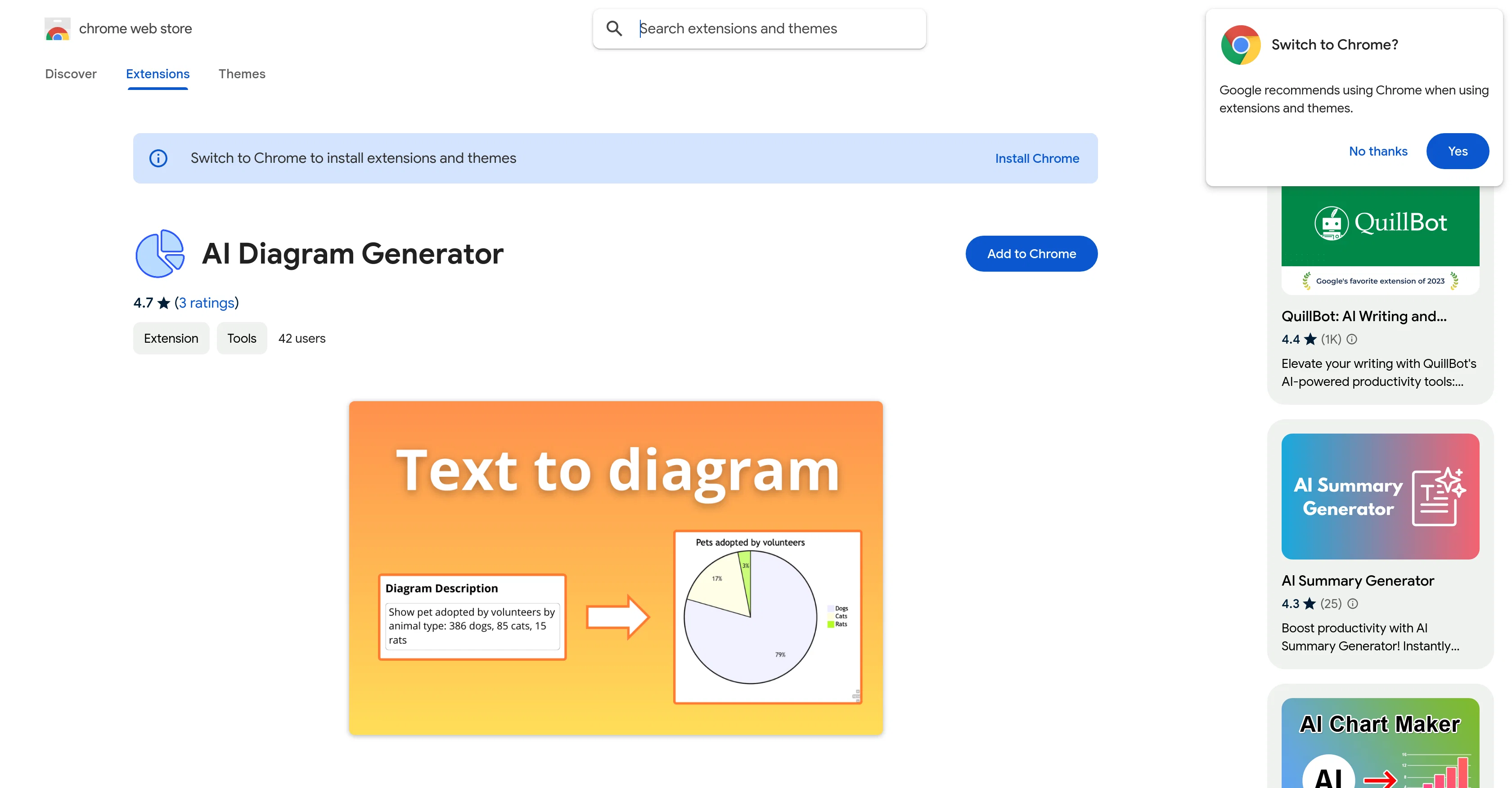
AI Diagram Generator, available on the Chrome Web Store, is an intelligent tool designed to automate the process of diagram creation. It allows users to create various types of diagrams including flowcharts, Entity-Relationship Diagrams (ERDs), and several others with ease.
By using AI to facilitate these processes, it eliminates the need for manual chart creation, promoting productivity and accuracy.Users can simply input their text and the AI will generate the required diagrams, thus enabling intricate designs with minimal effort.
This tool is particularly beneficial for students, professionals or designers seeking to visualize complex concepts or data. It can build UML schemes from class blueprints to use case charts, illustrate processes, map out states and transitions and even design networks with AI-generated precision.In addition to creating process flows and designing system schemas, the AI diagram generator allows quick sketching of workflows and decision trees, building of hierarchies, classification structures, visualization of data movement across systems and more.
The tool can effortlessly create professional-grade schemes such as process flowcharts, Entity-Relationship Diagrams (ERDs), data flow maps, tree schemes, and algorithm charts, among others.In the context of teamwork, this tool offers the added advantage of easy collaboration.
Users can share their results and thus, promote collective productivity. Whether you are a developer documenting your workflows or a database architect simplifying complex designs, the AI diagram generator is a versatile tool that can cater to various user needs.
Access & connections
Where you can use AI Diagram Generator, and what it plugs into.
Platforms
Capabilities
What this tool accepts, produces, and is strongest at.
Input
- Text
Output
- Image
Pros & cons
Pros
- Creates diagrams from text
- Supports multiple types of diagrams
- Visualizes complex data
- Builds UML schemes
- Maps states and transitions
- Designs networks
- Quick workflow sketching
- Tree scheme creation
Show 42 more
- Visualizes data movements
- Supports team collaboration
- Particularly useful for professionals
- Streamlines student learning process
- Produces algorithm charts
- Creates process flowcharts
- Offers ERDs design
- Data flow maps generation
- Chrome web store availability
- Streamlines complex concepts visualization
- Supports multiple languages
- Straightforward usage
- Automates manual diagram creation
- Saves time
- Accuracy in diagram creation
- Promotes collective productivity
- Generates sequences plots
- Use case chart builder
- Automates design of system schemas
- Facilitates classification structures visualization
- Facilitates hierarchy building
- Enables professional-grade schemes design
- Creates intricate designs with ease
- Fast process mapping
- Multiple styles and formats support
- Conversion of description into diagrams
- Downloadable diagram results
- Works for various user needs
- Automates repetitive tasks for increased productivity
- Perfect for developers
- Useful for database architects
- Enhances team collaboration
- Generates ER blueprints
- Ease of sharing diagrams
- Instant graph generation
- Ease of inputting plain text
- Supports a range of diagram types
- Automates decision trees sketching
- Generates State representation
- Creates flowcharts effortlessly
- Does not collect or use user data
- Satisfies professionals needs
Cons
- Only available as Chrome extension
- Requires text input for diagrams
- Lacks offline usability
- May misinterpret complex text inputs
- No mentioned integration with other tools
- Potential bugs in complex diagram generation
- Dependency on reliable internet connection
- User-interface not discussed
Show 2 more
- Limited to per-defined diagram types
- Support service unspecified
Compare alternatives
Similar tools in the catalog — with a clear reason to open each one.

AI Diagram Maker ✓
FreemiumCreate professional diagrams in seconds with AI.
Free + from $5/mo
Full comparison
DiagramGPT by Eraser ✓
FreemiumGenerated engineering diagrams.
Free + from $10 per member / month
Full comparison
Diagramming ✓
FreemiumInstantly design UML & workflows with AI
Why look Stronger for image work
Full comparison

Tenorshare AI Diagrimo ✓
FreemiumTurn text into visuals instantly.
Free + from $6.99/mo
Full comparison
Mermaid Chart ✓
FreemiumVisualize complex data with simple charts
Free + from $6.67/mo
Full comparisonReleases 1
Imported reviews 1
I don’t get yet
FAQ 12
What types of diagrams can AI Diagram Generator create?
How does AI Diagram Generator improve productivity?
What professions could benefit most from using AI Diagram Generator?
How does AI Diagram Generator handle complex data and concepts?
Can AI Diagram Generator be used for team collaboration?
How can the diagrams created by AI Diagram Generator be shared?
What are the steps involved in creating a diagram using AI Diagram Generator?
Do I need any technical skills to use AI Diagram Generator?
Can I use AI Diagram Generator to create UML schemes?
What types of professional-grade schemes can AI Diagram Generator produce?
In what format does AI Diagram Generator provide the final diagrams?
Can AI Diagram Generator help with database architecture designs?
Related tools
Recommended

Automateed ✓
Free TrialCreate eBooks effortlessly with Automateed, the AI-powered writing tool.

Gurubase ✓
Free TrialShortcut search for tech resources and answers.

RewriteSomething ✓
FreeCreate product descriptions that sell with AI

Thea ✓
FreemiumAI study tools to master material, not just memorize it.

TheLibrarian.io ✓
Free TrialYour WhatsApp AI assistant for instant productivity.

Suno ✓
FreemiumMake music at the speed of your ideas.