

Free + from $10 / month
Verdict
A quick read before you dig into the full page.
- Best if
- AI assistance in any text field, everywhere
- Skip if
- Limited language translation
- Pick this when
- Browser extension
Considering FlowPost instead? Compare side by side
Overview
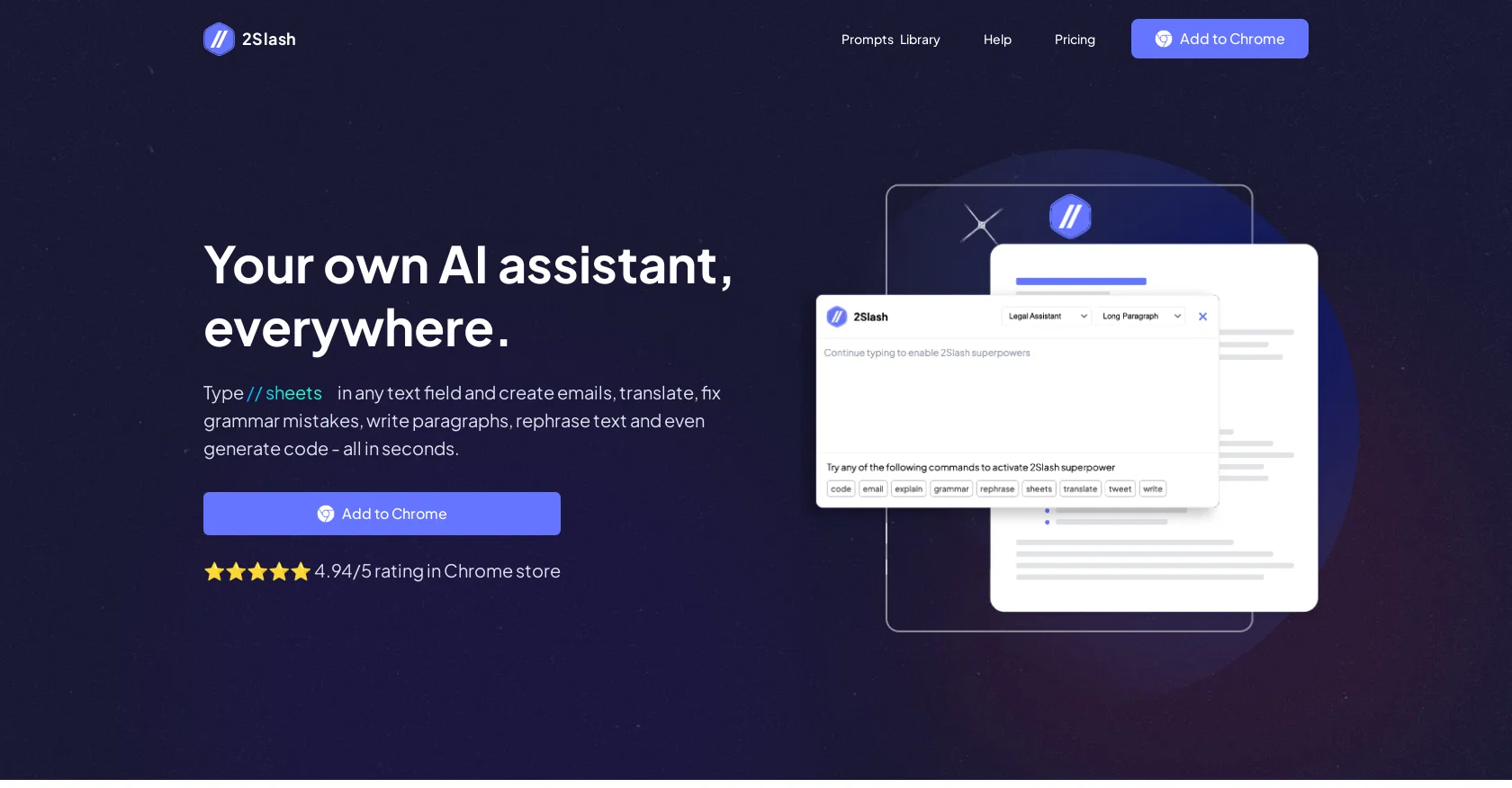
2Slash is a browser extension that enables AI capabilities in any text field. It allows users to access their own personal AI assistant, offering various functions to enhance productivity.
By typing "//" in a text field or clicking the floating helper, users can activate a popup where they can utilize pre-built commands or create their own commands to perform tasks such as generating code, fixing grammar mistakes, rephrasing text, writing paragraphs, translating, and creating emails.With regards to content and email, users can generate emails, blog posts, articles, and paragraphs, customizing the length of the result and selecting a persona if desired.
For Google Sheets, users can describe the formula they need, and the AI will generate the formula directly in the sheet. In terms of translation, the AI can assist users in becoming multilingual by translating text to various languages.
Additionally, the AI can generate code snippets for minor coding tasks and help users create captivating social media posts using the "tweet" command.2Slash offers different subscription plans, with options for monthly and yearly billing.
The extension is currently available for Chrome, with plans to expand to Firefox and Edge in the future. It utilizes AI models such as GPT-4, GPT-3.5, and offers the experimental option of GPT-4 32K.
The extension is initially free to install and use for a week, after which users can choose from various affordable paid subscriptions.
Access & connections
Where you can use 2Slash, and what it plugs into.
Platforms
Integrations
Capabilities
What this tool accepts, produces, and is strongest at.
Input
- Text
Output
- Text
Pros & cons
Pros
- Browser extension
- Activates in any text field
- Offers pre-built commands
- Creates custom commands
- Generates code
- Fixes grammar mistakes
- Rephrases text
- Translates languages
Show 23 more
- Creates emails
- Generates blog posts
- Generates social media posts
- Functions in Google Sheets
- Generates Excel formulas
- Adjustable content length
- Selectable text persona
- Multiple subscription options
- Free trial
- Available for Chrome
- Plans for Firefox and Edge extensions
- Experiments with GPT-4 32K
- Affordable paid subscriptions
- 4.94/5 rating in Chrome Store
- Clipboard result copy
- Frequent regeneration option
- Configurable commands
- Document history view
- Expanded word limit options
- Offers premium prompts
- Availability of Lifetime deal
- Prompt library access
- User-specific command customization
Cons
- Chrome-specific extension
- Subscription-based
- Limited language translation
- No offline mode
- Experimental GPT-4 32K
- Confined to text fields
- Exclusively cloud-based
- Locale restrictions
Show 1 more
- No mobile version
Compare alternatives
Similar tools in the catalog — with a clear reason to open each one.


EasyAI – AI Flow - No Code Content (Video/Image) Ge... ✓
Free TrialChain AI tasks with no-code into workflows for chatbots, video, documents, and
Why look Offers a public API
Full comparison
RightBlogger ✓
FreemiumAutomate blogging, SEO, and publishing in one simple platform
Why look Higher community rating
Full comparison
myAIninja ✓
Free TrialAI-powered content creation for social media, 10x faster
Why look Higher community rating
Full comparison

Releases 1
FAQ 12
What is 2Slash?
How does 2Slash enhance text assistance?
How can I activate the 2Slash extension?
Which text fields can I use 2Slash on?
Can I generate code with 2Slash?
Can 2Slash help with grammar and rephrasing?
How do I use 2Slash for translating text?
What is the tweet command in 2Slash?
How does the Google Sheets feature in 2Slash work?
Can 2Slash assist with writing emails and blogs?
What are the subscription plans for 2Slash?
Is 2Slash available on browsers besides Chrome?
Related tools
Recommended

Agentgpt ✓
FreemiumDeploy autonomous AI Agents effortlessly in your browser.

Scisummary ✓
Free TrialCutting-edge scientific articles summarization.

KeywordSearch ✓
FreemiumDiscover and target YouTube audiences.

Hal9 ✓
FreemiumBuild your AI-Powered Product in 30 Days

AI Studios ✓
PaidCreate AI avatar videos from text in minutes

AI Toolbox for innovators ✓
FreeSupercharge innovation with AI-powered tools