
Writers Copilot
A free AI writing assistant for editing and feedback.
Source rating 5.0
(72)
0 views
0 saves
Unknown
Verdict
A quick read before you dig into the full page.
- Best if
- A free AI writing assistant for editing and feedback
- Pick this when
- A free AI writing assistant for editing and feedback
Overview
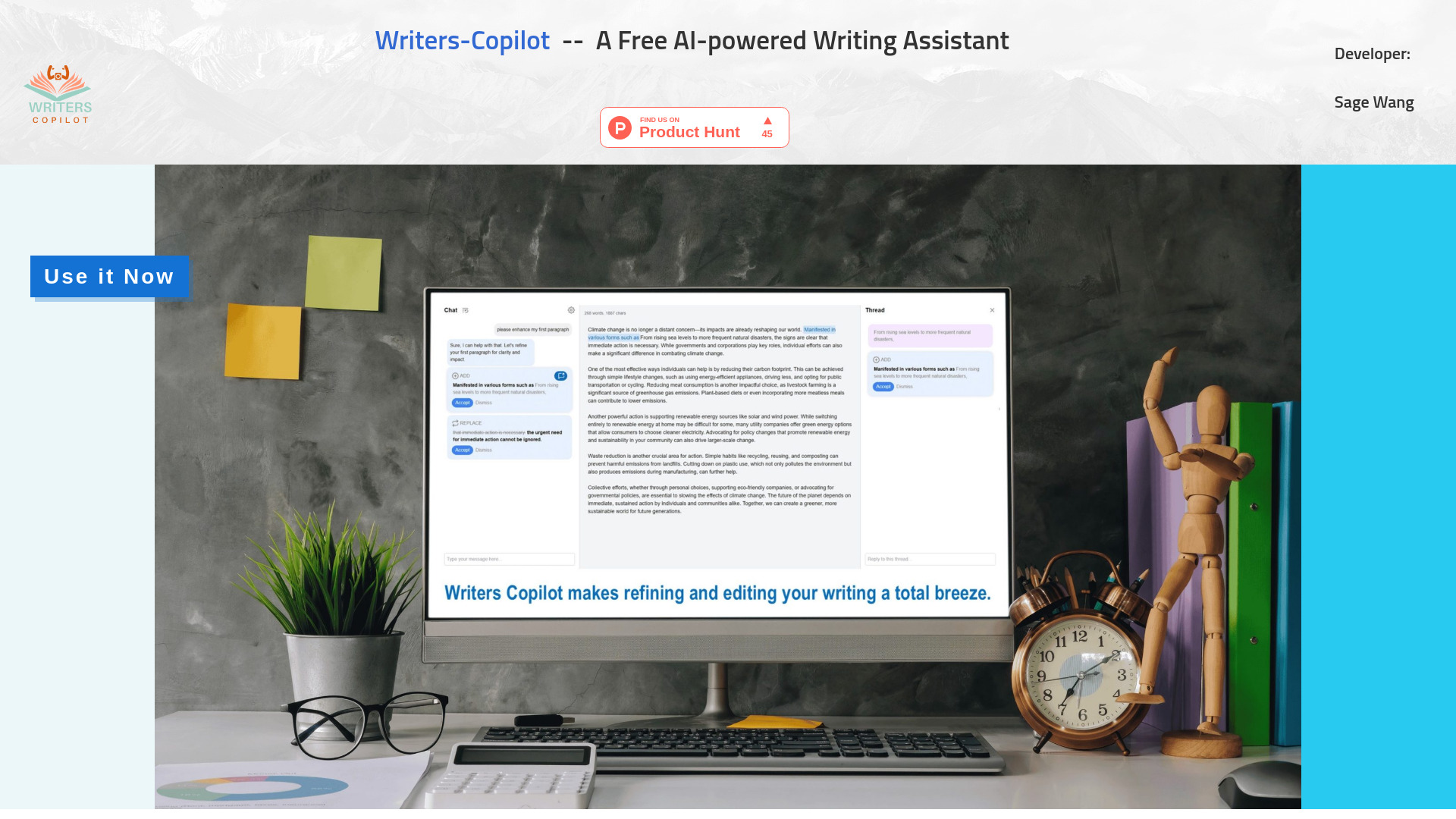
Writers-Copilot is a free AI-powered writing assistant designed to streamline editing by providing targeted feedback and previewing suggested changes. Users can hover over revisions to see how they'll look and engage in threaded side conversations for focused discussions on specific sections.
Access & connections
Where you can use Writers Copilot.
Platforms
Capabilities
What this tool accepts, produces, and is strongest at.
Highlights
- AI-powered writing feedback and suggestions
- Preview suggested changes by hovering
- Threaded side conversations for focused discussions
- Customizable instructions for AI (word limit, writing style)
FAQ 5
What is Writers-Copilot?
Writers-Copilot is a free AI-powered writing assistant designed to streamline editing by providing targeted feedback and previewing suggested changes. Users can hover over revisions to see how they'll look and engage in threaded side conversations for focused discussions on specific sections.
How to use Writers-Copilot?
Click the blue 'Use it now' button to launch the app, no registration needed. Copy and paste your original content into the middle content window. Ask AI to improve and edit your content using the chat window at the bottom left, then preview AI's suggestions by hovering each light blue section, and finally accept or reject proposed changes. Click the Open icon to start a new chat thread on the right pane for a more focused chat about this specific suggested change. Highlight any sections of your draft, and initiate a new chat thread to ask questions, seeks feedback, or request re-write. Click the gear icon to add any custom instructions such as word limit and writing style requirements to the AI's memory.
How do I use Writers-Copilot?
Click the 'Use it now' button, paste your content, ask AI to improve it via the chat window, preview suggestions by hovering, and accept or reject changes. Use the Open icon to start a new chat thread for focused discussions.
Do I need to register to use Writers-Copilot?
No, no registration is needed.
Can I customize the AI's instructions?
Yes, click the gear icon to add custom instructions such as word limit and writing style requirements.
Related tools
Recommended


Writers Copilot